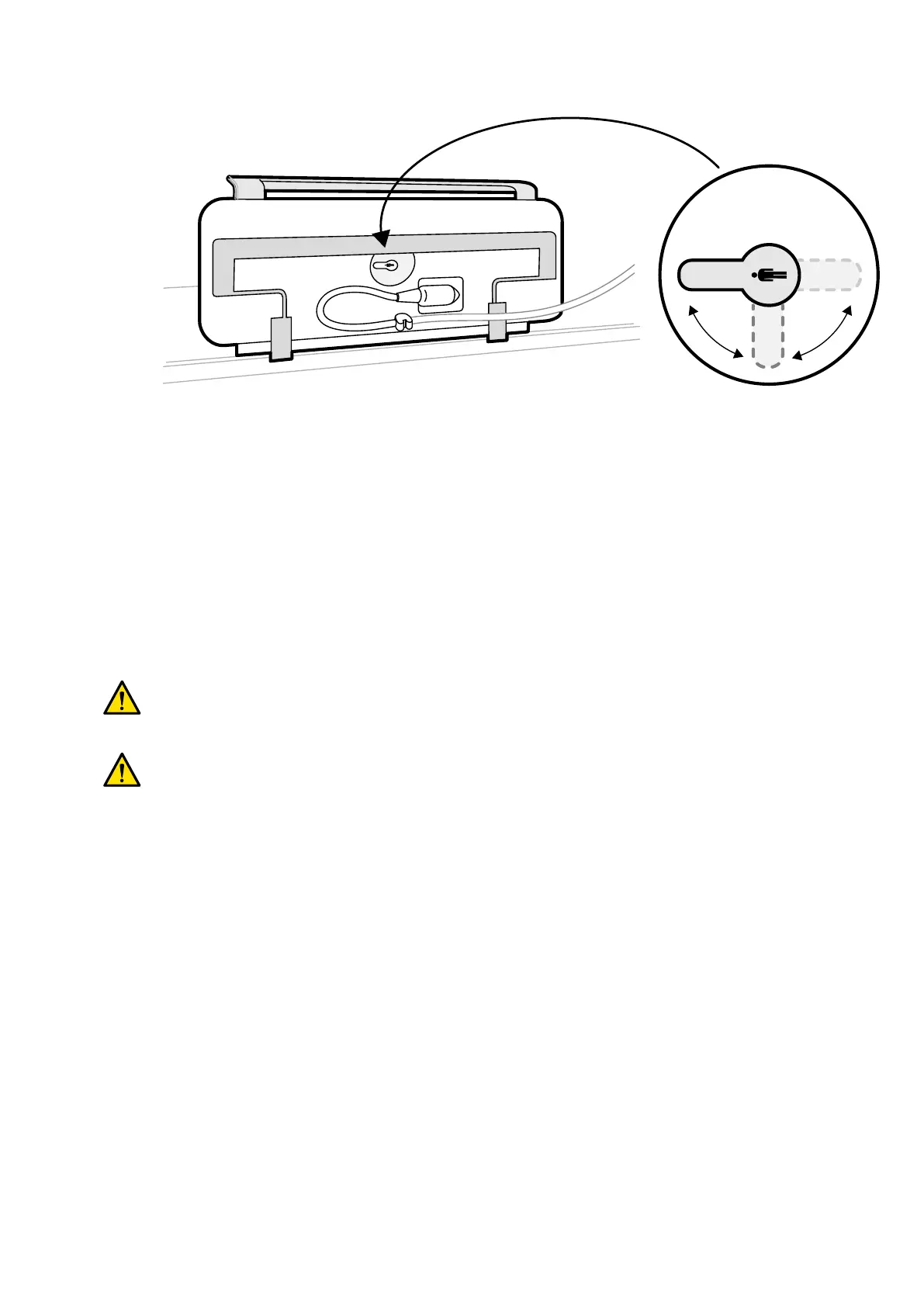
Figure 34 Con
trol module (underside) and Orientaon switch
The switch must always point towards the head end of the tabletop. For example:
• When mounng the control module on the doctor side, the switch must point to the le.
• When mounng the control module on the nurse side, the switch must point to the right.
• When mounng the control module at the foot end, the switch must point towards the tabletop.
For denions of table posions, see Paent Table: Doctor Side and Nurse Side (page 385).
When the Orientaon switch on the under side of the control module is in the correct posion, the
movement of the stand is logical compared to the direcon in which the switches are operated.
5.9.5 Posioning the Monitor Ceiling Suspension
WARNING
Do not allo
w the paent to touch the lower handgrip of the monitor ceiling suspension. It is not an
applied part and should not come into contact with the paent.
WARNING
Do not moun
t any equipment on the lower handgrip of the monitor ceiling suspension that is not
regarded as an applied part. For more informaon, see Applied Parts (page 342).
1 Press and hold the motorized movement buons to adjust the height of the monitor ceiling
suspension.
Preparing a P
aent Study Preparing the System
Azurion Release 1.2 Ins
trucons for Use 60 Philips Healthcare 4522 203 52421



 To Next Page