Applicaon Windo
w
Display area: The selected step determines the available touch screen buons.
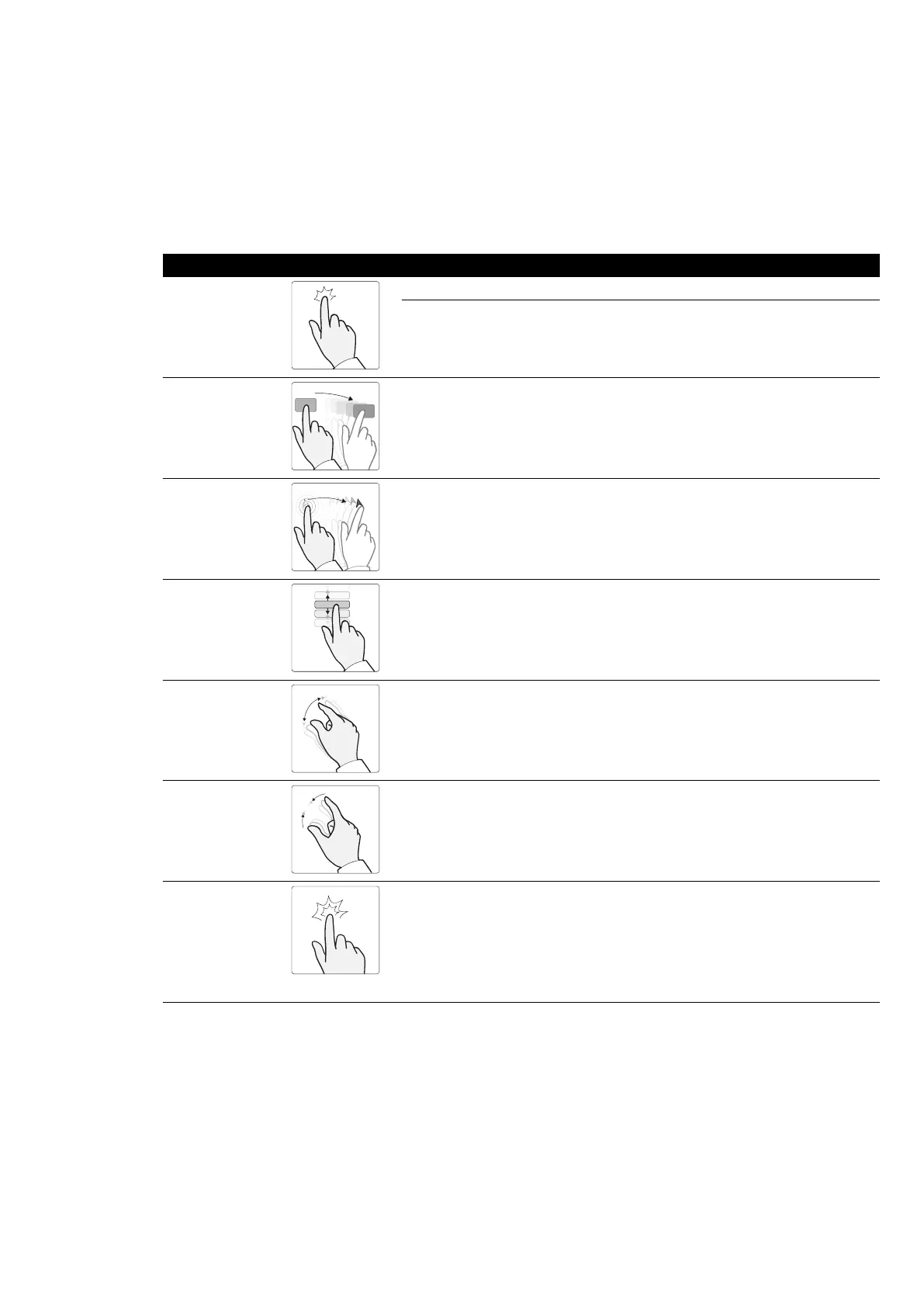
18.4.1 Touch Screen Gestures
You can use touch gestures on the touch screen module.
Gesture Acon Eect
Tap Tap the screen on a funcon Acvates the funcon
Tap the mini viewport (biplane sys-
t
ems only)
Swaps the contents of the mini view-
port and the main viewport
Drag
Touch an item or region in the window
and mo
ve across the screen
Drags an item on the screen, or pans
the image
Press
Press and hold Displays the pointer. You can then drag
the poin
ter to an item or region of in-
terest. The pointer is hidden when you
remove your nger from the screen
Slide
Touch a list item and move up or down Scrolls the list
Stretch Place two ng
ers close together on
the screen and move them apart
Zoom in at this posion
Pinch
Place two ng
ers a distance apart on
the screen and move them towards
each other
Zoom out from this posion
Double tap
Tap the screen twice • If the image is not already
z
oomed, a double tap zooms the
image to twice the default magni-
caon
• If the image is already zoomed, a
double tap resets the zoom and
pan sengs
18.5 Status Area
The s
tatus area displays informaon about the status of the X-ray system, including sengs in use and
messages.
Quick Reference Status Area
Azurion Release 1.2 Instrucons for Use 358 Philips Healthcare 4522 203 52421



 To Next Page