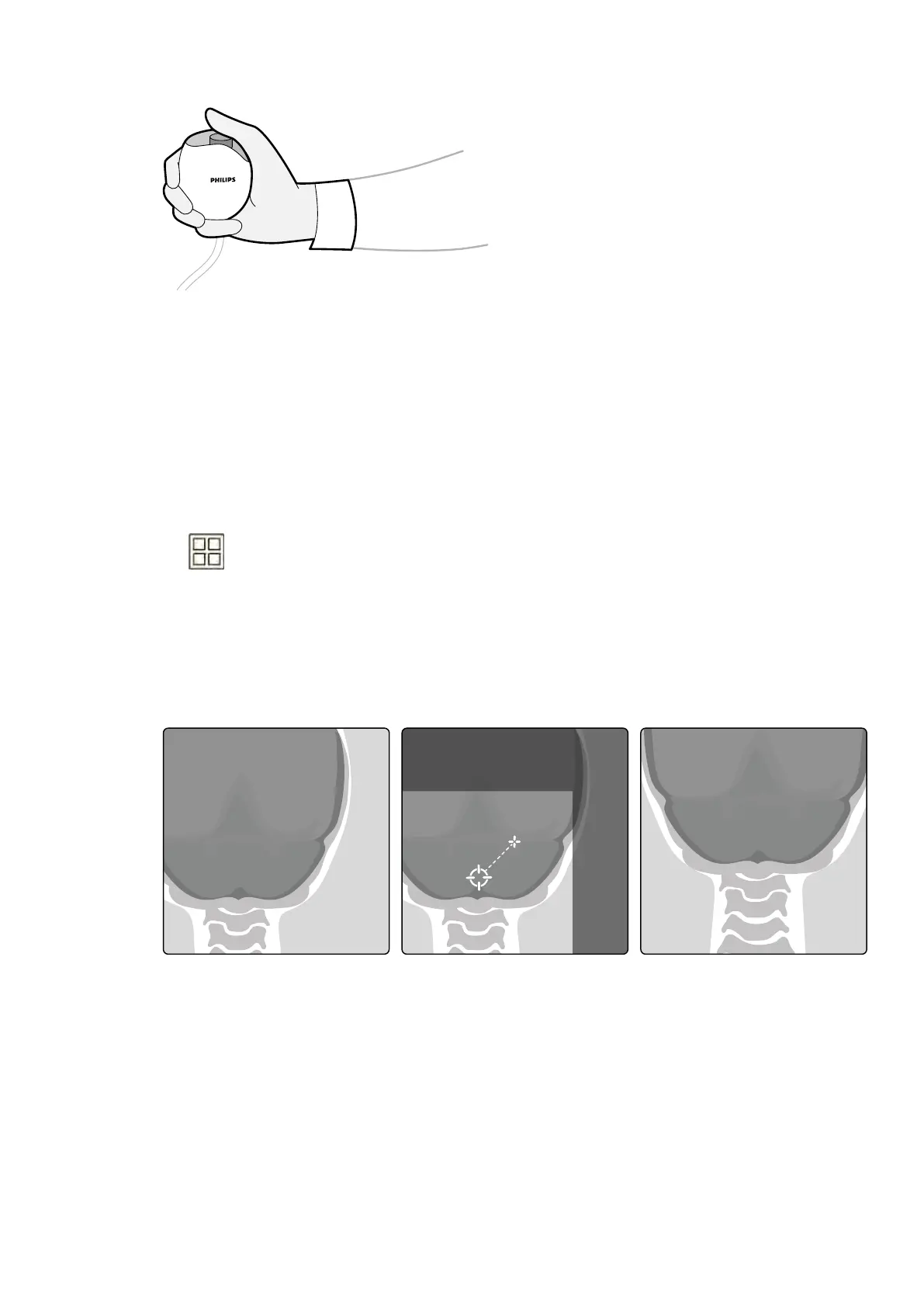
Figure 51 Exposur
e hand switch
During acquision, the X-ray on indicator light is on.
6 To stop acquiring images, release the exposure hand switch or foot switch.
If the X-ray protocol in use is congured to automacally replay the series, then this starts
automacally when you stop acquiring images. If this is not congured for the X-ray protocol you
are using, the last image in the acquired series is displayed.
The following symbol is displayed in the top right-hand corner of all images in the acquired series,
indicang that these are Last Image Hold images:
6.4.5 Zero Dose P
osioning
When you have acquired an image, you can reposion the center of the image without using X-ray to
determine the new center posion.
1 Move the table to a new posion using the oat tabletop control on the control module.
Figure 52 R
eposioning the image center
The center of the image is displayed as a target in the X-ray window.
2 Once the new center posion has been achieved you can acquire a new image.
6.5 Acquiring Images in an Emergency
In an emergency, you can start a study without logging on and without having previously scheduled the
paent, by using the emergency access mode. While you are using the system in emergency access
mode, you can acquire images but other system funcons are not available.
Performing Procedures Acquiring Images in an Emergency
Azurion Release 1.2 Ins
trucons for Use 88 Philips Healthcare 4522 203 52421



 To Next Page