The required paen
t orientaon for the selected ProcedureCard is shown in the X-ray Sengs task
panel. If the paent orientaon is dierent, change the paent orientaon in the task panel. For
more informaon, see Changing the Paent Orientaon (page 55).
NOTE Ensure that the paent, the control module, and the touch screen module are posioned
in such a way that the paent cannot touch or come in contact with the modules.
7 If you pivoted the table to transfer the paent, do the following to return the table to the desired
procedure posion:
a Unlock the pivot lock and pivot the table.
b Ensure that the pivot lock is engaged before connuing with paent preparaon.
5.8.1 Using Paent Straps
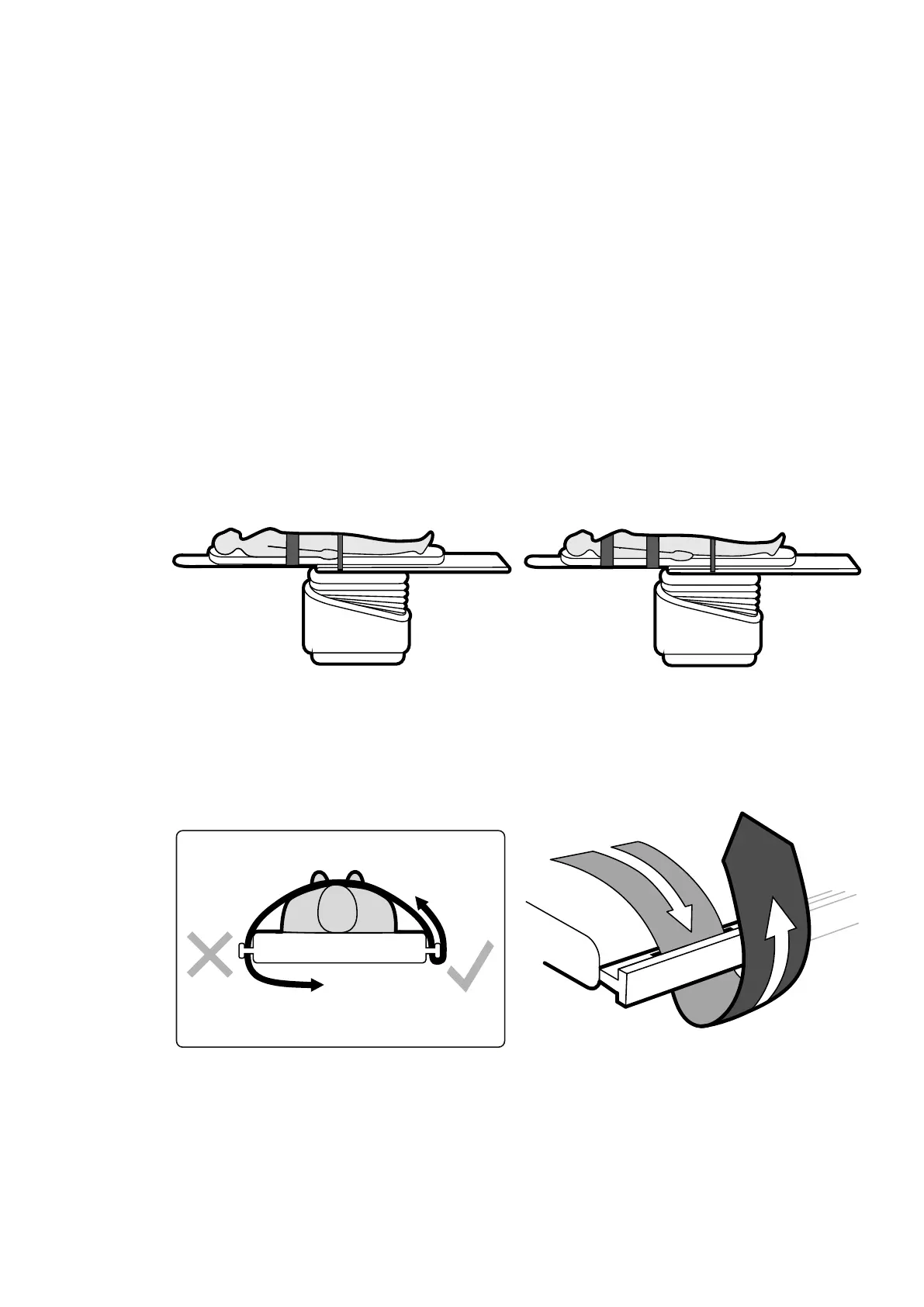
Use paent straps to ensure paent safety before starng lt or cradle movements of the tabletop.
If you use sterile sheets to cover the paent, they might obscure the visibility of the straps. If the
paent is covered by sterile sheets, check that the paent is secured with straps before starng lt or
cradle movements.
Figure 27 Using paen
t straps
Ensure that the straps are applied correctly around the accessory rail of the table.
Figure 28 Applying paen
t straps around the accessory rail
A label showing the correct use of the straps is located on both sides of the table between the strap
locaon holes.
Preparing a P
aent Study Posioning the Paent on the Table
Azurion Release 1.2 Ins
trucons for Use 54 Philips Healthcare 4522 203 52421



 To Next Page