The maximum permissible weight on the table is 275 kg / 600 lbs. This includes the weight of all
accessories tha
t are aached to the table.
NOTE The maximum permissible load of an operang table diers from the standard table. For
more informaon, refer to the Instrucons for Use supplied with the operang table.
1 If the lt or cradle opons are installed, posion the tabletop at 0 degrees lt and 0 degrees cradle.
2 If the pivot opon is installed, you can pivot the table to improve accessibility while transferring the
paent. To pivot the tabletop do the following:
a Move the tabletop all the way towards the head end (fully extended from the table base) to
make it easier to pivot.
b Turn and hold the Pivot Lock switch on the control module unl the unlock indicator light
changes color from white.
The Pivot Lock switch delay prevents unintenonal unlocking during paent transfer.
c Push the tabletop to the desired pivot posion.
There are detent posions at +13 degrees and -13 degrees, or you can pivot the tabletop
between +90 degrees and -180 degrees.
d Ensure that the pivot lock is engaged.
The pivot lock engages automacally 10 seconds aer the pivot movement. The unlock
indicator light switches to white when the pivot lock is engaged.
For more informaon, see Pivong the Table (page 63).
3 Move the tabletop all the way towards the foot end (fully retracted toward the table base).
4 Raise or lower the tabletop to a convenient height for transferring the paent.
5 Remove control modules and the radiaon shield if they are aached to the accessory rail between
the trolley and the tabletop.
You can replace these items aer the paent has been transferred.
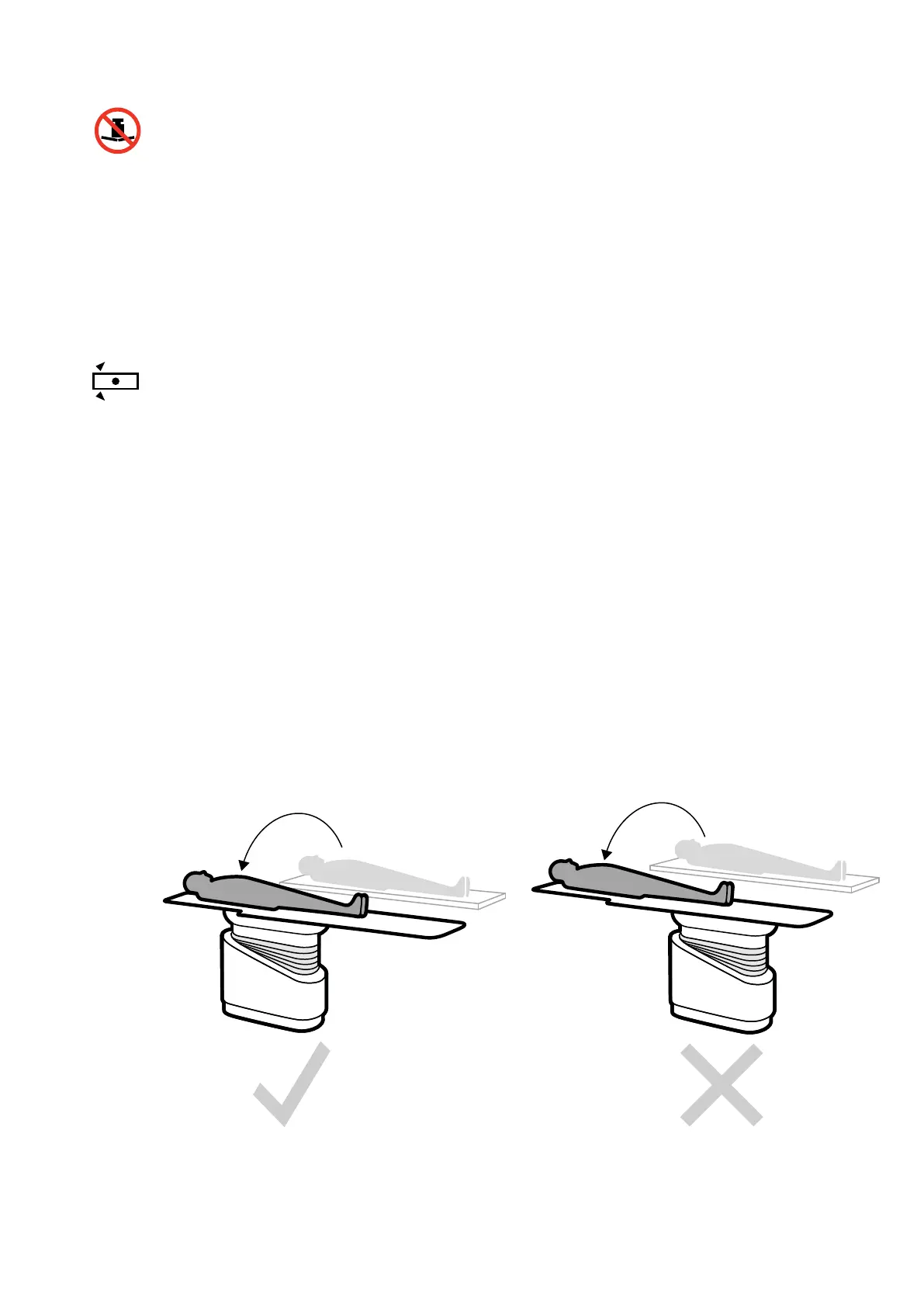
6 Transfer the paent on to the tabletop and place the paent into the correct posion.
Figure 26 Transfer the paent with the table fully retracted toward the table base
Preparing a P
aent Study Posioning the Paent on the Table
Azurion Release 1.2 Ins
trucons for Use 53 Philips Healthcare 4522 203 52421



 To Next Page