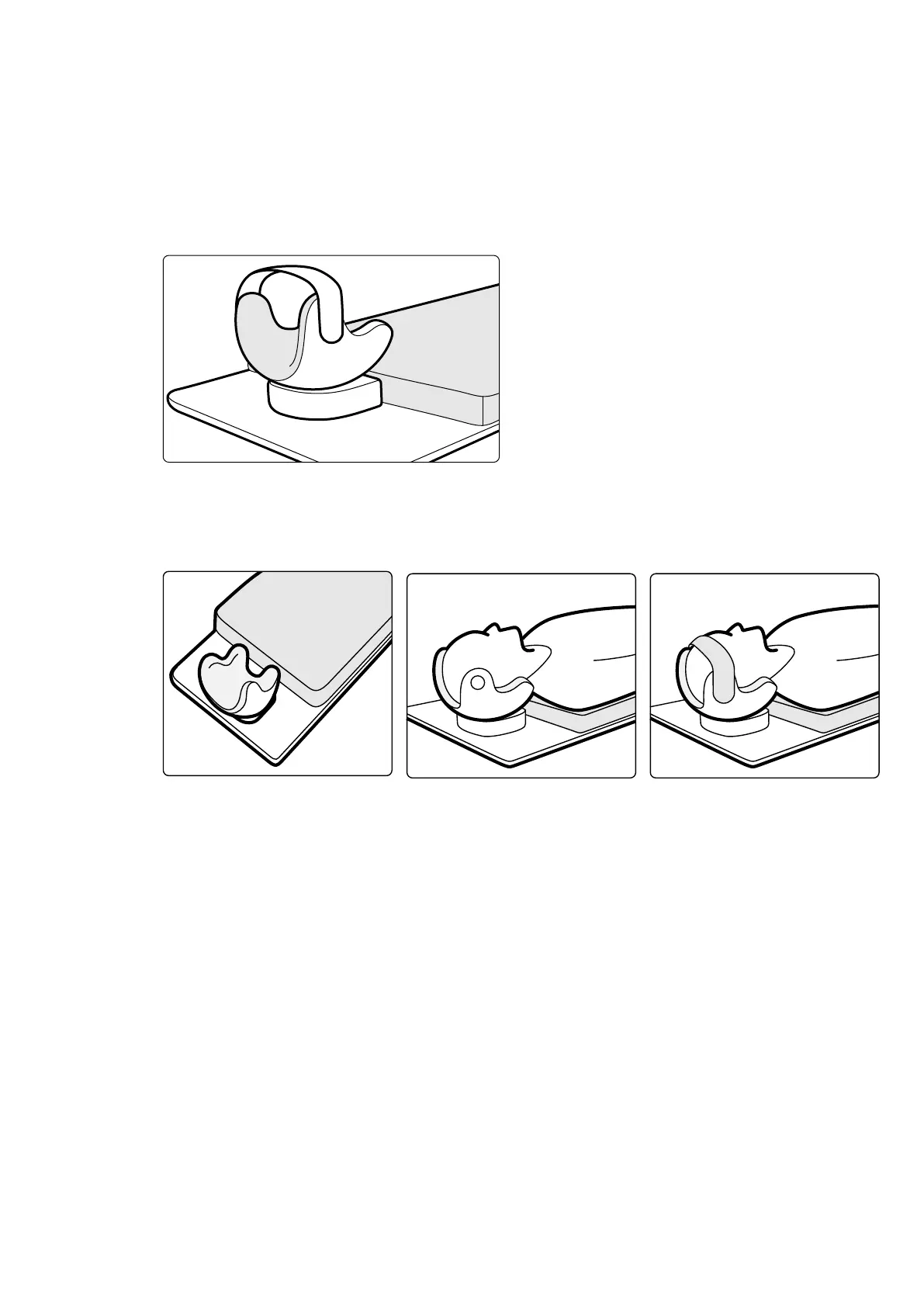
11.1.10 Head Support
The head support impr
oves paent comfort and minimizes head movements during a procedure.
1 Place the base of the head support at the head end of the table with the rectangular side towards
the maress, but not on the maress.
2 Place the shaped head support on the head support base and align the markers.
Figure 92 P
osioning the head support
3 Posion the paent so that the paent's head lies comfortably in the head support.
4 For extra support, aach the head band.
Figure 93 Posioning the paent in the head support
You can use the neuro wedge with the head support. For more informaon about the neuro wedge, see
Neuro Wedge (page 194).
11.1.11 Maress
The maress provides comfort for the paent and spreads the weight of the paent evenly.
There are three types of maress available:
• Standard
• Cardio
• Neuro
NOTE The maress does not c
ontain latex.
Before posioning the paen
t on the maress, open the air plug to allow the maress to expand and
contract properly with the weight of the paent.
Close the air plug while cleaning the maress. When the maress is not in use, the air plug can be
pushed all the way in to the maress.
Using Other Equipment Accessories
Azurion Release 1.2 Ins
trucons for Use 193 Philips Healthcare 4522 203 52421



 To Next Page