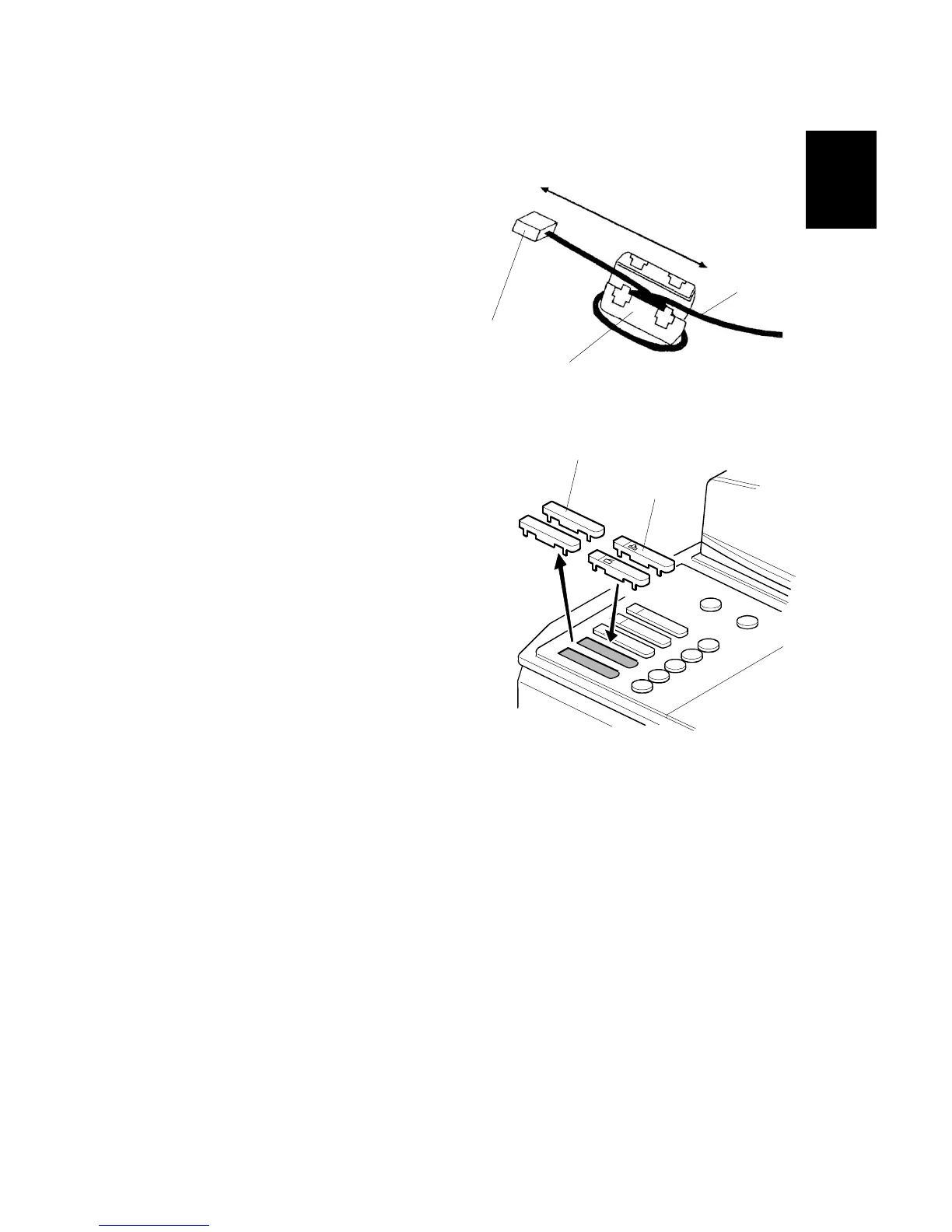
10. Wind the Ethernet cable [A] around
the ferrite core [B] as shown.
11. Make sure there is a minimum of 150
mm (6 in.) between the ferrite core
and the end of the cable.
12. Close the ferrite core.
13. Connect the RJ45 plug [C] on the
Ethernet cable to the NIB.
14. Replace the old key top assembly [D]
with the new key tops [E].
15. Do the procedures in the operating
instructions to make the user settings
(for example, the IP address).
16. Do the color calibration for the printer:
User Tools> Maintenance> Auto Color Calibration> Printer Function:
Do all three test patterns.
B737I900.WMF
B737I115.WMF
[A]



 To Next Page
 Loading...



