COPIER E-STUDIO4500C/5500C August, 2006
1-20
Reassemble the PCU
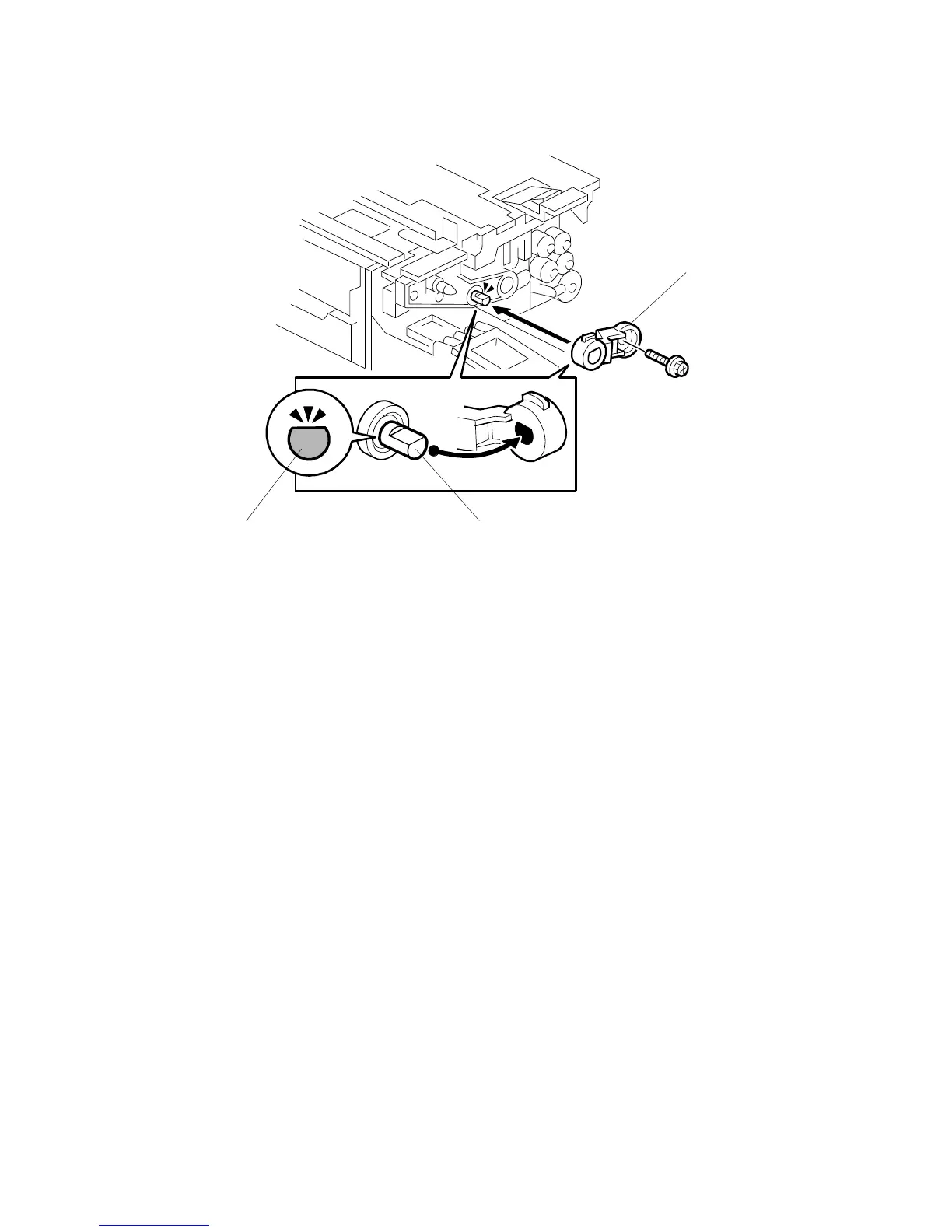
1. Attach the shaft cap [A].
If you cannot attach the cap, then check the end of the development roller shaft
[B]. The flat side of the shaft must point up and must be level.
Important
• When you turn the shaft:
a) Use your fingers to turn the front and rear ends of the development roller
shaft until the end of the shaft is as shown [C].
b) Make sure that you hold the shaft and not the sleeve (the sleeve does not
turn).
c) To prevent damage to the shaft, do not hold the end of the shaft with
pliers.
2. Reattach the development unit to the PCU.
Important!
• HANDLE THE DEVELOPMENT UNIT CAREFULLY WHEN YOU REATTACH IT TO THE PCU TO
AVOID DAMAGING THE DRUM INSIDE THE
PCU.



 To Next Page
 Loading...



