August, 2006 IMAGE TRANSFER UNIT
3-75
3.8 IMAGE TRANSFER UNIT
3.8.1 ITB (Image Transfer Belt), BELT CLEANING UNIT
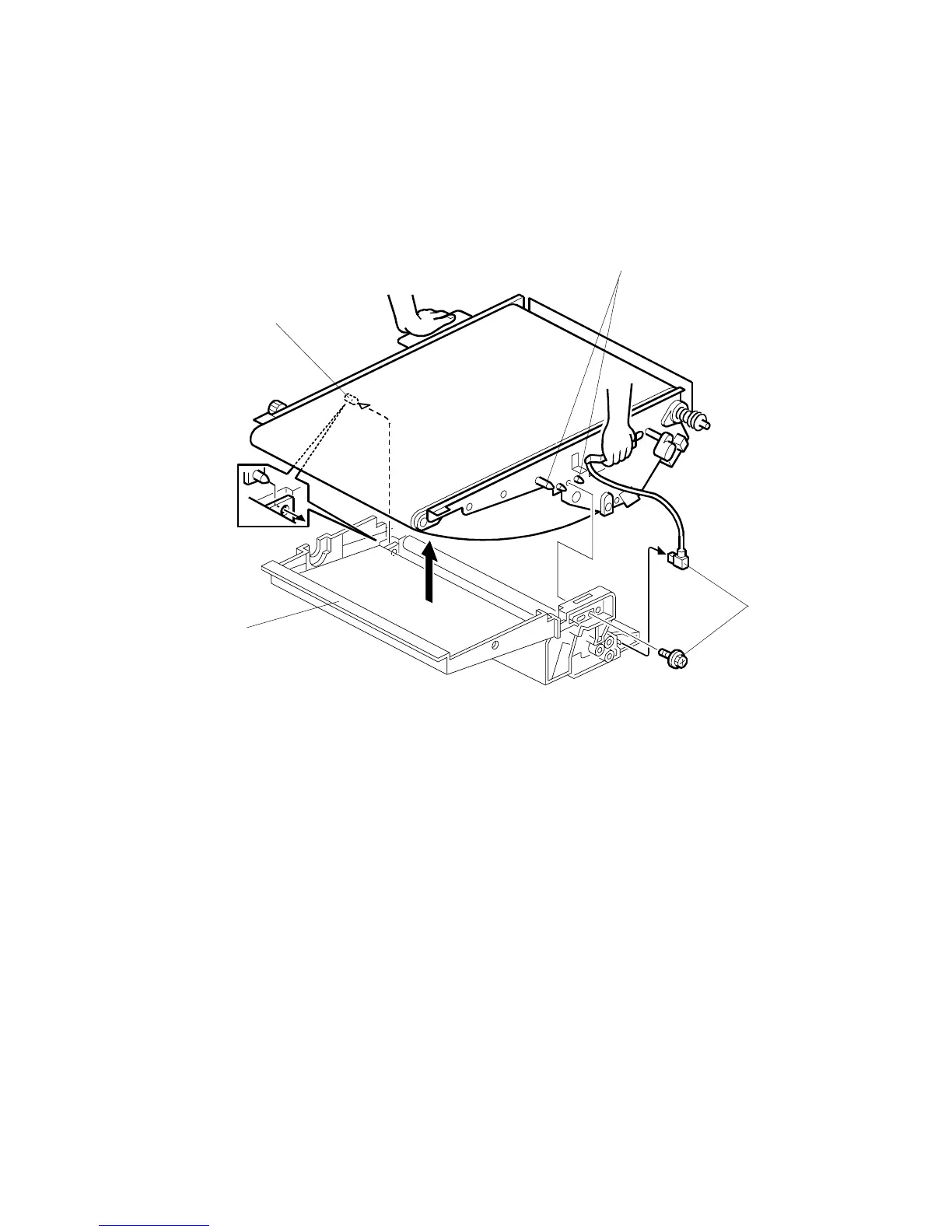
Disassembly and ITB Replacement
1. Put a clean sheet of paper on a flat surface.
2. Remove the image transfer unit from the machine (3.2.8). Put the image
transfer unit on the sheet of paper.
NOTE: Keep the unit flat when you remove it, lift it, carry it, and put it down.
Otherwise, waste toner will spill out, and will spill inside the unit, and
this can cause copying problems.
3. Disconnect the image transfer belt unit connector and screw [A] ( x1, 1x)
4. Push the image transfer unit to the rear to disengage the front pins [B].
5. Pull the unit to the front to disengage the rear pin [C].
6. Lift the image transfer unit to separate it from the belt cleaning unit [D].
B132R310.WMF
[A]



 To Next Page
 Loading...



