1.15.7 POSTSCRIPT3 UNIT TYPE 3260 (B761)
Accessory Check
Check the accessories and their quantities against this list:
Description Q’ty
1. SD Card................................................................................. 1
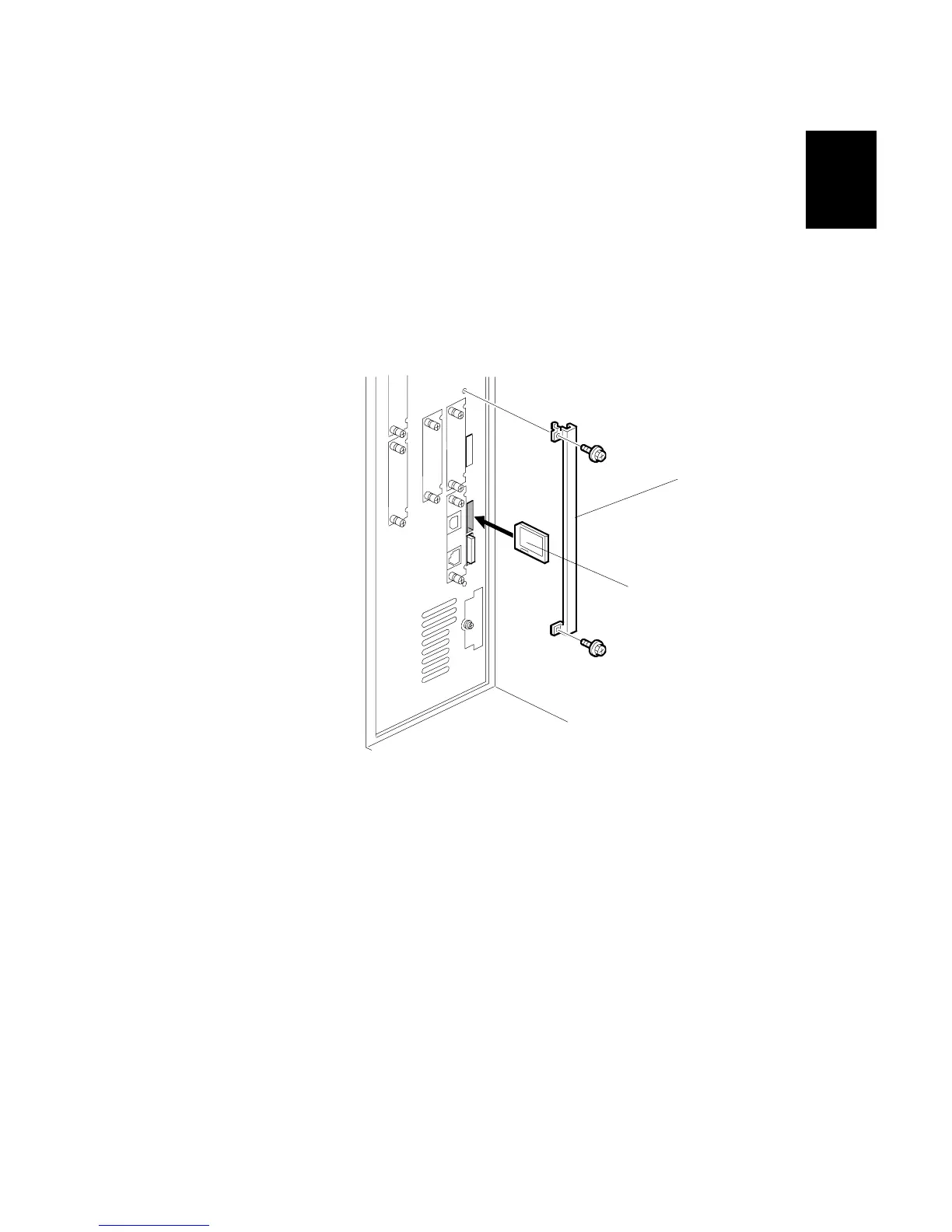
1. Remove the slot cover [A].
2. Put the PostScript3 SD card [B] in SD card slot 2 (middle slot).
Important
• Only one SD card slot is available for applications.
• If the customer wants to use one more application that must go in slot 2
(Printer/Scanner B737, for example), you must copy the contents of the
printer/scanner SD card to the PostScript3 SD card. (1.15.5)
• The scanner/printer application must be copied to the PostScript3 SD card,
because the PostScript3 SD card cannot be copied for copyright reasons.
• After you copy the printer/scanner SD card, store it behind the door.
(Pg.1-1226) The application SD cards are the property of the customer
and should remain at the site.



 To Next Page
 Loading...



