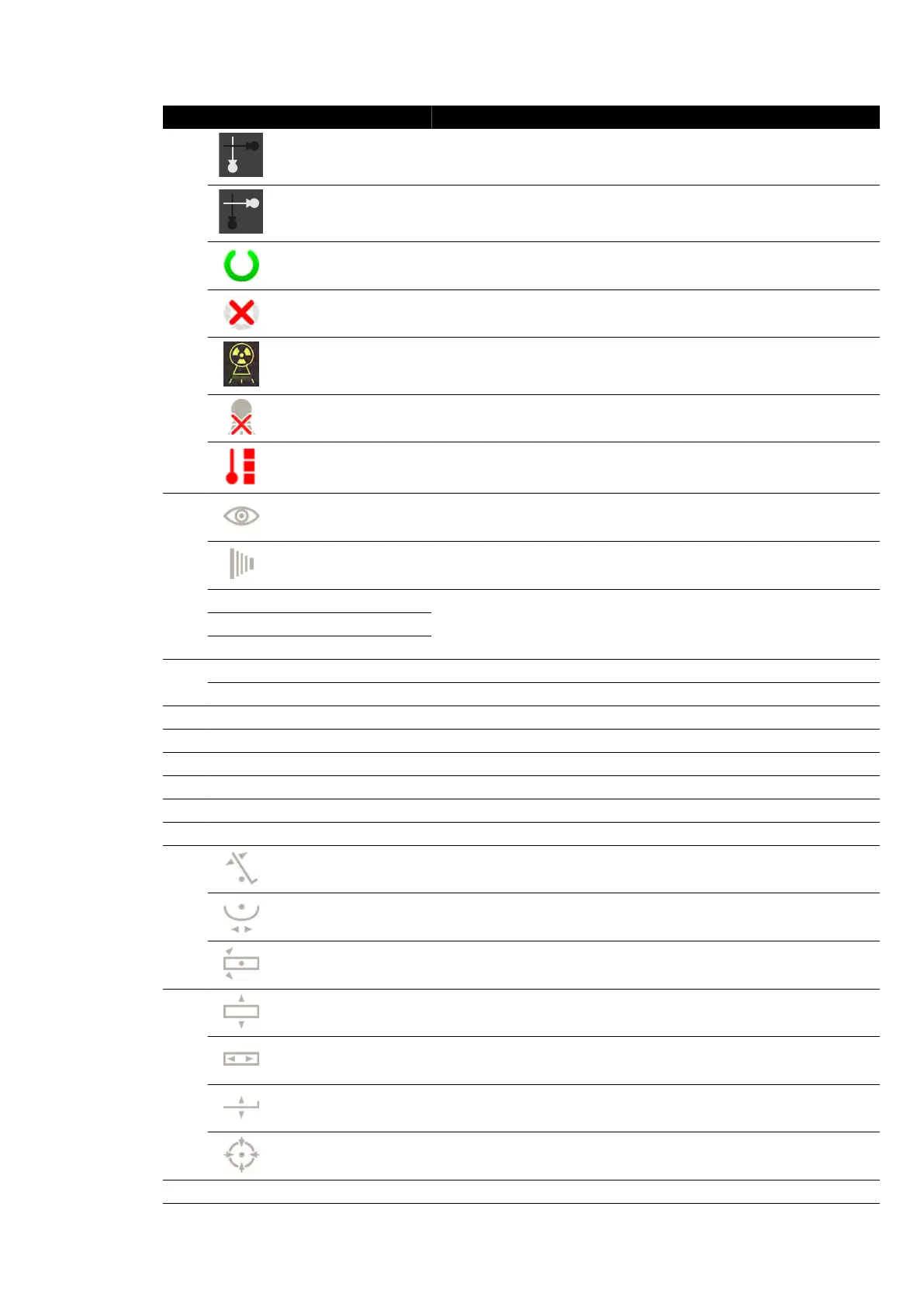
Legend Descripon
1
Channel indicator Frontal channel
Channel indicator Lateral channel
System status
The channel is ready for exposure (when a channel is selected for exposure,
this secon of the s
tatus area is highlighted)
System status The channel is not ready for exposure
X-ray status X-ray is on
X-ray status X-ray is disabled
Tube load The tube is overheated
2
Fluoroscopy Fluoroscopy sengs ar
e displayed
Exposure Exposure sengs ar
e displayed
- kV
X-ray generator sengs- mA
- ms
3
- LAO C-arm rotaon angle
- CRAN C-arm angulaon angle
4 - SID The actual or target source-to-image distance
5 - FD The selected detector size
6 - Dose model For more informaon, see Dose Model (page 388)
7 - mGy/min Air kerma rate
8 - min Fluoro me (for the channel)
9 - mGy Cumulave air kerma
10
Table lt
1
The table lt angle
Table cradle
1
The table cradle angle
Table pivot
1
The table pivot angle
11
Table lateral isocenter
o
set
1
The lateral o
set of the table from the isocenter posion
Table longitudinal iso-
cen
ter oset
1
The longitudinal o
set of the table from the isocenter posion
Table height isocenter
o
set
1
The height o
set of the table from the isocenter posion
Isocenter
1
The table is in the isocenter posion
12 - X-ray protocol The selected procedure sengs
Quick Reference Status Area
Azurion Release 1.2 Ins
trucons for Use 363 Philips Healthcare 4522 203 52421



 To Next Page