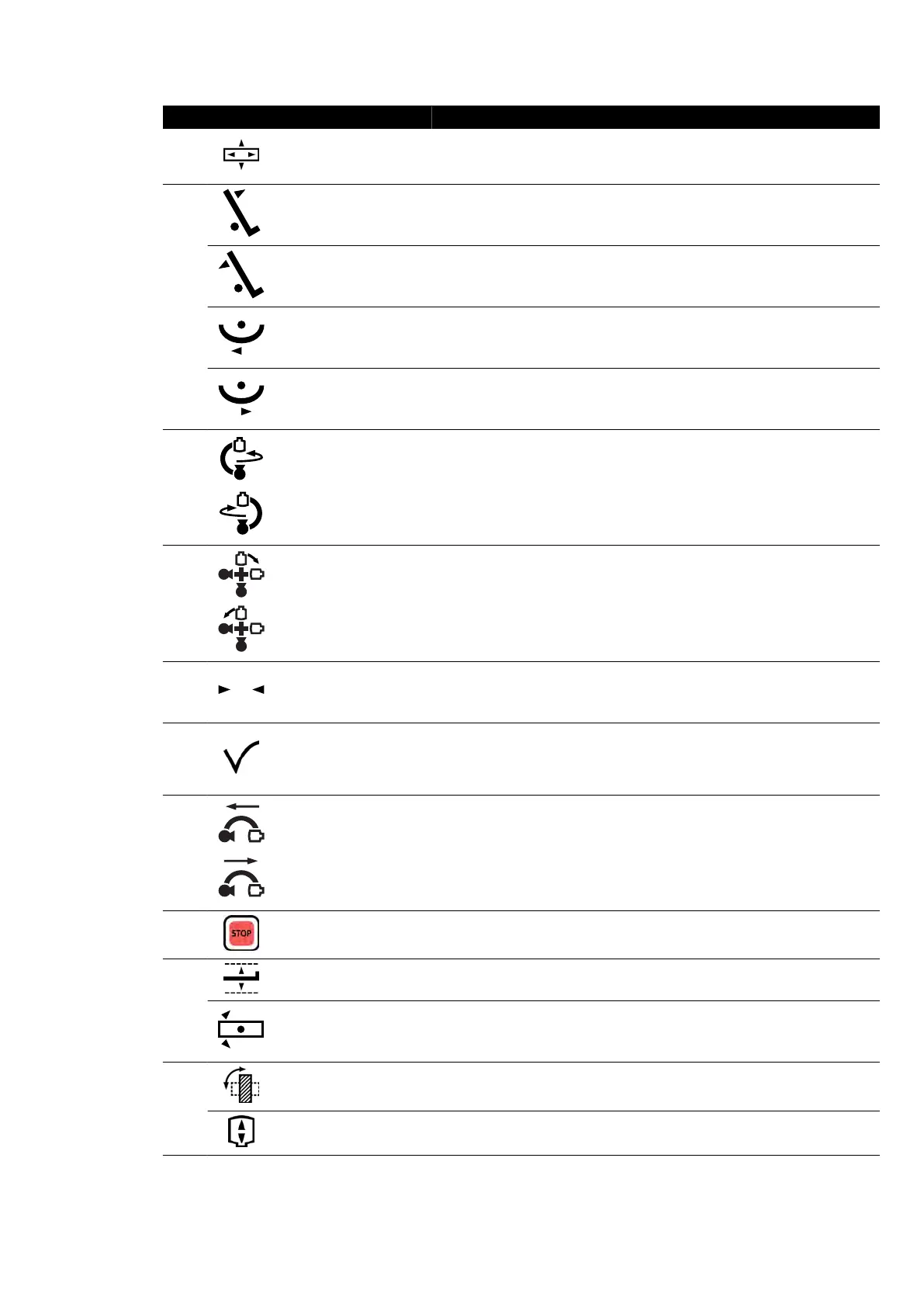
Legend Descripon
1 Float tabletop
Moves the tabletop in the longitudinal and lateral dir
econs. This funcon
operates only at the table side posion. It is disabled in the control room
and at the pedestal.
2
Tilt table Tilts the table up.
Tilt table Tilts the table down.
Cradle table Cradles the table le.
Cradle table Cradles the table right.
3 Rotate frontal stand Rotates (swings) the frontal stand.
4 Rotate biplane Rotates (swings) the frontal stand and the lateral stand.
5
Reset geometry
Resets the stand and table to a default posion. This funcon is disabled in
the c
ontrol room.
6
Accept
Recalls a selected APC or table posion. The indic
ator light ashes when a
new posion is selected or when the stand is moved away from the selec-
ted posion. The indicator light is on while the posion is being recalled.
The indicator light is o when the selected posion is reached.
7
Move lateral stand (lon-
gitudinal)
Moves the lateral stand longitudinally.
8 Emergency stop
Stops all geometry movements. For informaon about restarng aer an
emergency stop, see Restarng the System (page 45).
9
Table height Adjusts the height of the table.
Table pivot unlock Unlocks the table pivot lock.
10
Detector posion Moves the detector between portrait and landscape posions.
Source-to-image dis-
t
ance
Changes the source-to-image distance of the frontal stand.
Quick Reference Biplane Control Modules
Azurion Release 1.2 Ins
trucons for Use 376 Philips Healthcare 4522 203 52421



 To Next Page