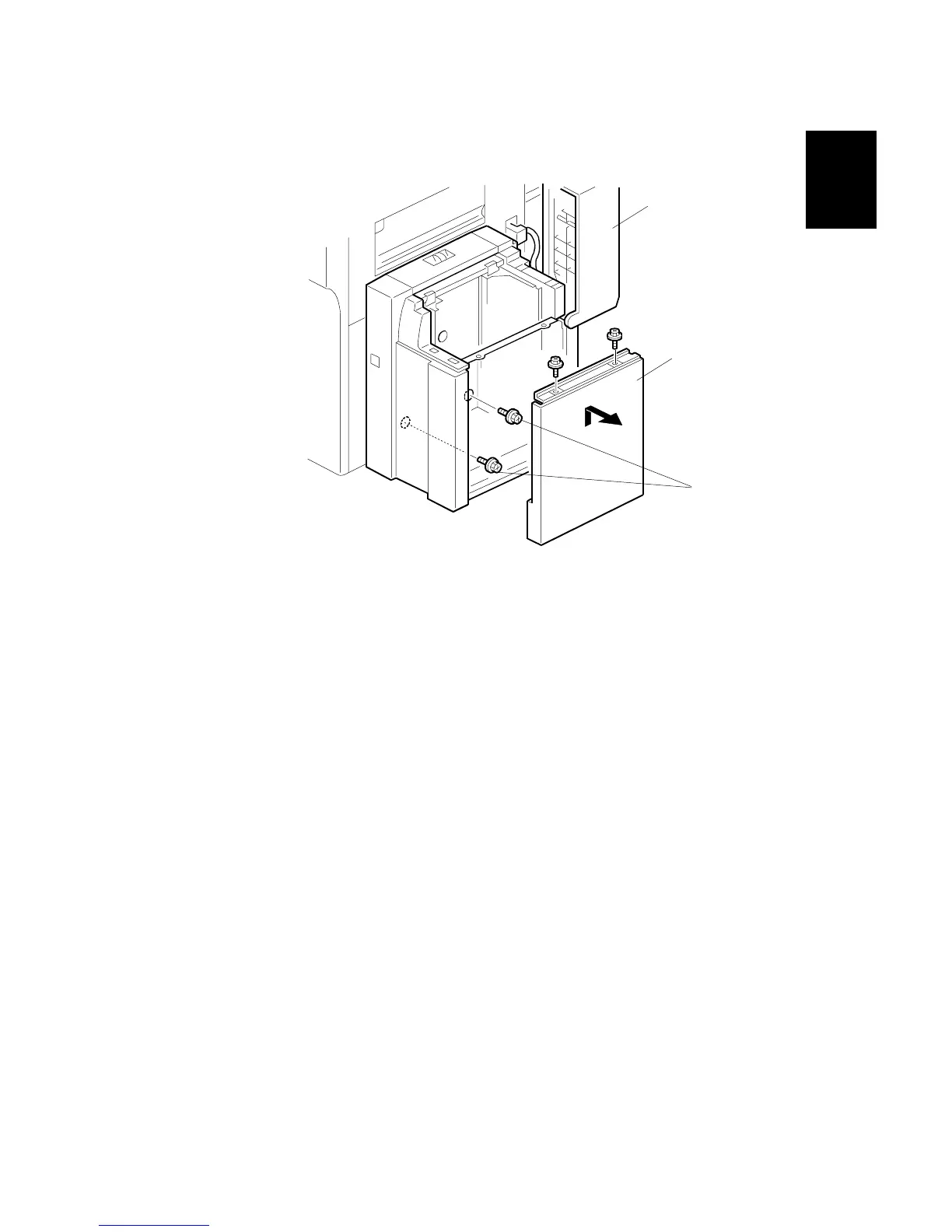
10. Open the upper cover [A].
11. Remove the cover [B] ( x 2).
12. Attach screws [C] to the brackets on the side of the machine.
13. Attach the cover [B] with the screw that you removed in Step 11.
14. Turn the machine on.
15. Enter the SP mode.
16. Do SP5959 005.
NOTE: The side fences of the NA model are set for 81/2” x 11” paper. You
must select the paper size with this SP.
17. Input "0" for A4 LEF or "4" for 8
1/2" x 11" LEF.
18. Turn the machine off and on to enable the setting.
B699I107.WMF
[A]



 To Next Page
 Loading...



