LH79524/LH79525 User’s Guide Color Liquid Crystal Display Controller
Version 1.0 4-29
4.5.3.7 CLCDC Control Register (CTRL)
CTRL controls the CLCDC operating mode. All registers should be set up prior to program-
ming LCDEN to 1.
Note that the operating mode (color/mono, bits-per-pixel, etc.) can only be changed
between frames to avoid corruption of the current frame data. To ensure this is done prop-
erly, use the Vertical Compare Interrupt to detect that the current frame is complete. To do
this, follow these steps when changing operating mode:
1. Program the CTRL: VCI bit to 0b00 to generate the Vertical Compare Interrupt on entry
to the Sync State. Enable this interrupt by programming the INTREN:VCIEN bit to 1.
2. Program the CTRL:LCDEN bit to 0. The controller will complete the current frame
before sampling this bit.
3. Wait for the Vertical Compare Interrupt. Upon assertion of the interrupt, program the
new mode (e.g. from color to monochrome using the CTRL:BW bit).
Then program the CTRL:LCDEN bit to 1 and clear the Vertical Compare Interrupt by writ-
ing a 1 to the STATUS:VCI bit. The CLCDC will resume operating, using the newly pro-
grammed parameters.
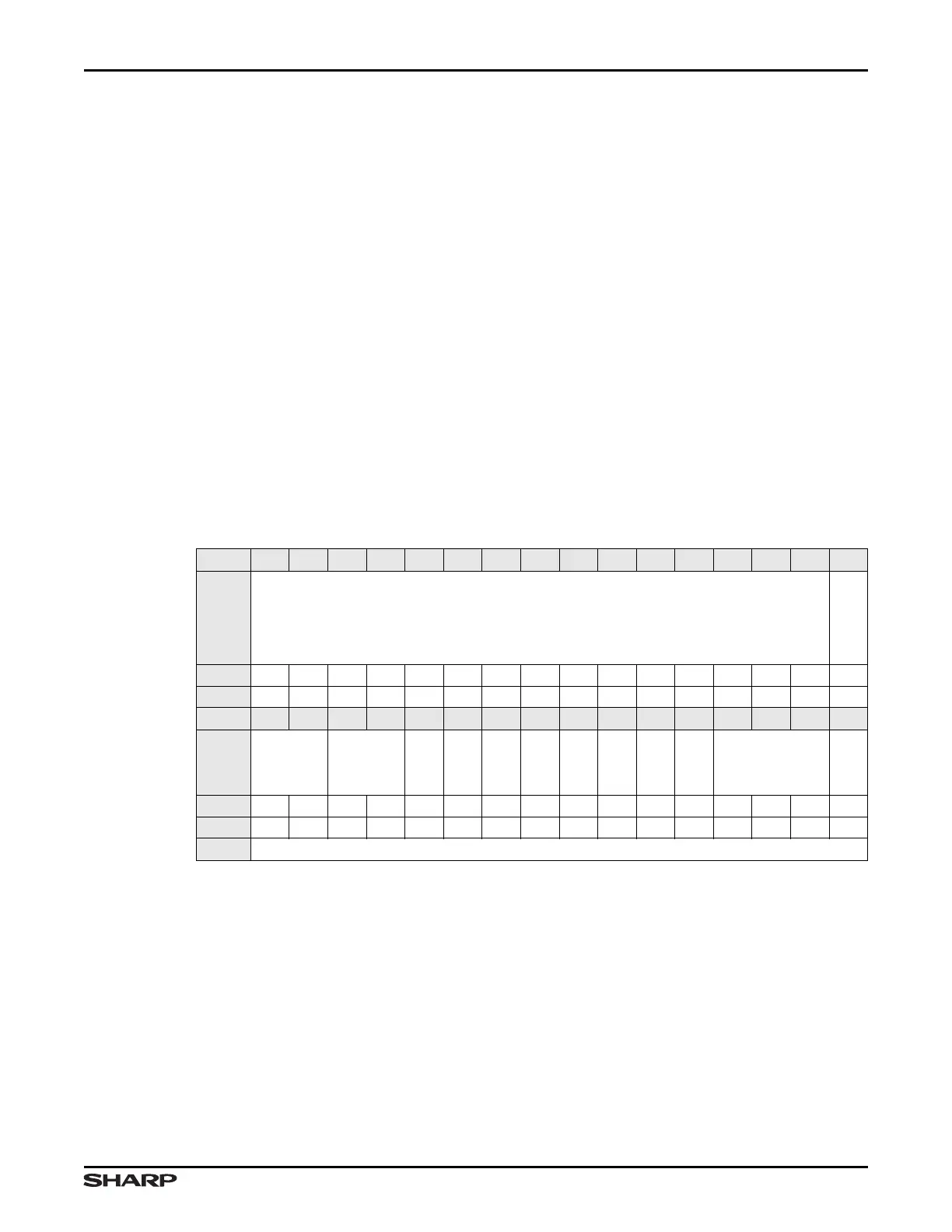
Table 4-26. CTRL Register
BIT 31 30 29 28 27 26 25 24 23 22 21 20 19 18 17 16
FIELD ///
WATERMARK
RESET 0000000000000000
RW RO RO RO RO RO RO RO RO RO RO RO RO RO RO RO RW
BIT 15 14 13 12 11 10 9 8 7 6 5 4 3 2 1 0
FIELD ///
VCI
PWR
BEPO
BEBO
BGR
DUAL
MONO8L
TFT
BW
BPP
LCDEN
RESET 0000000000000000
RW RW RW RW RW RW RO RO RW RW RW RW RW RW RW RW RW
ADDR 0xFFFF4000 + 0x1C



 To Next Page