UCM630X Series User Manual
Version 1.0.11.10
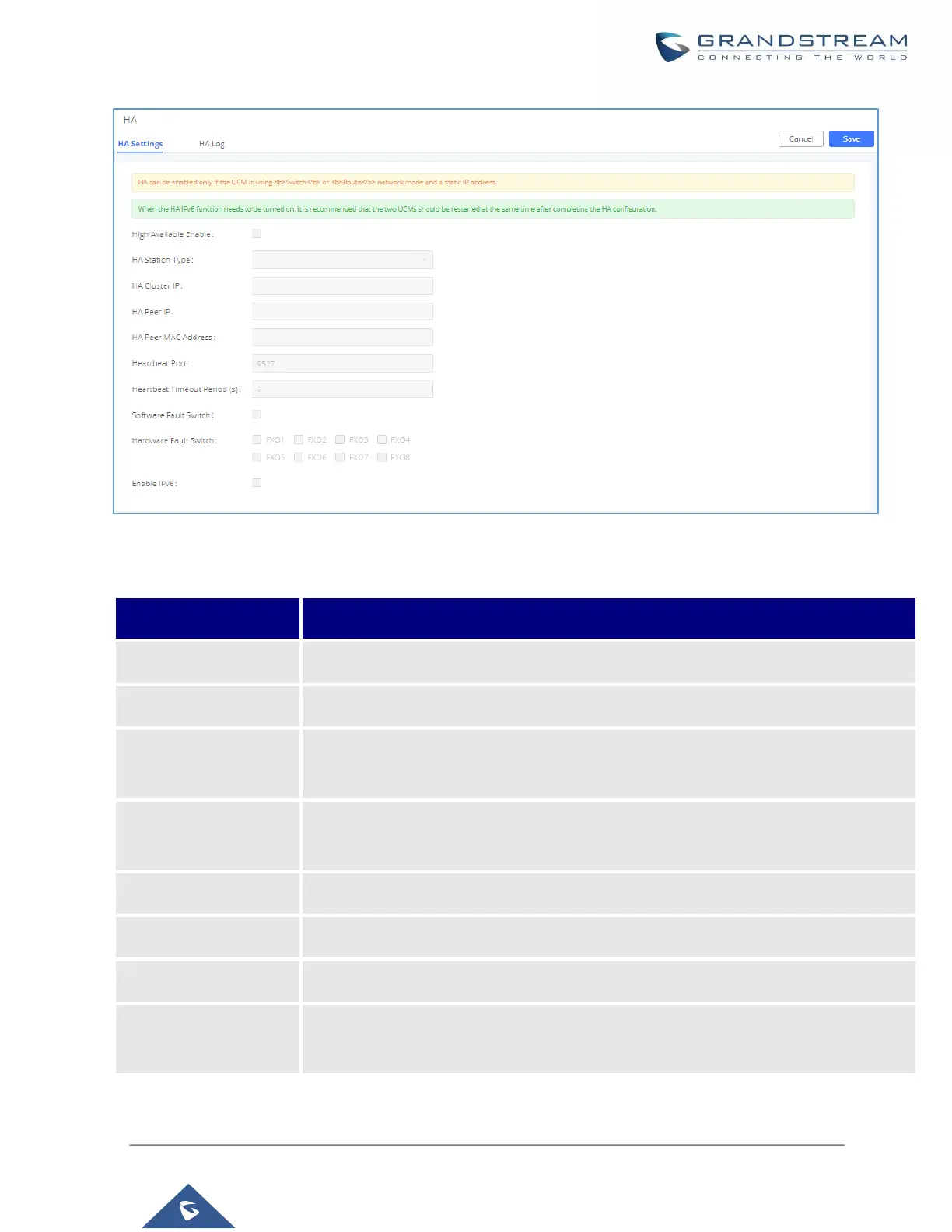
Figure 59: HA Settings
Table 27: HA Settings parameters
Enables/disables the HA functionality. By default, is Disabled.
After clicking the button, the active/standby switch will be enforced.
The master and slave static configuration of the device, The real active/standby is
decided dynamically by the active / standby.
To carry the service, the main and standby computers should be set the same, and the
intranet terminal should register and use the IP address.
Local IP address of HA peer device.
Need to specify this peer MAC address while using the UCM RemoteConnect service.
The number of the heartbeat port should be consistent with the peer heartbeat port.
Heartbeat Timeout
Period (s)
If the timeout occurs, services will be transferred over to the Slave UCM.



 To Next Page
 Loading...



