Configure System Information
128
M4300 Series and M4300-96X Fully Managed Switches User Manual
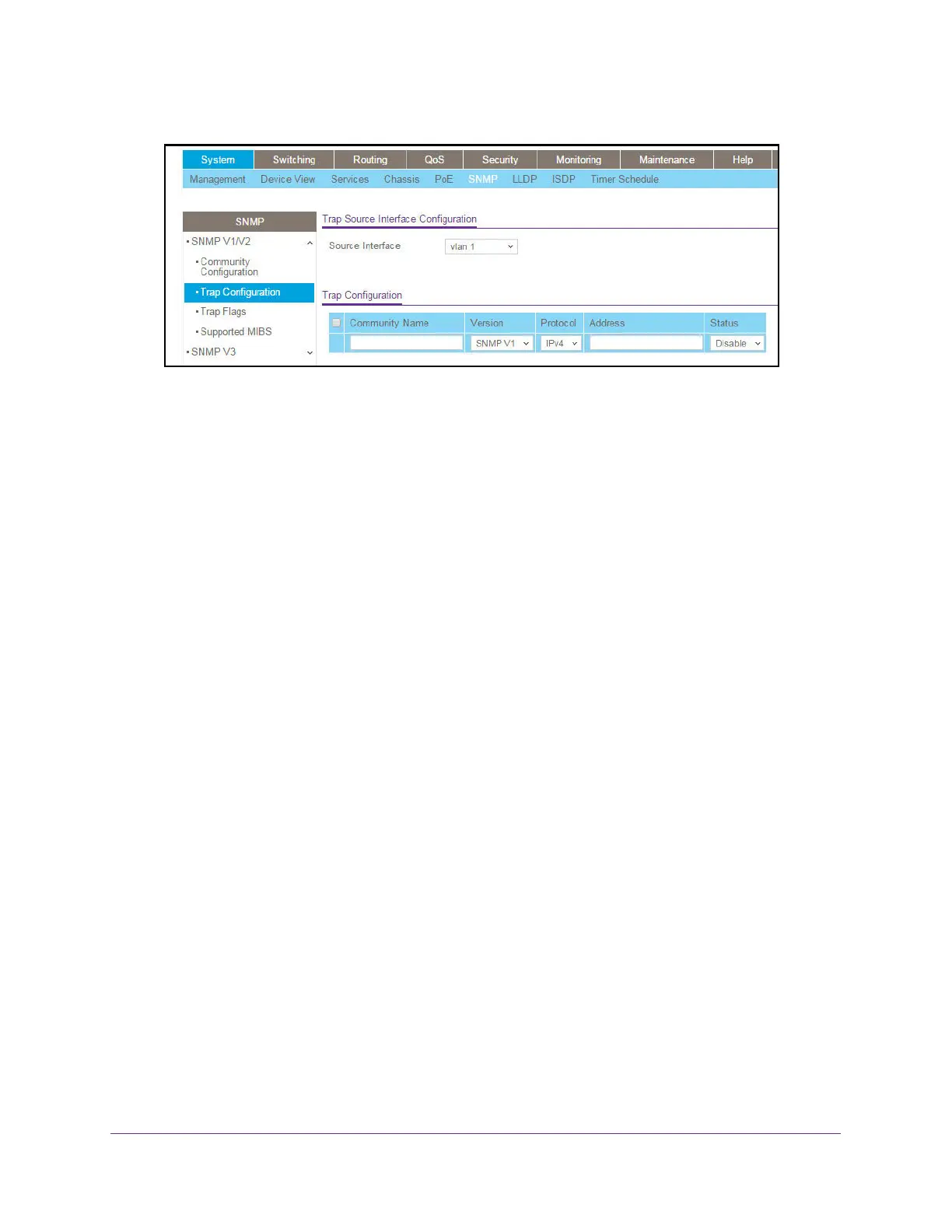
6. In the Source Interface list, select the source interface to use for SNMP Trap receiver.
Possible values are as follows:
• Routing interface
• Routing VLAN
• Routing loopback interface
• T
unnel interface
• Service port
VLAN 1 is used as source interface by default.
7. T
o add a host that receives SNMP traps, do the following steps:
a
. Community Name. Enter the community string for the SNMP trap packet to be sent to
the trap manager.
This name can be up to 16 characters and is case-sensitive.
b. Version. Select the trap version to be used by the receiver:
• SNMP V1. Uses SNMP V1 to send traps to the receiver.
• SNMP V2
. Uses SNMP V2 to send traps to the receiver.
c
. Protocol. Select the protocol to be used by the receiver. Select
IPv4 if the receiver's
address is IPv4 address or IPv6 if the receiver's address is IPv6.
d. Address. Enter the IPv4 address in x.x.x.x format or the IPv6 address in
xxxx:xxxx:xxxx:xxxxx:xxxx:xxxx:xxxx:xxxx to receive SNMP traps from this device.
The length of the address cannot exceed 39 characters.
e. Status. Select the receiver's status:
• Enable. Send traps to the receiver
• Disable. Do not send traps to the receiver
.
f. Click the Add
button.
8. T
o make changes, do the following:
• To modify information about an existing SNMP recipient, select the check box for the
recipient, and change the desired fields.
• To delete a recipient, select the check box for the recipient and click the Delete
button.




 To Next Page