Configure Switching Information
197
M4300 Series and M4300-96X Fully Managed Switches User Manual
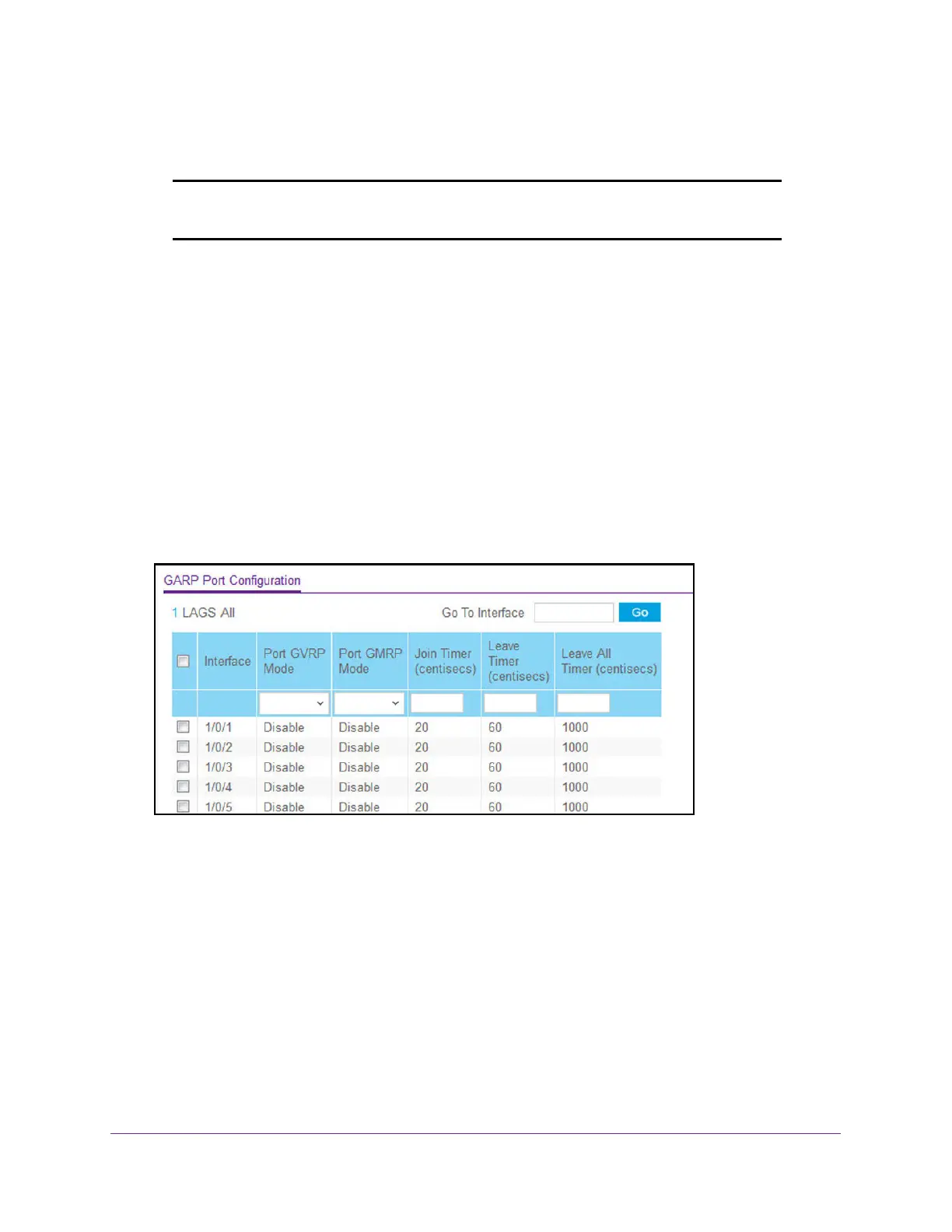
Configure GARP Port
Note: It can take up to 10 seconds for GARP configuration changes to take
effect.
To configure GARP port:
1. Launch a web browser.
2. In the address field of your web browser, enter the IP address of the switch.
The login window opens.
3. Enter the user name and password.
The default admin user name is
admin and the default admin password is blank, that is,
do not enter a password.
4. Click the Login button.
The System Information page displays.
5. Select Switching> VLAN >
Advanced > GARP Port Configuration.
6. Use Interface
to select the physical interface for which data is to be displayed or configured.
7. In the Port GVRP Mode field, select Enable or Disable.
This specifies the GARP VLAN registration protocol administrative mode for the port.If
you select Disable, the protocol is not active and the join time, leave time, and leave all
time have no ef
fect.
The factory default is Disable.
8. In the Port GMRP Mode field, select Enable or Disable
This specifies the GARP multicast registration protocol administrative mode for the port. If
you select Disable, the protocol is not active, and the join time, leave time, and leave all
time have no effect.
The factory default is Disable.


 To Next Page
 Loading...