Configure Switching Information
227
M4300 Series and M4300-96X Fully Managed Switches User Manual
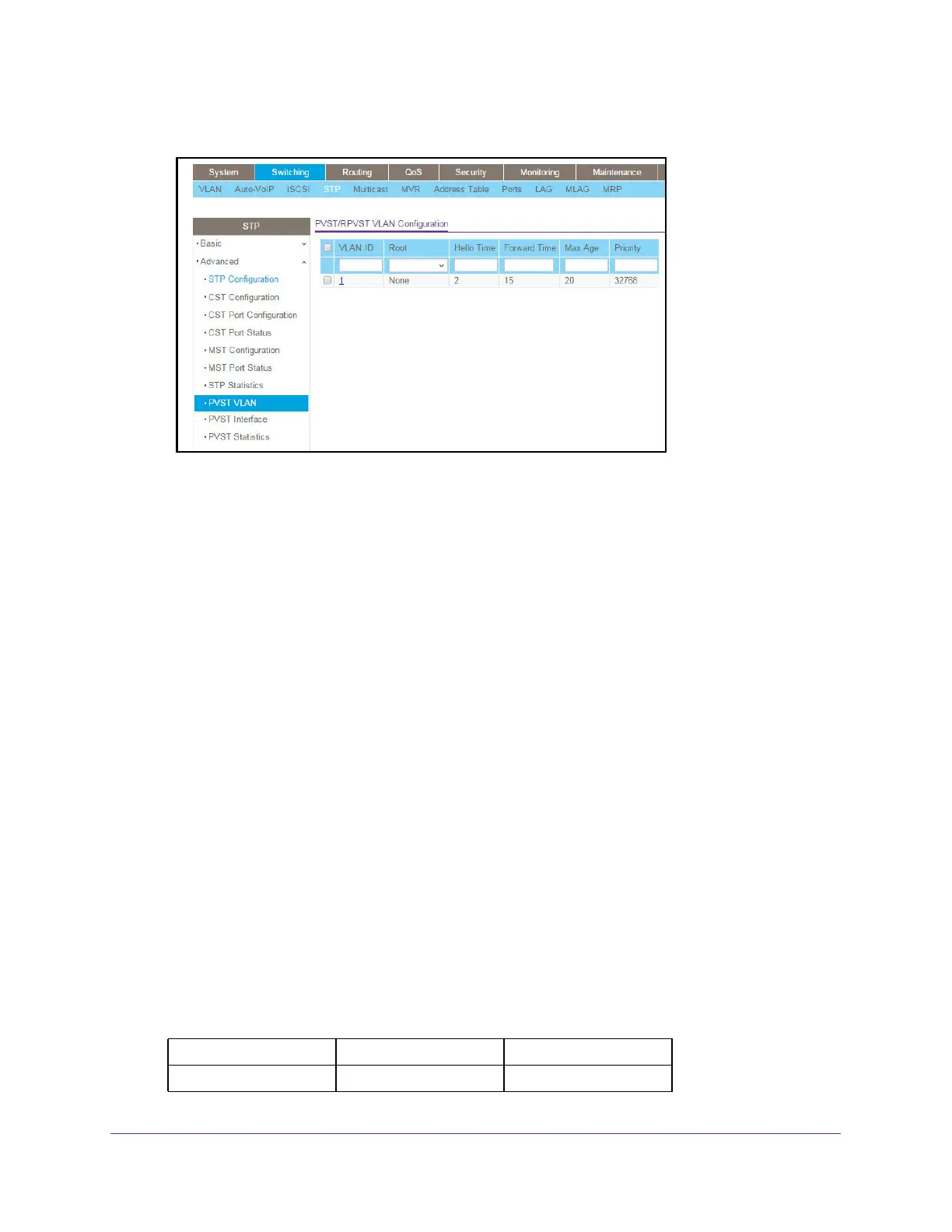
5. Select Switching > STP > Advanced > PVST VLAN in the navigation menu.
6. Select a VLAN ID, a unique VLAN identifier, from the list of VLANs with enabled STP Admin
mode and PVST or RPVST.
7. In the Root list, select None, Primary, or Secondary.
The default value is None. This setting configures the switch to become the root bridge or
standby root bridge by modifying the bridge priority from the default value of 32768 to a
lower value calculated to ensure the bridge is the root (or standby) bridge.
8. In the Hello Time
field, configure the spanning tree hello time interval for the specified
VLAN
The hello time is the interval between sending successive BPDUs. Allowed values range
from 1 to 10 seconds. The default value is 2 seconds.
9. In the
Forward Time field, configure the spanning tree forward delay time for a specified
VLAN.
The range is 4 to 30 seconds. The default value is 15 seconds. This interval is a time for
listening and learning states before transitioning a port to the forwarding state.
10. Use the Max Age field to configure the spanning tree maximum age time for a specified
VLAN.
Max age is the maximum age time before a bridge port saves its configuration
information. The range is 6 to 40 seconds.
The default value is 20 seconds.
11. Configure the bridge Priority of a VLAN.
The allowed values are between 0 and 61440. The valid values are listed in the following
table.
Table 81. PVST/RPVST VLAN Configuration - VLAN Bridge Priority
0 4096 8192
12288 16384 20480




 To Next Page