Scan Recipes - Feature Find KLA-Tencor P-16+ / P-6 User’s Guide
3-100 KLA-Tencor Confidential 0142530-000 AB
3/13/09
Entering Comments 3
Introduction 3
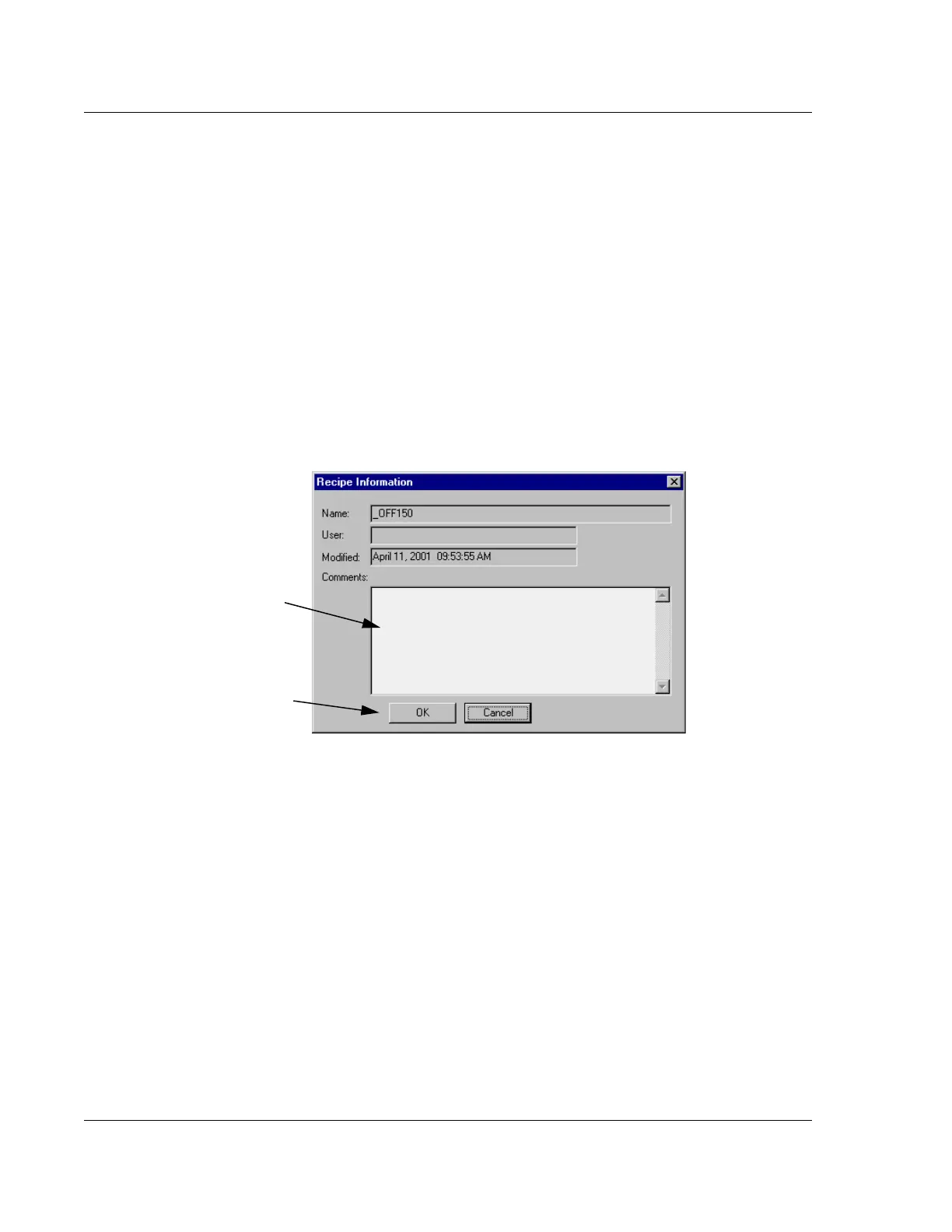
This feature is designed for recording important comments about the recipe. The only
field that is active for user input is the Comments: field. The other fields are
automatically set by the system to reflect the specific recipe.
Procedure 3
1. Click Recipe in the menu bar of the Recipe Editor.
2. The Recipe menu is displayed. Click
Info to display the Recipe Information
dialog box. (
ALTERNATIVE: Press Ctrl + I.)
3. Click in the
Comments text field and enter the information that is to accompany
the recipe.
4. When the information is entered, click
OK to save it and close the dialog box.
Figure 3.77 Recipe Information Dialog Box
Step 3 The cursor should be
blinking in this field. Enter any
required comments in the field.
Step 4 After comments have
been added, click
OK to save
them and close the dialog box.



 To Next Page