System Security - Procedure to Change Access Policy Settings KLA-Tencor P-16+ / P-6 User’s Guide
11-10 KLA-Tencor Confidential 0142530-000 AB
3/13/09
y
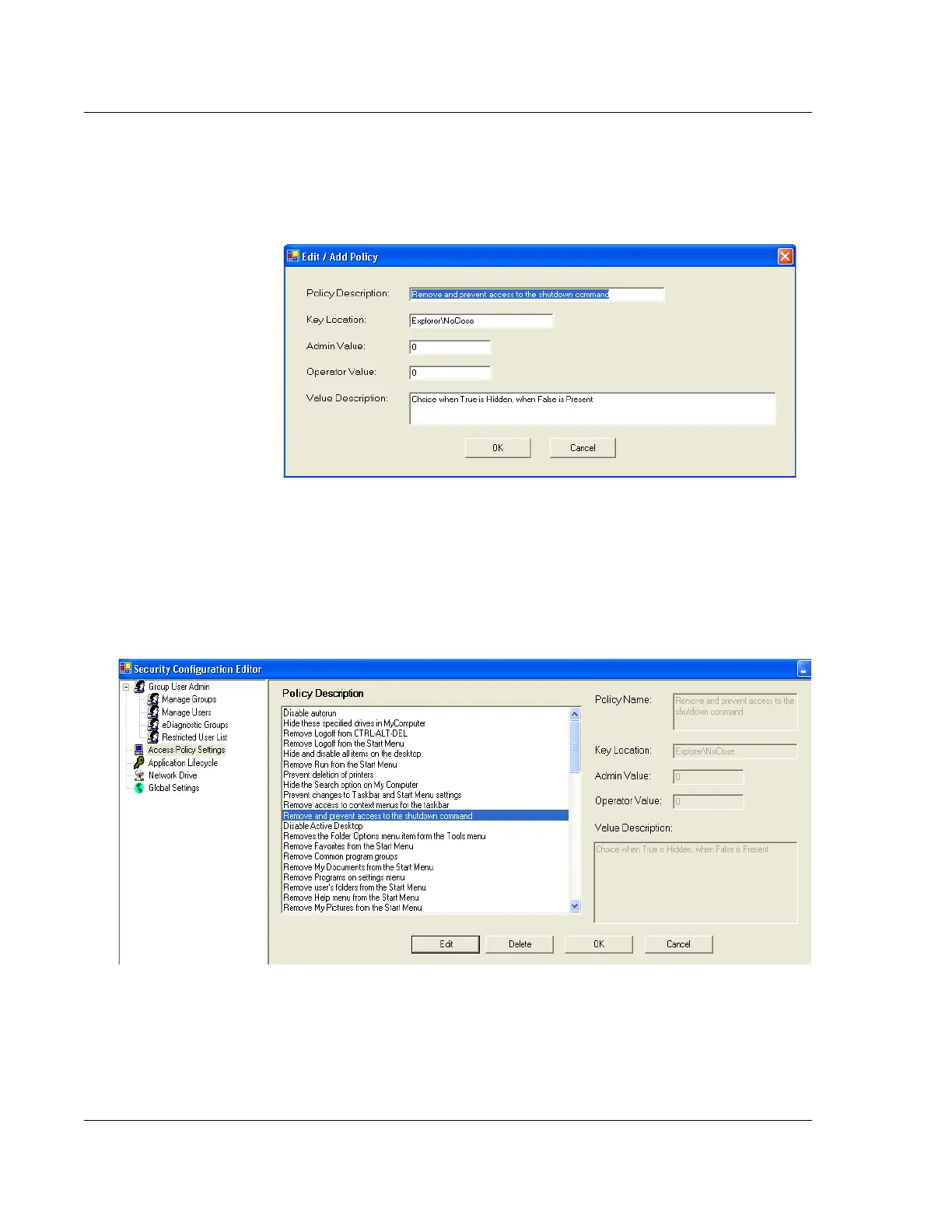
3. Click on the Edit button. Figure 11.12 shows an example of editing the policy
setting that allows the Administrator and Operator access to the Windows XP
shutdown command.
4. Review the Value Description and then change the Admin Value and / or the
Operator Value to the new settings and select OK in the policy editing dialog,
Figure 11.12, when complete.
a. Table 11.2 shows the default settings recommended for use on the profiler.
5. Select OK, as shown in Figure 11.13, to save the change to the policy setting.
6. Repeat Steps 2 through 5 until all policy setting changes are complete.
7. Select Save from the lower, left corner as shown in Figure 11.11.
Figure 11.12 Edit Access Policy Setting for Windows Shutdown Command
Figure 11.13 Saving the Access Policy Setting



 To Next Page