0142530-000 AB KLA-Tencor Confidential 6-33
3/13/09
KLA-Tencor P-16+ / P-6 User’s Guide Sequence Recipe and Data - Viewing Saved Sequence Data
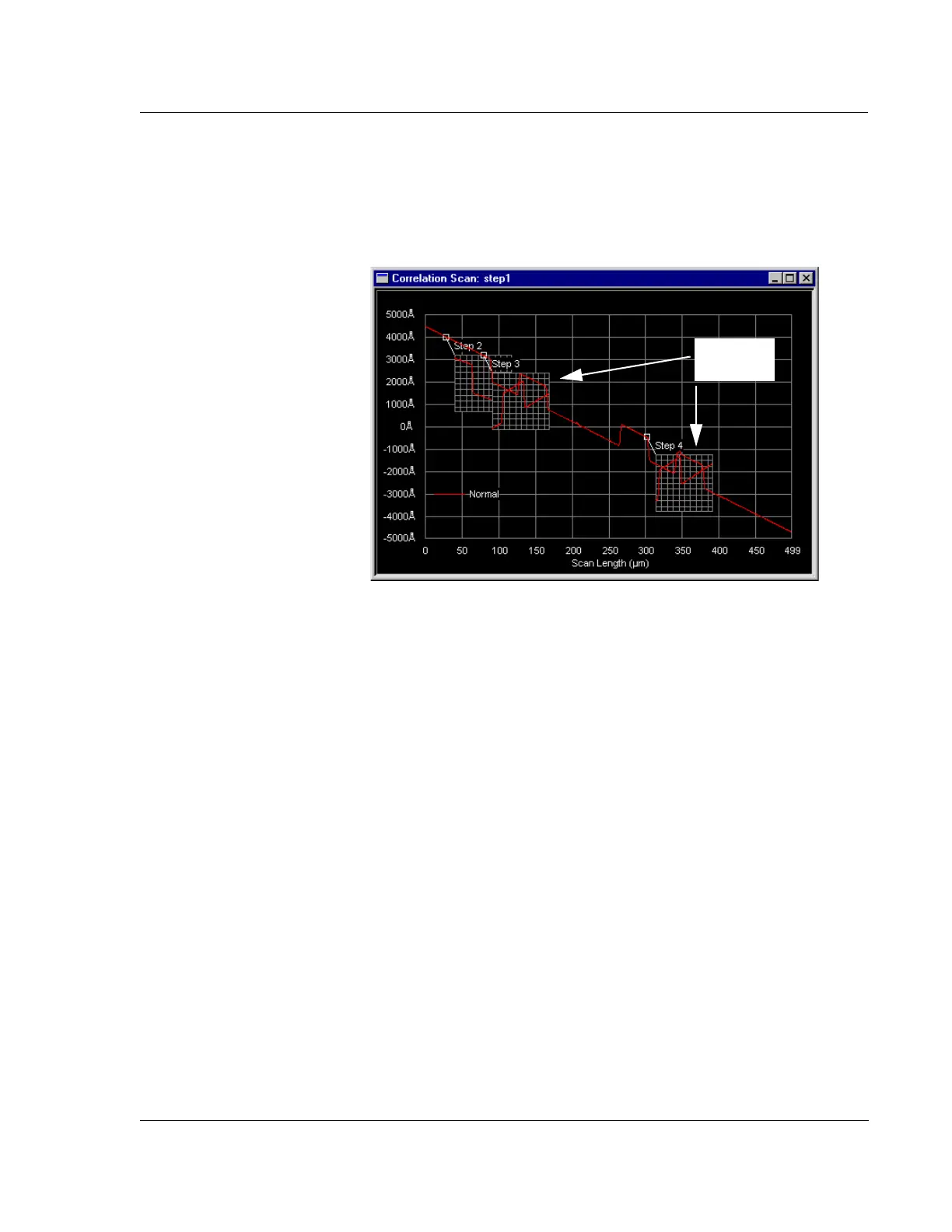
4. Click OK to display the Correlation Scan window.
The Correlation Scan window appears, showing the long scan trace and
thumbnail callouts of each of its sub-scans positioned on the long scan (see
Figure 6.30).
5. Double-click the thumbnail on the graph to view the sub-scan trace.
The trace appears in its own analysis window. A Statistics window also appears
for the long scan.
6. Click the
File menu, and select XXX to view the correlation scan statistics.
Multiple Analysis cannot be used with correlation scans.
VIEWING SAVED SEQUENCE DATA 6
Viewing Old Sequence Data 6
1. Go to the Catalog window, and click the Sequence Data button.
The Sequence Data Catalog window appears.
2. Select the data set from the list in the catalog, and click the
Review button, or
double-click the desired data set.
Recovering Sequence Data 6
In the case of a system crash during a sequence execution, using this recovery tool, it
is possible to go back to the screen that displayed the last data, including unsaved
data.
1. Go to the
Sequence Data catalog window.
2. Select a sequence.
Figure 6.30 Correlation Sub-scan Window



 To Next Page