Calibrations - P-16 Series Level Calibrations KLA-Tencor P-16+ / P-6 User’s Guide
12-12 KLA-Tencor Confidential 0142530-000 AB
3/13/09
24. Use the above procedure to repeat the step height calibration for the remaining
ranges. Each range is significant and important for the integrity of future scans.
P-16 SERIES LEVEL CALIBRATIONS 12
Accurate scans depend on the X- and Y-axis planes of the Sample Stage being parallel
to the stage motion in the respective planes. Two independent calibrations, Tilt and
Level, are required to ensure that these planes are parallel to the stage motion in their
respective directions.
The Tilt Calibration (adjustment) sets the Y-axis plane of the Sample Stage surface
parallel to the stage motion, which is defined by the surface of the reference flat. The
Tilt calibration requires the manual adjustment of a screw under the stage. This
calibration should be performed by a KLA-Tencor trained technician. The Tilt
calibration is described in the Service Manual.
The Level Calibration sets the X-axis plane of the Sample Stage surface parallel to the
stage motion, which is defined by the surface of the reference flat. The Level
calibration is totally automated for the P-16+ / P-6 Profiler.
NOTE: Check the Calibration Matrix on page 12-1for possible interaction
with other calibrations
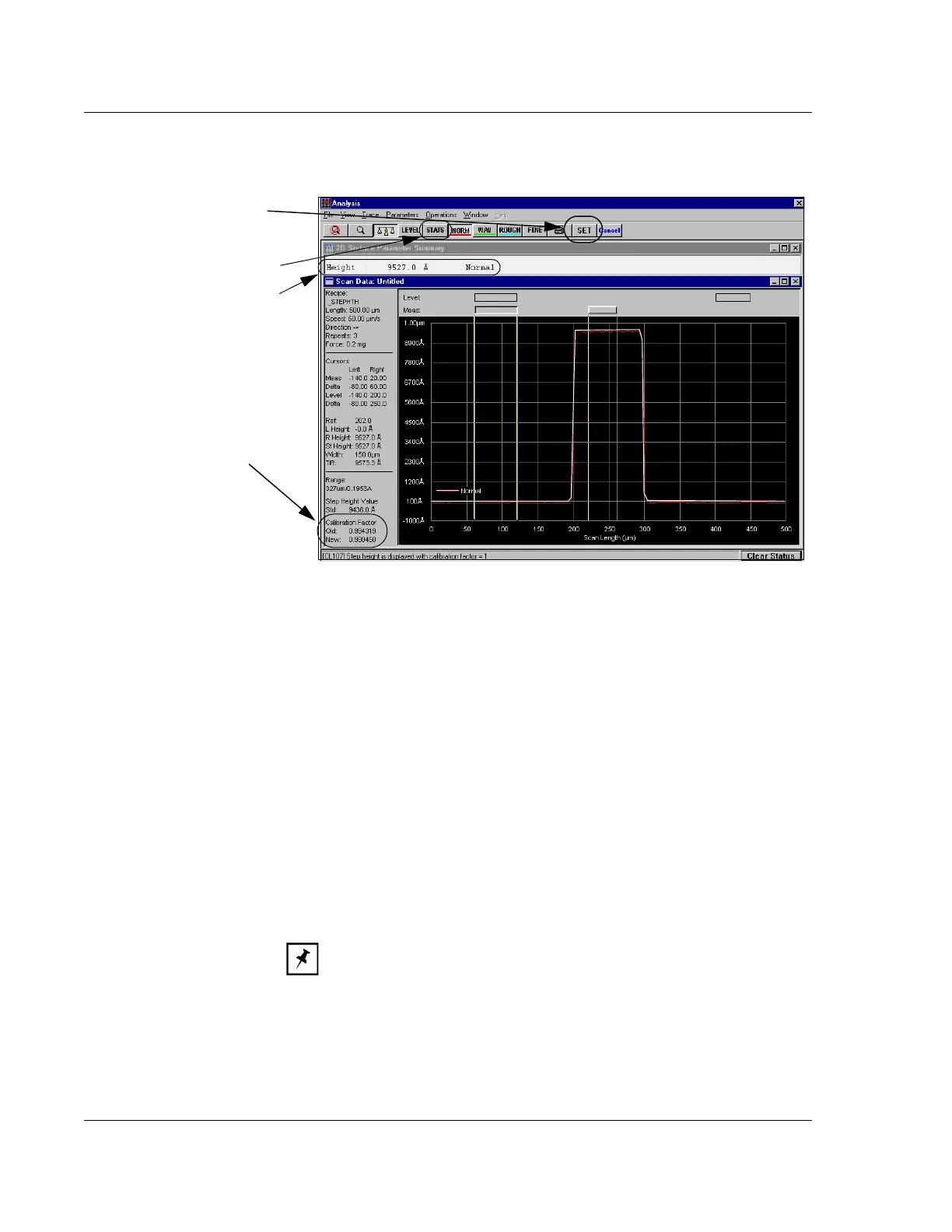
Figure 12.12 Saving the New Calibration
Step 23 To accept the new
calibration, click
SET.
The calibration factor is
calculated and displayed in the
Calibration Factor section
along with the old one.
Click STATS to open the Surface
Parameter Summary window
containing scan statistics.



 To Next Page