Scan Recipes - Accessing the Scan Recipe Catalog Screen KLA-Tencor P-16+ / P-6 User’s Guide
3-2 KLA-Tencor Confidential 0142530-000 AB
3/13/09
ACCESSING THE SCAN RECIPE CATALOG SCREEN 3
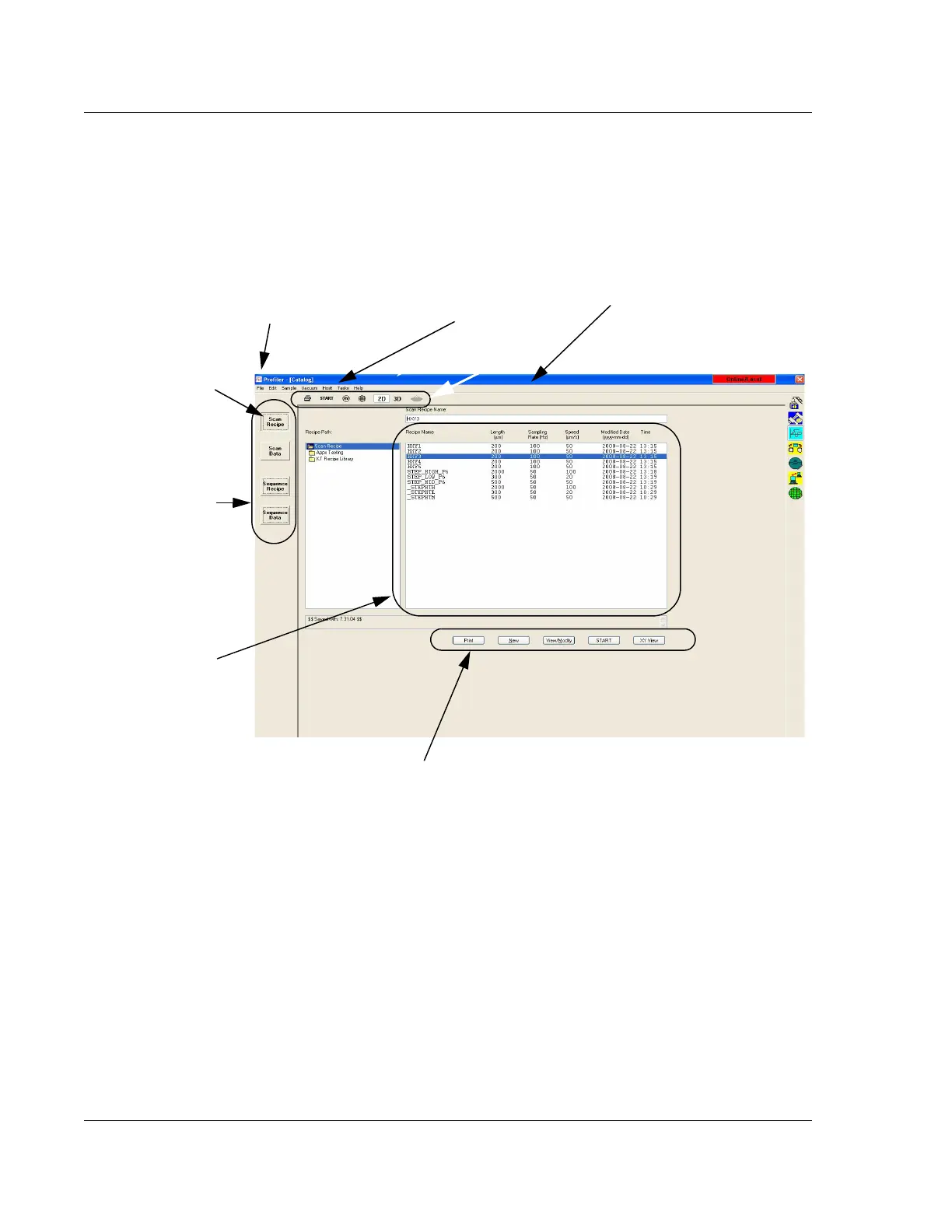
The Catalog screen is the first screen to appear when the Profiler application is
opened. The functional areas in the screen are described in Figure 3.1 and Figure 3.2.
Figure 3.1 Catalog Sequence Recipe Screen
These buttons
determine which set
of files are active in
the Information
Display window. The
active button appears
depressed.
Scan Recipe is
chosen as indicated
by its depressed
button. The Scan
Recipe list is displayed
in the Information
Display window.
List window.
The Control Button
contains the menu item
to close the screen.
The tool bar contains commonly
used commands in icon format.
These Command buttons present recipe
interaction functions in a button format.
The menu bar contains
drop-down menus for
various functions.



 To Next Page