XY View Screen - Starting the XY View Application KLA-Tencor P-16+ / P-6 User’s Guide
4-6 KLA-Tencor Confidential 0142530-000 AB
3/13/09
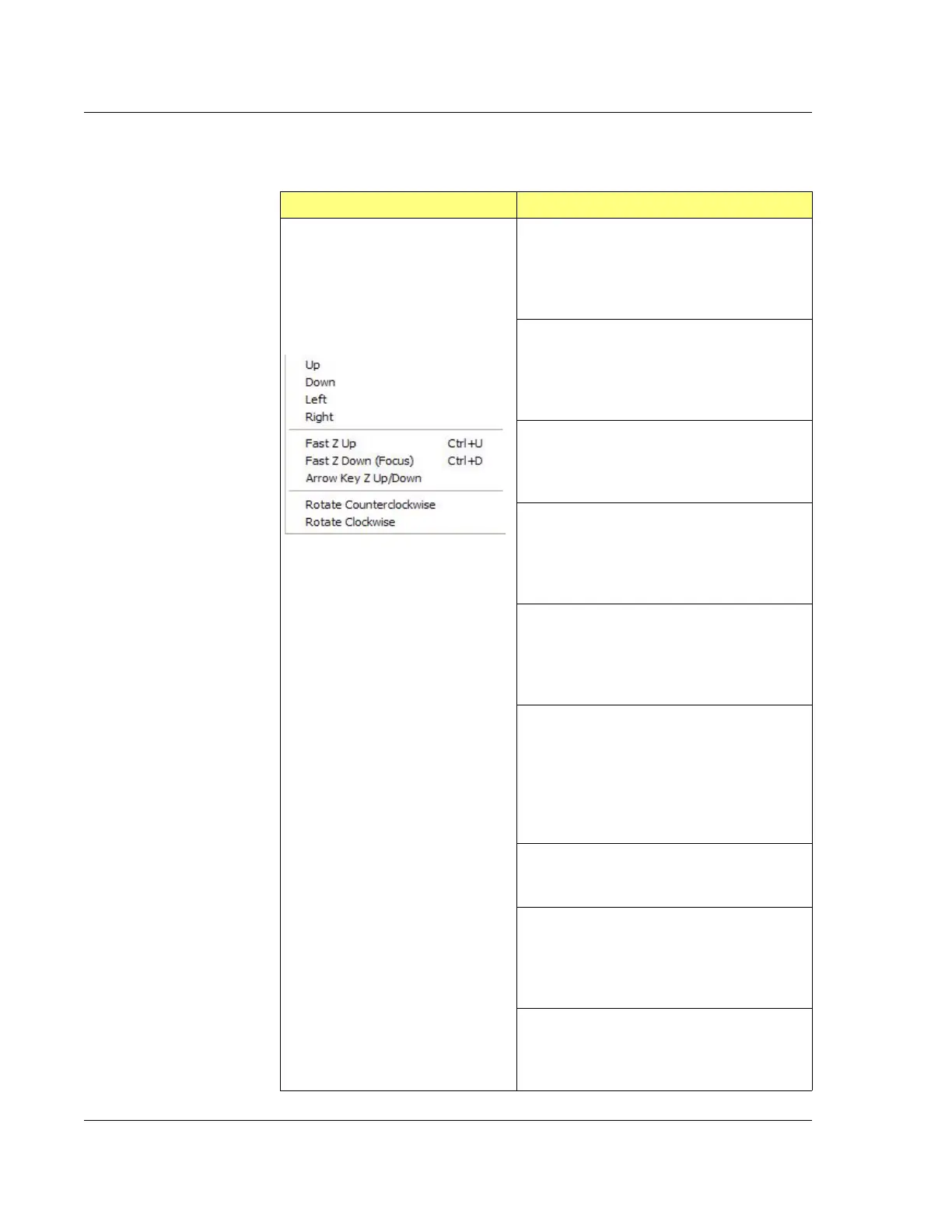
Direction Menu
Table 4.4 Direction Menu
Direction Menu Description
Up – Moves the stage in the +Y direction away
from the front door by one increment (as
defined in
Move Speeds for the set speed) per
button click. Click and hold the button for
continuous movement.
Down – Moves the stage in the -Y direction
toward the front door by one increment (as
defined in
Move Speeds for the set speed) per
button click. Click and hold the button for
continuous movement.
Left – Moves the stage in the -X direction toward
the left by one increment (as defined in
Move
Speeds
for the set speed) per button click. Click
and hold the button for continuous movement.
Right – Moves the stage in the +X direction
toward the right by one increment (as defined
in
Move Speeds for the set speed) per button
click. Click and hold the button for continuous
movement.
Fast Z Up – Raises the measurement head away
from the stage by one increment per button click.
Click and hold the button for continuous
movement.
This is the same as clicking the
Elev button.
Fast Z Down (Focus) – Lowers the
measurement head and sensor to the null
position, and focuses the video image. The
measurement head automatically lowers to the
correct distance from the sample for real-time
video.
This is the same as clicking the
Focus button.
Arrow Key (Zup/down) - Enables the keyboard
arrow keys to move the elevator up (Elevate) or
Down (Focus).
Rotate Counterclockwise (P-16+ Only) –
Rotates the stage in the theta counterclockwise
direction by one increment (as defined in
Move
Speeds
for the set speed) per button click. Click
and hold the button for continuous movement.
Rotate Clockwise (P-16+ Only) – Rotates the
stage in the theta clockwise direction by one
increment per button click. Click and hold the
button for continuous movement.



 To Next Page