Scan Recipes - Creating and Editing a Scan Recipe KLA-Tencor P-16+ / P-6 User’s Guide
3-38 KLA-Tencor Confidential 0142530-000 AB
3/13/09
Filters and Cursors 3
Filters 3
Two filters are available for removing noise from scan data, either as the scan is
taking place, or after the scan occurs but before the data is saved. The oldest filter is
the RC Filter.
RC stands for Resister Capacitor Filter. The second, the Gaussian Noise
Filter
, is the best of the two and is generally chosen when a filter is required.
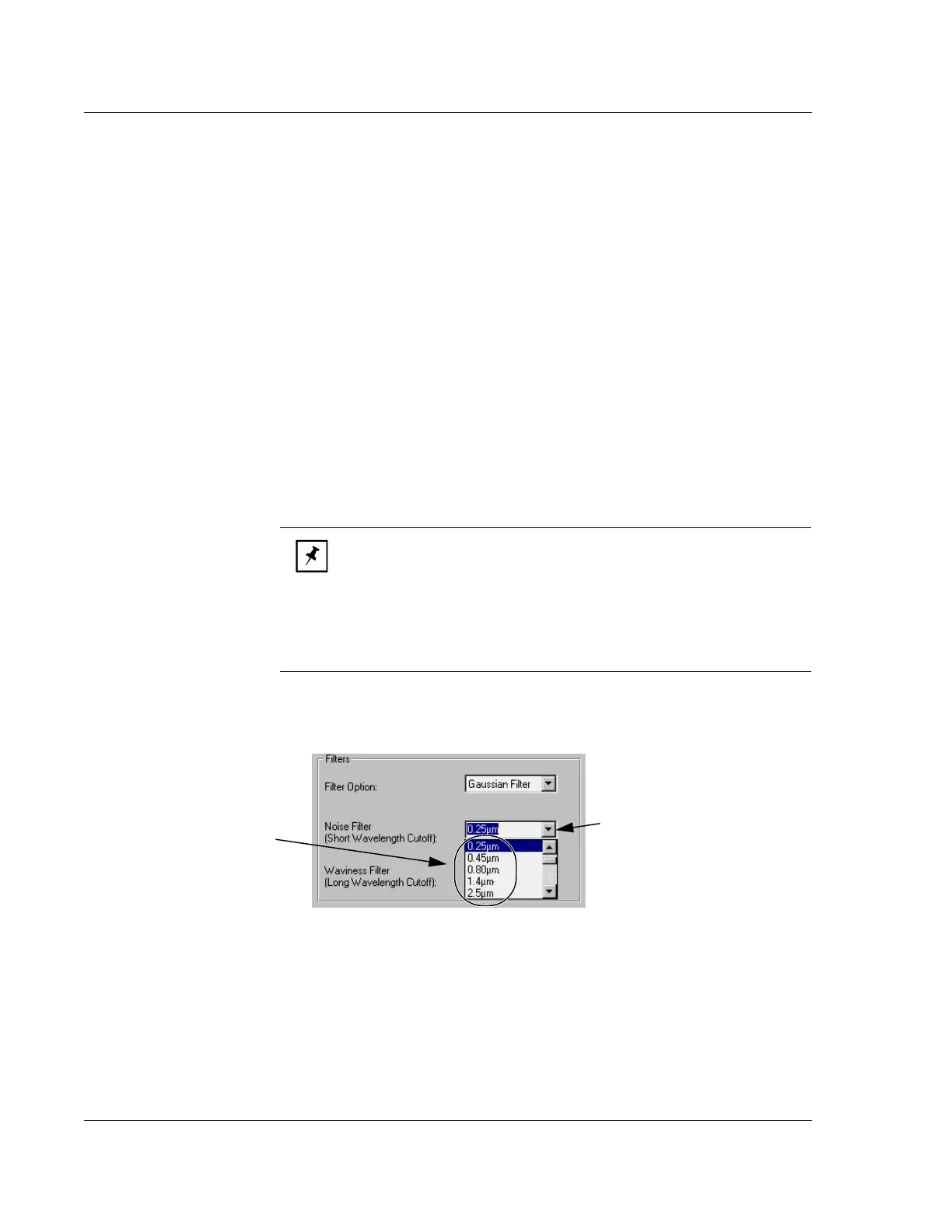
Noise Filter
The Noise Filter is a Short Wavelength Cutoff filter. This is an adjustable software
filter used to reject short wavelength components of scan data. When used with the
Waviness Filter (Long Wavelength Cutoff), it also isolates band passes for
wavelengths.
Selecting the
Short Wavelength Cutoff: (See Figure 3.28.)
1. Click the
Noise Filter menu arrow to display its menu.
2. Click the desired Shortwave Cutoff or type in the desired value.
Waviness Filter
The Waviness Filter is the Long Wavelength Cutoff filter. It is an adjustable software
filter to separate long wavelength components of scan data.
To Select the
Long Wavelength Cutoff:
1. Click the
Waviness Filter menu arrow next to display its menu.
NOTE: The availability of cutoffs is dependent on the scan speed. A
short wavelength cutoff cannot be entered if it is longer than the
currently selected long wavelength cutoff, or shorter than the value of
the analog cutoff.
Short wavelength cutoff ≤ Long wavelength cutoff
Short wavelength cutoff ≥ Analog cutoff
Figure 3.28 Filters Parameters - Noise Filter Menu
Step 1 Click the menu arrow to
display the cutoff menu.
Step 2 Click the desired Short
Wavelength Cutoff.



 To Next Page