XY View Screen - Starting the XY View Application KLA-Tencor P-16+ / P-6 User’s Guide
4-4 KLA-Tencor Confidential 0142530-000 AB
3/13/09
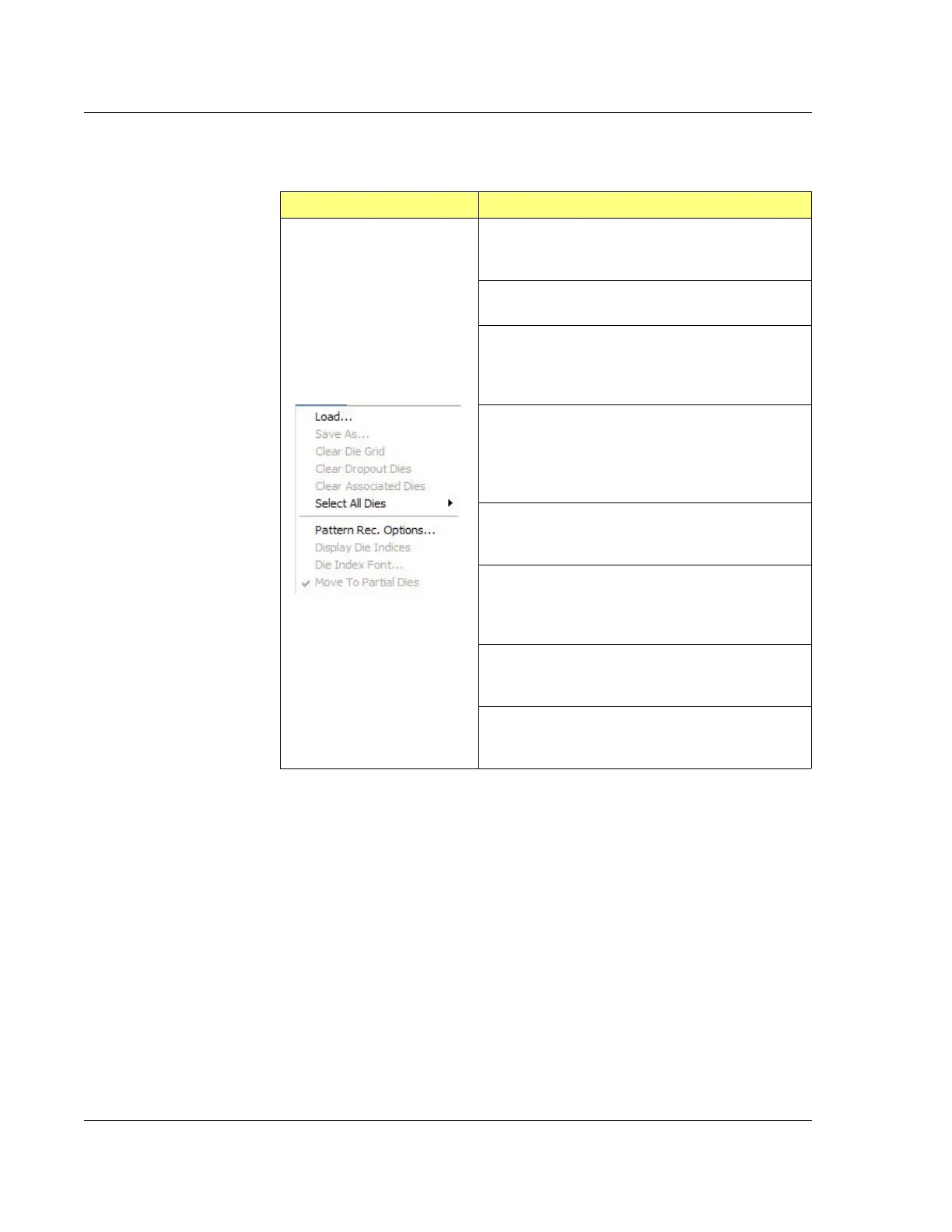
Die Grid Menu (Optional Feature with Pattern Recognition Option, P-16+ Only)
Table 4.2 Die Grid Menu
Die Grid Menu Description
Load…
Displays the dialog box used to load a die grid
pattern.
Save As…
Saves the die grid pattern.
Clear Die Grid
Removes any die grid pattern on the video display
window. [See Clearing a Die Grid (Turn OFF Die
Grid Navigation) on page 4-28.]
Clear Dropout Dies
Blocks the dies from being scanned when a mouse
cursor is placed over the die on the Sample
Positioning Window and the
SHIFT+LEFT MOUSE
BUTTON is pressed.
Clear Associated Dies
Removes dies which were previously associated in
a sequence recipe.
Pattern Rec. Options…
This displays the Load Die Grid dialog box. [See
Loading a Die Grid (Turning ON Die Grid
Navigation) for a Single Scan on page 4-25.]
Display Numbers
Displays the numbers on the Sample Positioning
Window.
Move To Partial Dies
Scans the partial die at the edge of the wafer
perimeter, only when this feature is enabled.



 To Next Page