0142530-000 AB KLA-Tencor Confidential 13-17
3/13/09
KLA-Tencor P-16+ / P-6 User’s Guide Stylus Change Procedure - Stylus Removal and Replacement
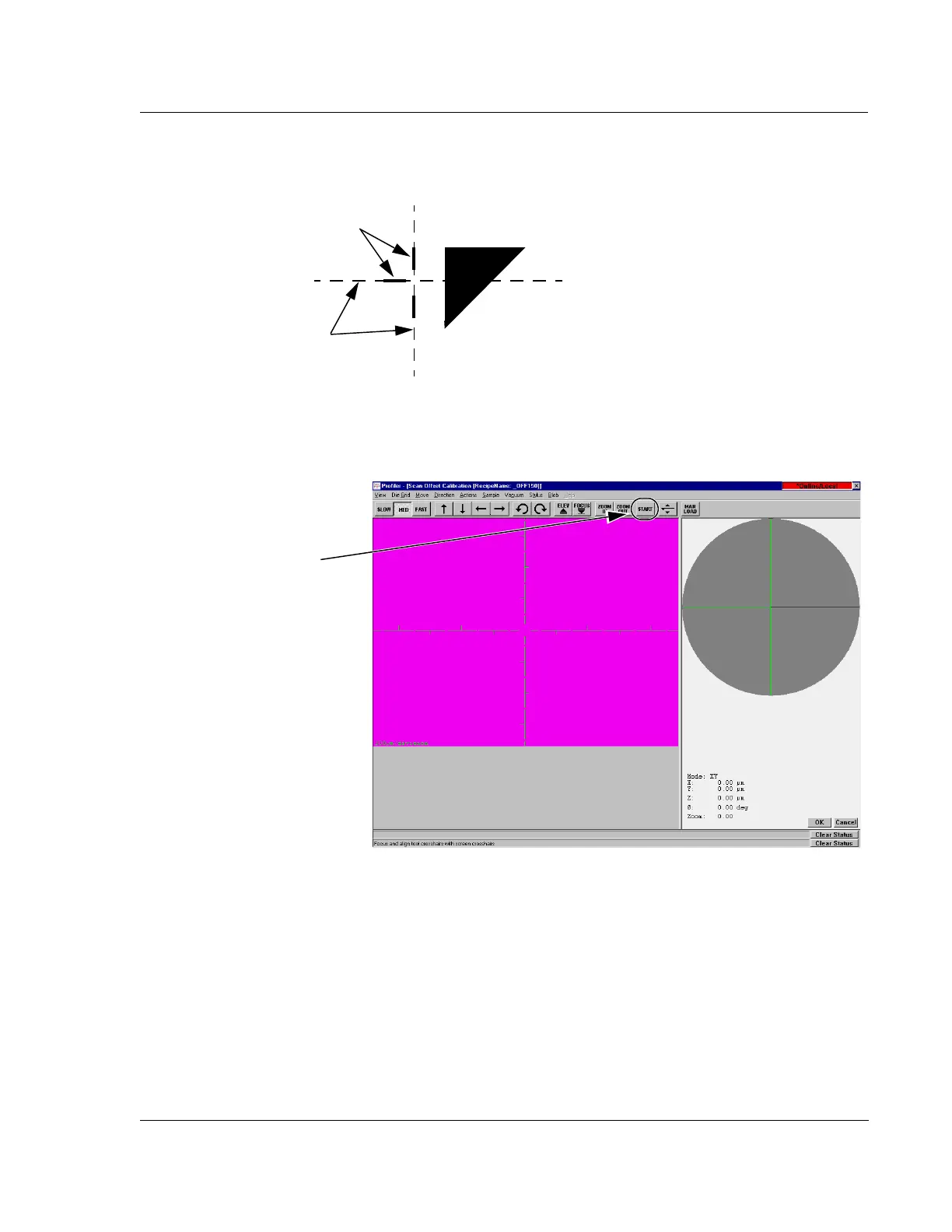
17. Click the START button located in the screen tool bar. (See Figure 13.25.)
The video image changes to side view as the stage moves to position the start of
the scan on the beginning of the start pattern near the calibration triangle.
When the stylus has reached the beginning of the 150
μm scan trace, the screen
changes to the
Scan: _OFF150 window. The scan automatically begins.
Figure 13.24 Align Screen Crosshair with 150 μm Crosshair Pattern
Screen
crosshair.
Crosshair alignment
pattern.
Figure 13.25 Manual Load from the Scan Offset Calibration Window
Step 17 Click on the
START button to start the
calibration.



 To Next Page