Sequence Recipe and Data - Groping with Pattern Recognition (P-16+ Only) KLA-Tencor P-16+ / P-6 User’s Guide
6-44 KLA-Tencor Confidential 0142530-000 AB
3/13/09
15. Choose a Pattern Recognition Failure Response from the If Fail drop-down
menu.
16. Run the sequence.
GROPING WITH PATTERN RECOGNITION (P-16+ ONLY) 6
Introduction 6
Deskew Options can be set so that the system performs a pattern search if the pattern
is not found within the field of view when the sample is positioned at the deskew site.
This search is called groping. Note that these same parameters (in a slightly different
format and with slightly different wording for the Lowest Match Score parameter) are
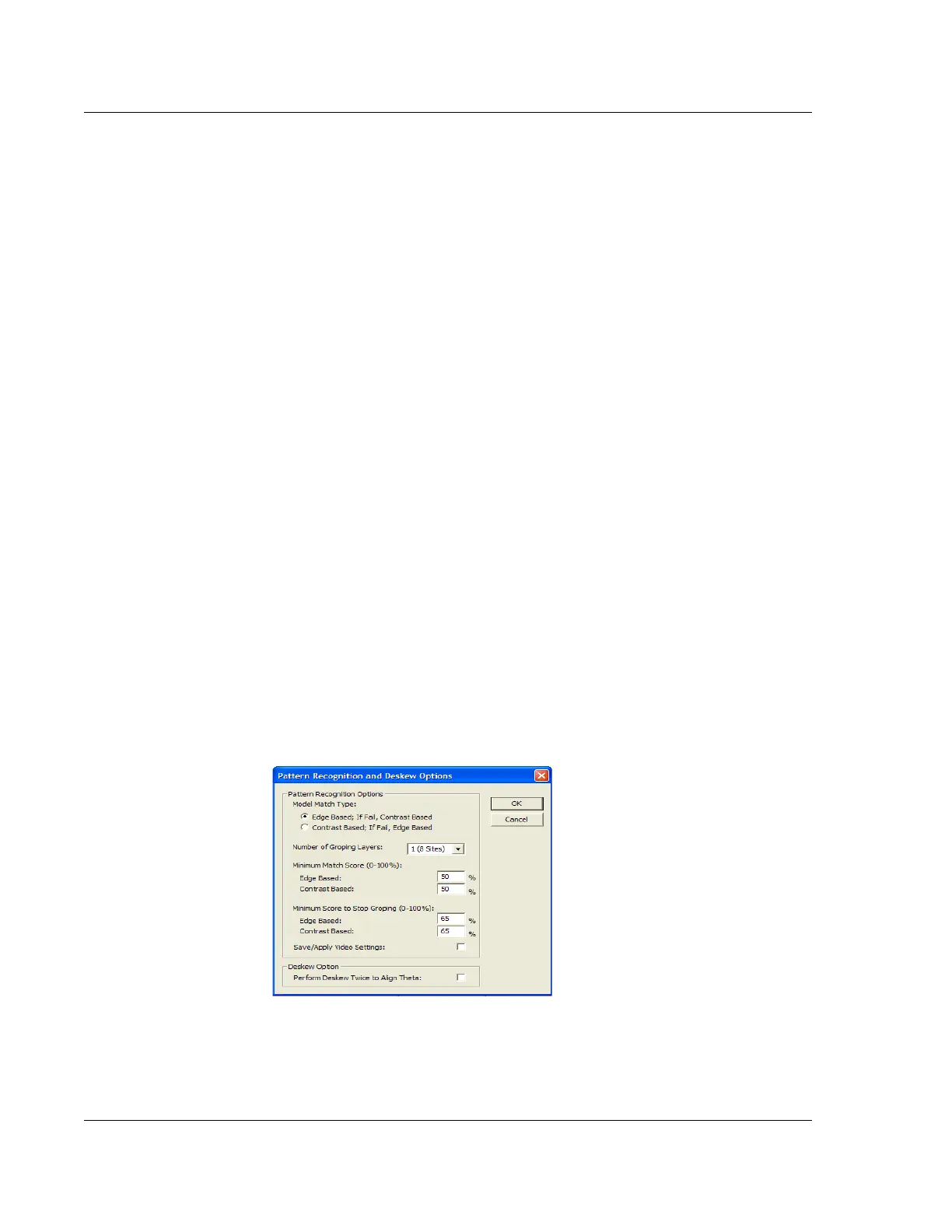
available in the Pattern Recognition and Deskew Options dialog box in the
Configuration screen. The parameters set in the Deskew Options dialog box take
precedence over those from the Pattern Recognition and Deskew Options dialog box.
Access to the Pattern Recognition and Deskew Options dialog box is through the
Configuration screen’s
Pattern Recognition Options… button. Access to the Deskew
Options dialog box is through the
Deskew menu in the Sequence Recipe screen.
Notice that, the parameter, “Minimum Match Score” in the Pattern Recognition
dialog box, has not yet been changed to “Lowest Match Score” as it has in the
Deskew Options dialog box. The values set in the Deskew Options dialog box for
each sequence recipe override those set in the Pattern Recognition Options dialog
box.
The three groping parameters are described in Table 6.12.
Setup Procedure 6
1. From the Sequence Editor, click Deskew in the menu bar to display its menu.
2. Click
Options… to open the Deskew Options dialog box. (See Figure 6.36).
3. Click the
Number of Groping Layers menu-arrow to display its menu. (See
Figure 6.36.)
Figure 6.36 Pattern Recognition and Deskew Options Dialog Box



 To Next Page