Scan Recipes - Scan Recipe Catalog Screen Components KLA-Tencor P-16+ / P-6 User’s Guide
3-6 KLA-Tencor Confidential 0142530-000 AB
3/13/09
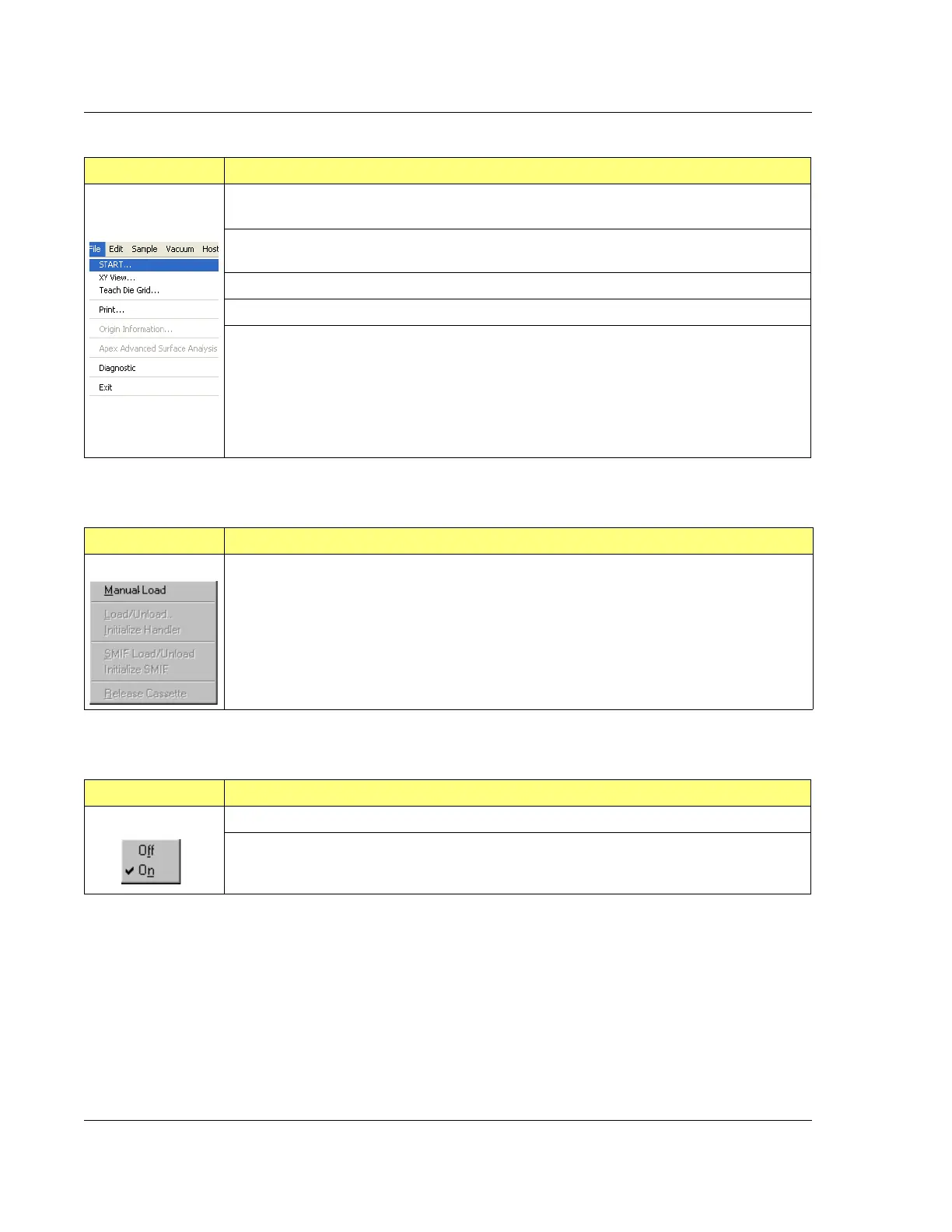
Table 3.3 File Menu Options Description
File Menu Description
START Starts the currently highlighted scan procedure. The screen changes to the scan
screen. In the screen depicted in Figure 3.2, it would start the _STEPHTH recipe scan.
Teach Die Grid (Supported on the P-16+ with the pattern recognition option) Opens the Teach
Die Grid procedure in the XY View Screen.
XY view Brings up the XY View screen, which is the typical scan screen.
Print Brings up the Print Manager for printing recipes.
Exit Exits the Scan screen. This sometimes prompts the display of dialog box asking if the
current changes are to be saved.
Table 3.4 Sample Menu Options Description
Sample Menu Description
Manual Load This moves the sample stage to the Stage Door of the system (the manual load
door) so a sample can be manually loaded onto the stage.
Table 3.5 Vacuum Menu Options Description
Vacuum Menu Description
Off This button is inactive in the P-16+ / P-6 Profiler because the Vacuum switch is manual.
On This button is inactive in the P-16+ / P-6 Profiler because the Vacuum switch is manual.



 To Next Page