0142530-000 AB KLA-Tencor Confidential 6-39
3/13/09
KLA-Tencor P-16+ / P-6 User’s Guide Sequence Recipe and Data - Deskewing Twice To Align Theta (P-16+ only)
11. Run the sequence.
After each deskew operation, the instrument pauses and requests acceptance of
the deskew site.
12. If it is out of the field of view, use the arrow buttons to move the stage and
search for the site. Click the deskew site, moving it to the center of the
crossmarks.
13. Click
OK to accept the deskew site.
14. Repeat Step 11 through Step 13 for deskew site #2.
The tool then proceeds with the measurement sites.
DESKEWING TWICE TO ALIGN THETA (P-16+ ONLY) 6
With a single deskew operation, there is no stage rotation to compensate for the small
rotational error in sample placement. A second deskew can be performed to
compensate for this error by enabling this option in the Pattern Recognition and
Deskew Options dialog box. This allows accurate sample rotations within a sequence.
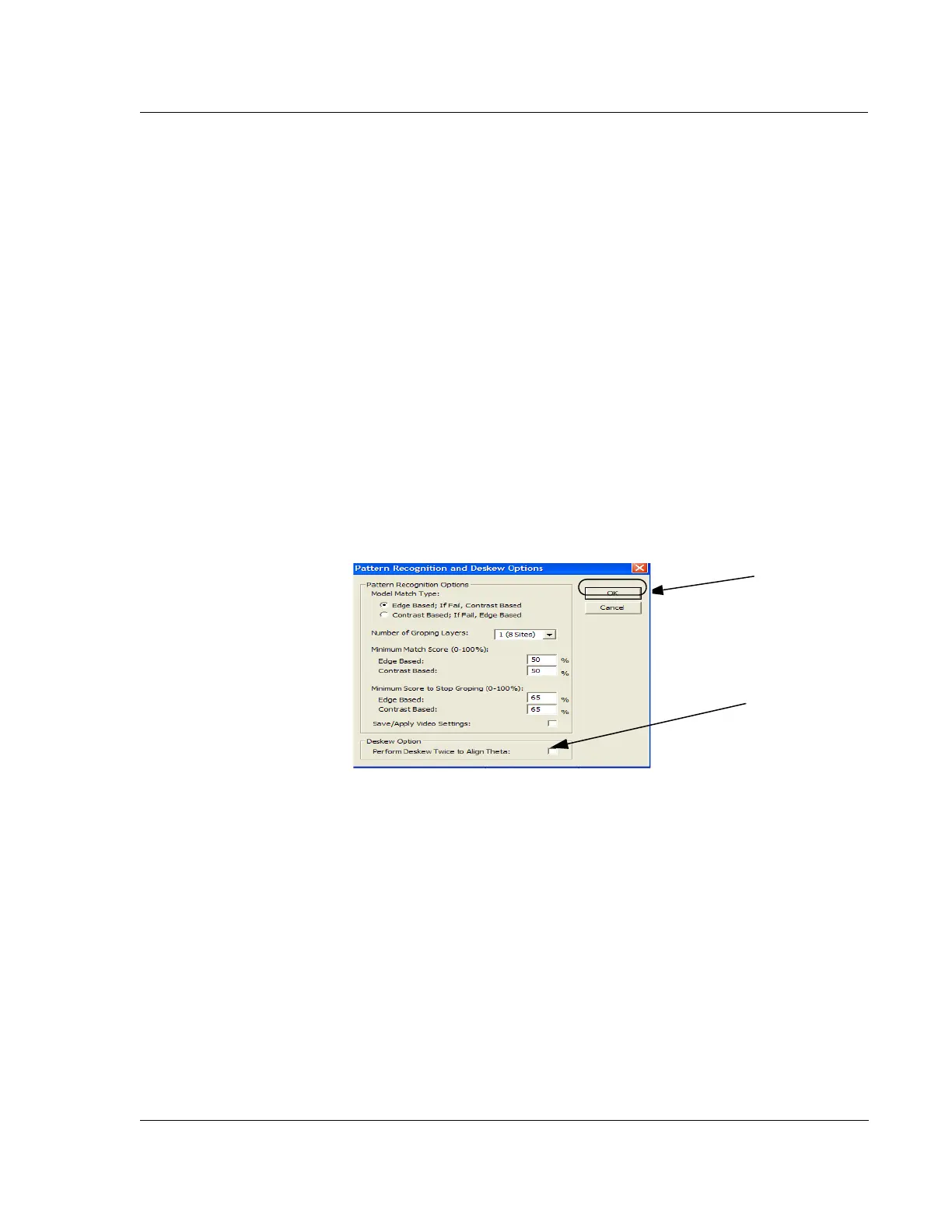
1. From the
Configuration screen, choose Calib Pattern Recognition Options…
button. The Deskew Options dialog box appears (see Figure 6.33).
2. Click the
Perform Deskew Twice to Align Theta? check box to enable or disable
the second deskew.
3. Click
OK to set the options and close the dialog box.
SEQUENCING WITH PATTERN RECOGNITION DESKEW
(O
PTIONAL PATTERN RECOGNITION FEATURE, P-16+ ONLY) 6
The Pattern Recognition option minimizes operator intervention in sequence operation
by automating the precise setting of deskew points at the beginning of a sequence.
Pattern Recognition deskew replaces and automates the manual deskew process. The
same considerations of global deskew point placement that apply to manual deskew
apply equally to pattern recognition deskew.
Figure 6.33 Deskew Options Dialog Box
Step 2 Click in the
check box to enable
or disable the
deskew twice option.
Step 3 Click
OK
when all choices
are complete.



 To Next Page