Scan Recipes - Creating and Editing a Scan Recipe KLA-Tencor P-16+ / P-6 User’s Guide
3-50 KLA-Tencor Confidential 0142530-000 AB
3/13/09
Line by Line Leveling 3
Clicking the Enable Automated Line by Line Leveling option enables the line by
line leveling algorithm to level the surface. There are two ways to set up the leveling:
Default Line Position (see Use Default Line Position [0% 50% 50% 100%]
on page 7-34) and Defined Line Position (see Use Defined Line Positions
on page 7-34).
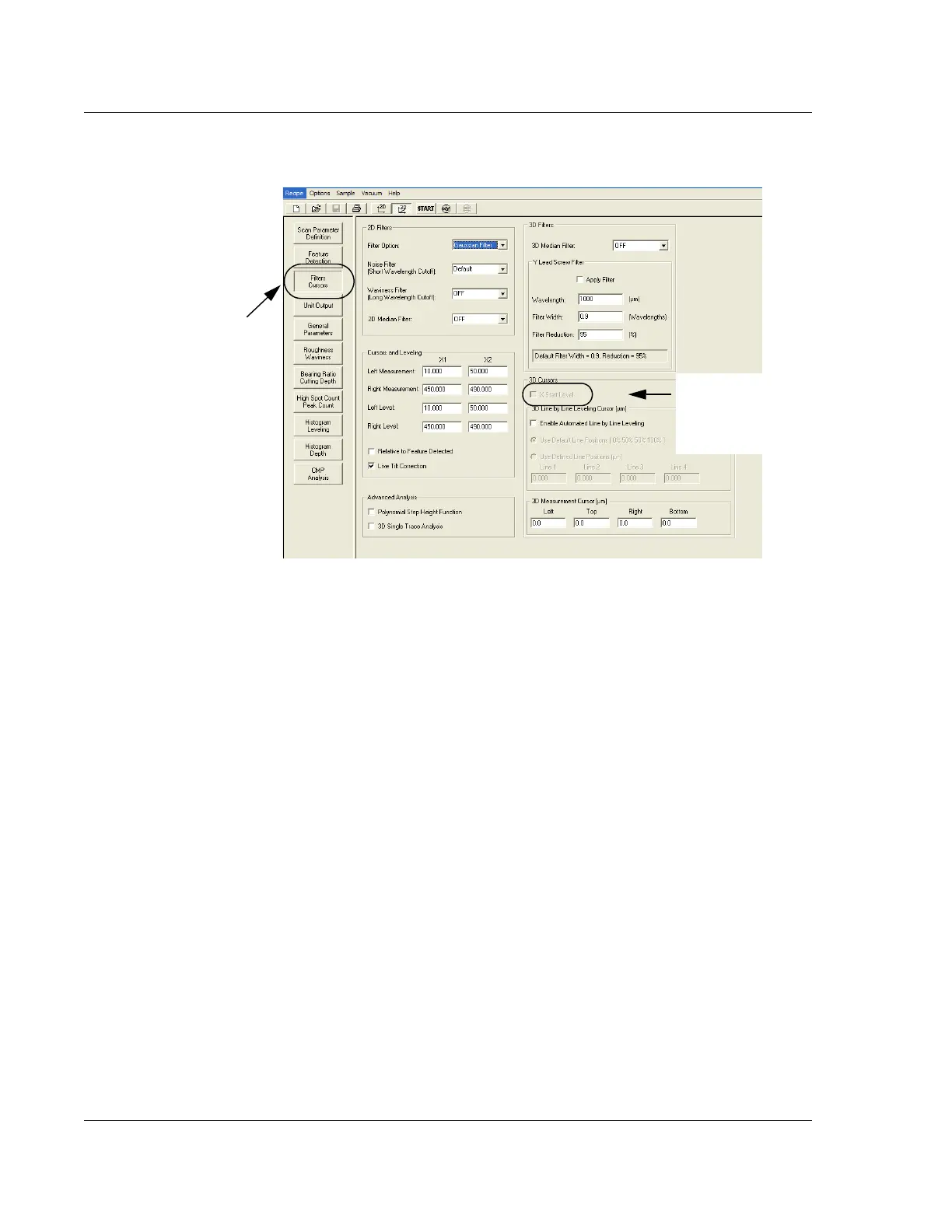
Figure 3.40 Recipe Editor - Choosing 3D Cursors
To open the 3D Cursors
window, click Filters Cursors.
Click to put a check
in the check box to
activate the X Start
Level.



 To Next Page