0142530-000 AB KLA-Tencor Confidential 3-35
3/13/09
KLA-Tencor P-16+ / P-6 User’s Guide Scan Recipes - Creating and Editing a Scan Recipe
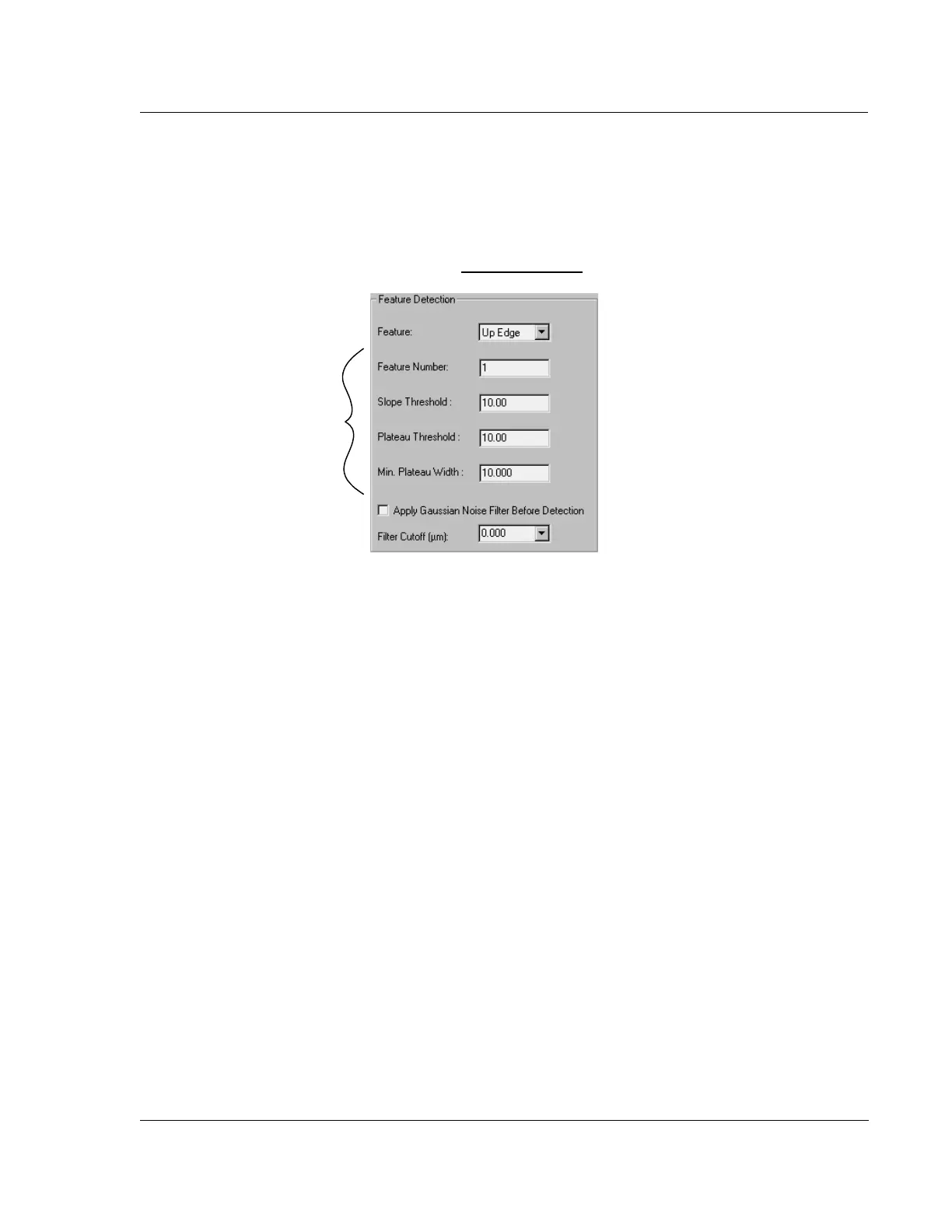
For Up Edge, Up Base, Down edge, Down Base, Convex, and Concave:
Feature Number
If there are multiple edges detected in the scan,
Feature Number provides a way to
select a specific edge for detection. (See Figure 3.26.)
Slope Threshold
This factor sets the value at which any rise or fall in a trace is considered to be a slope.
This means that the
Slope Threshold defines a point at which the system recognizes a
trace line as following or preceding an edge, convex or concave point. (See Figure
3.26.)
Use values between 0 and 50
Default is 10 for a step and 1 for an apex point..
Plateau Threshold
This factor affects finding the end of the feature. For example, when up edge is
selected, the slope threshold will be used to find the up edge and the plateau threshold
will be used to find the down edge (end of the feature). In the case where the rising
and falling edges have similar slopes, use the same value for the slope and plateau
thresholds. If they are different, then each needs to be optimized to properly detect the
edges.
Use values between 0 and 50
Default is 10 for a step and 1 for an apex point.
Figure 3.26 Detection Variables - Feature Detection - Recipe Editor
Detection parameters are
changed by clicking in the
appropriate variable box to
highlight the current number.
Then type in the new number.



 To Next Page