0142530-000 AB KLA-Tencor Confidential 3-11
3/13/09
KLA-Tencor P-16+ / P-6 User’s Guide Scan Recipes - Scan Recipe Catalog Screen Components
Recipe List Window
This area contains the list of scan recipes that have been created for the various types
of scans used by the system. Scan Recipes are categorized into 2D Scan recipes and
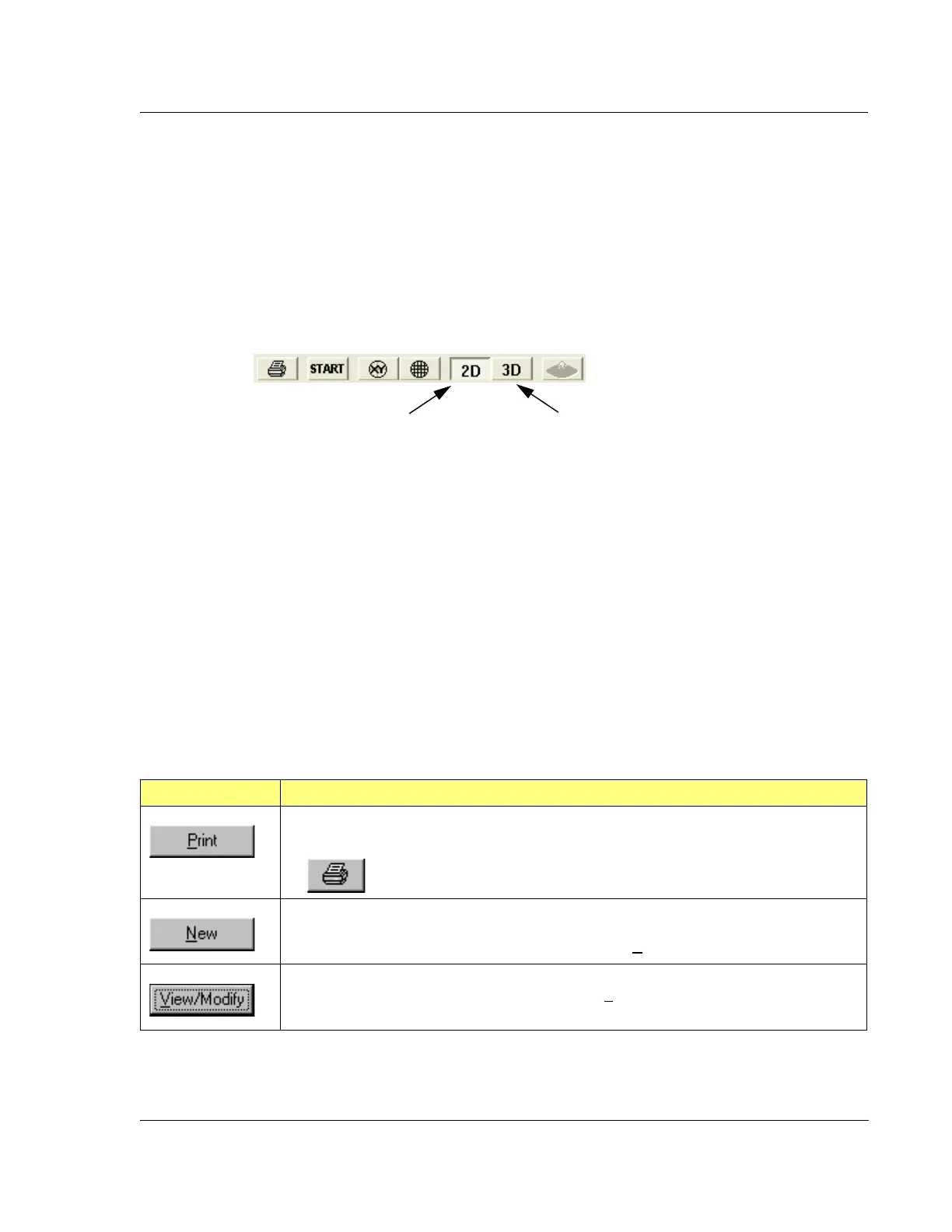
3D Scan recipes. The recipes are accessible by clicking on either the 2D button or the
3D button in the tool bar at the top of the screen. (See Figure 3.7.) To determine
which list is active, look at the 2D and 3D buttons. The active buttons appear to be
depressed and highlighted. The inactive buttons appear extruded outward. (See
Figure 3.7.)
When a recipe in the current list is clicked on, it highlights and its name appears in the
Scan Recipe Name display box at the top of the Information Display Window. In
addition, the current recipe is featured in the Scan Recipe Editor screen that appears
when the
View/Modify button (a function button under the Information Display
window) is activated. (See Figure 3.6.)
Function Buttons - Scan Recipe List Window
The function buttons, located at the bottom of the Information Display window,
operate on the recipes in the recipe List window. If the button is not accessible, it
appears as a 2D object, not 3D, and it is grayed out. Buttons might be inaccessible
because:
The system is operating in a Security level that does not grant the current Log
On access permission to perform the corresponding function, or
A preceding (or set-up) activity is required before the function can be activated.
Figure 3.7 Tool Bar Buttons
The 2D
button appears depressed and
The
3D button appears extruded and
normal, showing that it is not active.
Table 3.12 Scan Recipe List Window Function Access Buttons
Function Icon Description
This prints the currently highlighted Recipe. This function is also performed by the printer
icon in the tool bar.
This opens the Recipe Editor for the creation of a New recipe. In the recipe editor, the title is
“UNTITLED” until the recipe is named. The recipe content contains the default parameters.
The same function is also found in the Edit menu under N
ew.
This opens the Recipe Editor allowing modification of the currently highlighted recipe. The
same function is also found in the Edit menu under V
iew/Modify.



 To Next Page