Configuration - System Configuration KLA-Tencor P-16+ / P-6 User’s Guide
14-10 KLA-Tencor Confidential 0142530-000 AB
3/13/09
Elevator Safe Position 14
This feature works in conjunction with the Move Elevator to Safe Position Before
Moving Stage checkbox. If there is a check in the box, this variable is used. If there is
no check in this box, the head is not lift up this distance. This is the absolute elevator
height that the system moves the head to every time the stage is moved under the
prescribed circumstance. (See Figure 14.7 on page 14-7, also Figure 14.8.)
SYSTEM CONFIGURATION 14
The System Configuration options can only be observed in the System Configuration
dialog box, not edited. The System Configuration screen contains tabbed windows
that allow the user to observe the process and hardware settings for the instrument.
Changes must be performed by KLA-Tencor trained technicians.
Editing the System Configuration 14
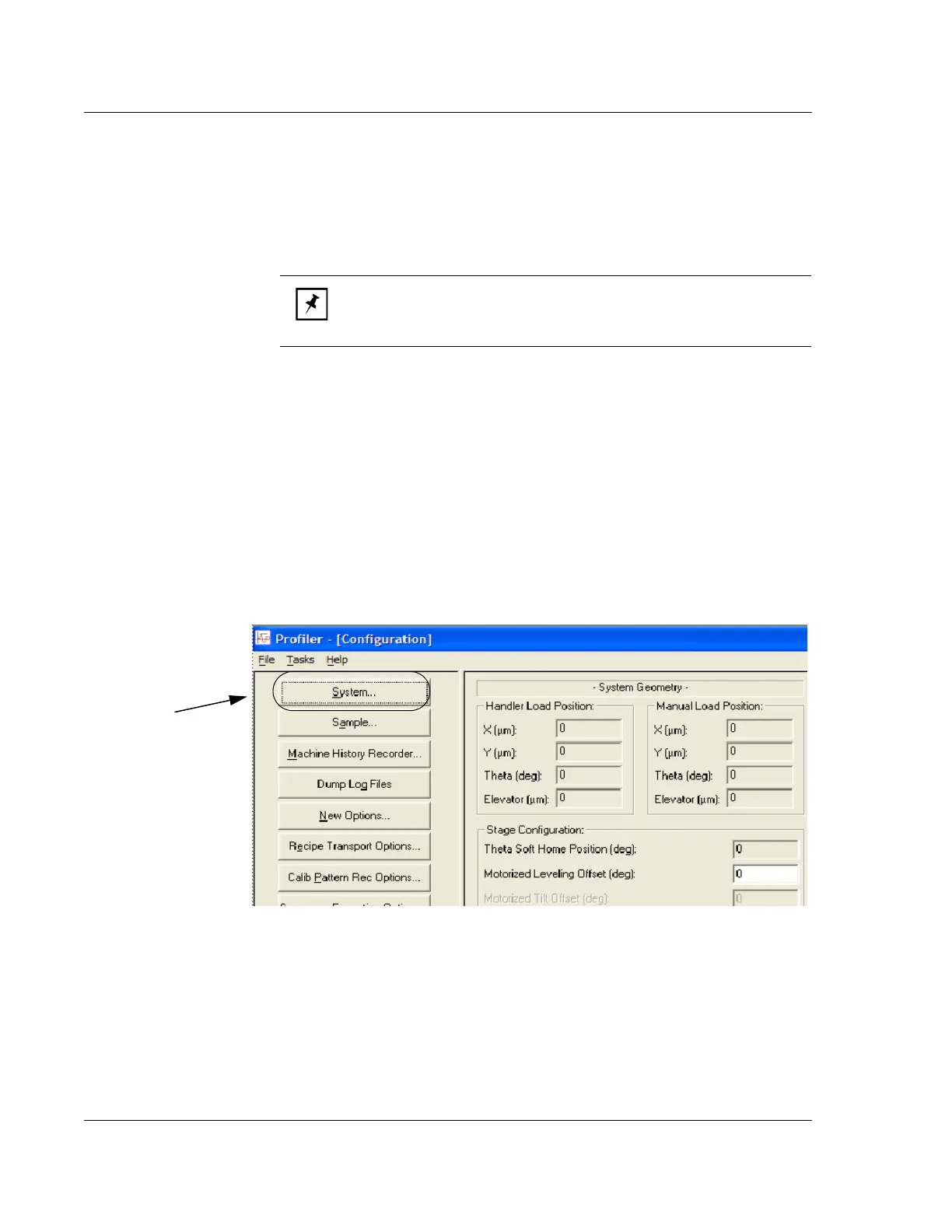
1. Click the System… button at the left side of the Configuration screen. (See
Figure 14.9).
NOTE: The smaller the number, the longer it takes for the head to rise
before the move and lower after the move. Set this number carefully if
processing time is a concern, especially in sequence scans.
Figure 14.9 Configuration Screen
Step 1 To open the
System Configuration
dialog box, choose
System…



 To Next Page