Calibrations - P-16 Series Level Calibrations KLA-Tencor P-16+ / P-6 User’s Guide
12-14 KLA-Tencor Confidential 0142530-000 AB
3/13/09
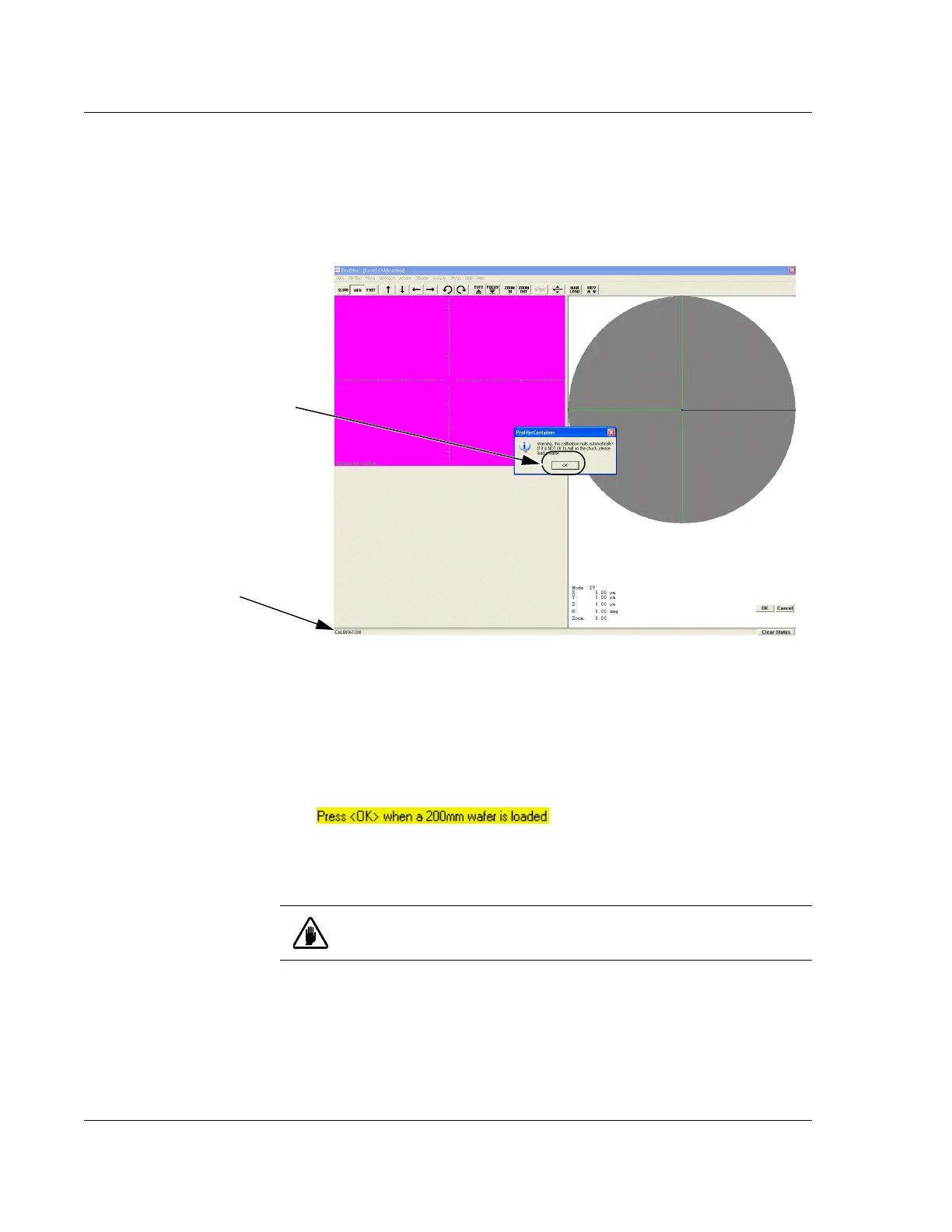
3. A warning appears in the Profiler Container message box. It states that the system
automatically nulls in this calibration and advises that a sample be placed on the
stage to prevent stylus damage. (See Figure 12.14.)
Read the message and click
OK to close the message box. (See Figure 12.14.)
4. After the warning message is acknowledged, a message is displayed (see
Figure 12.15) in the system status bar at the bottom left of the screen as pointed
out in Figure 12.14. The message requests the user to load a wafer onto the stage
that matches the sample safe area then click the
OK button. See the following
wafer loading procedures.
Begin: Load Wafer 5. Click on MAN LOAD to move the stage to the Stage Door.
6. (See CAUTION below.) Open the stage door.
7. Load a featureless wafer onto the sample stage. Place it in the center of the
stage.
8. Turn the vacuum ON using the switch on the upper left door jam.
9. Close the stage door.
End: Load Wafer Manually 10. Click MAN LOAD to move the stage back under the optics.
Figure 12.14 Level Calibration Warning
Step 3 Click on OK to
acknowledge the message
warning of the automatic nulling
of the stylus in this calibration.
System Status Bar.
Figure 12.15 Tilt Calibration System Status Load Wafer Message
CAUTION: Do not activate the stage motion system with the door
open, unless the interlock switch is disabled.



 To Next Page