0142530-000 AB KLA-Tencor Confidential 13-13
3/13/09
KLA-Tencor P-16+ / P-6 User’s Guide Stylus Change Procedure - Stylus Removal and Replacement
To use the currently
selected recipe:
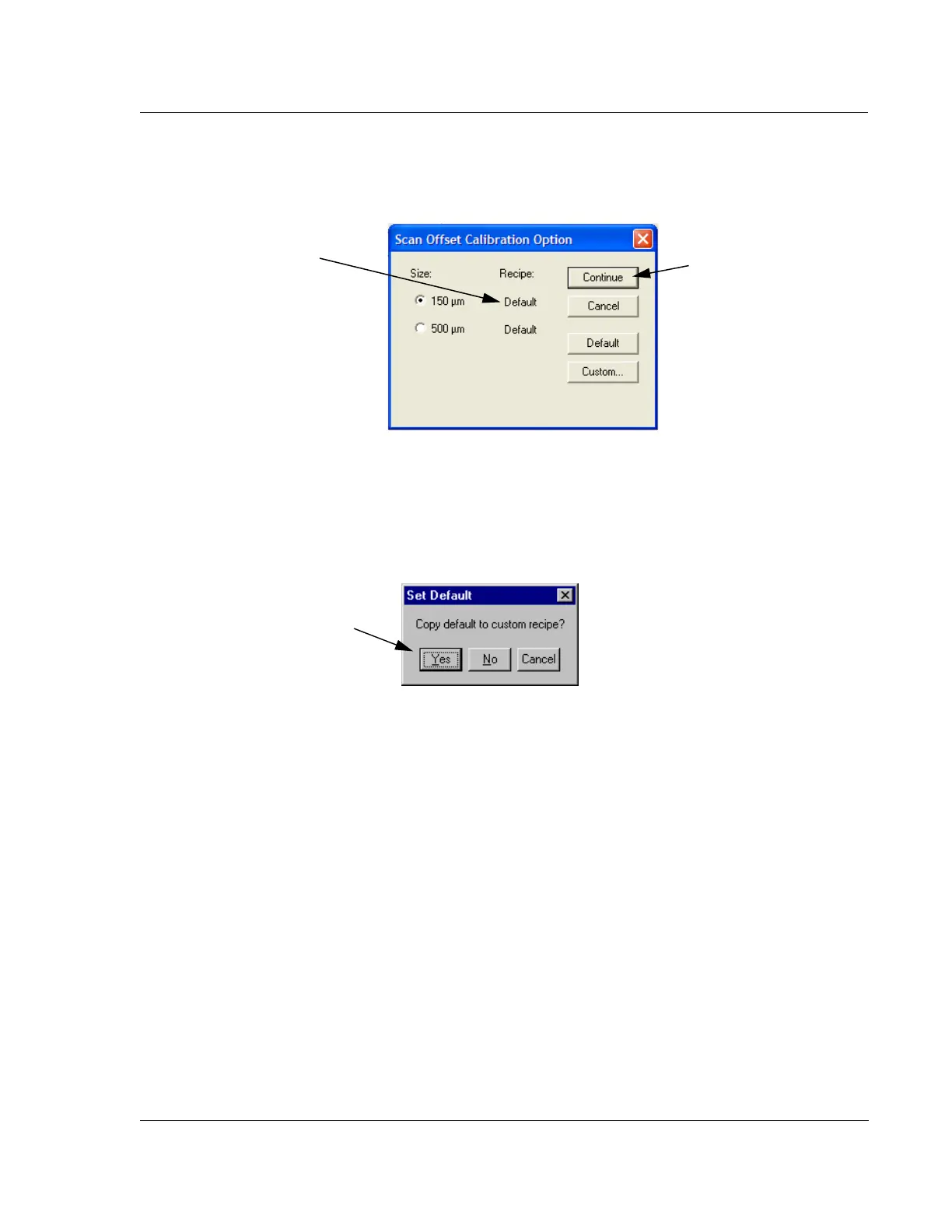
a. To use the calibration recipe indicated to the right of the Size selection (see
Figure 13.18), click
Continue to proceed.
To change the recipe from
Custom to Default
b. To apply the Default recipe when Custom is indicated, click on Default. The
message box, “
Copy default to custom recipe?” appears. Click Yes in the
message box to replace the parameters in the custom recipe with default
values. (See Figure 13.19.)
To change the recipe from
Default to Custom
c. To apply a Custom recipe when Default is indicated, or to modify the
custom recipe that is indicated, click
Custom. The Recipe Editor opens,
displaying the custom recipe. Change the parameters as required. (See
Figure 13.20.)
i. Close the
Recipe Editor by clicking on the control button in the upper
left corner and choosing
Close from the drop-down menu. (See
Figure 13.20.)
Figure 13.18 Scan Position Offset Calibration Options dialog box
Step 9a. Click on Continue
The current recipe type is
displayed here.
Figure 13.19 Set Default Dialog Box
Step 9b. To change from Custom
to Default, click on Yes to set
default values in the custom recipe.



 To Next Page