0142530-000 AB KLA-Tencor Confidential 11-21
3/13/09
KLA-Tencor P-16+ / P-6 User’s Guide System Security - Computer Management/User Accounts
COMPUTER MANAGEMENT/USER ACCOUNTS 11
Computer Management or User Accounts is the security system interface for
Windows XP. See Microsoft help for advanced user management not discussed in the
Profiler user guide. The Profiler uses the Windows XP security system as one method
to control access to Profiler software. All assignment of users to user groups and
creation of user passwords are set in this screen. Only those with Administrator
access can perform any of the functions in the computer management / user accounts
screen.
PROCEDURE TO CREATE A NEW USER ACCOUNT 11
This procedure describes how to create an operator account. The tool owner should
create at a minimum an Administrator, Engineer, and Operator account to limit tool
access to authorized users. The default administrator password should not be changed
since it could create problems for KLA-Tencor to access the tool for applications and
maintenance activities. See Microsoft help for additional guidance on creating user
accounts.
1. Log on to the Profiler as an Administrator. Make sure Profiler software is
closed.
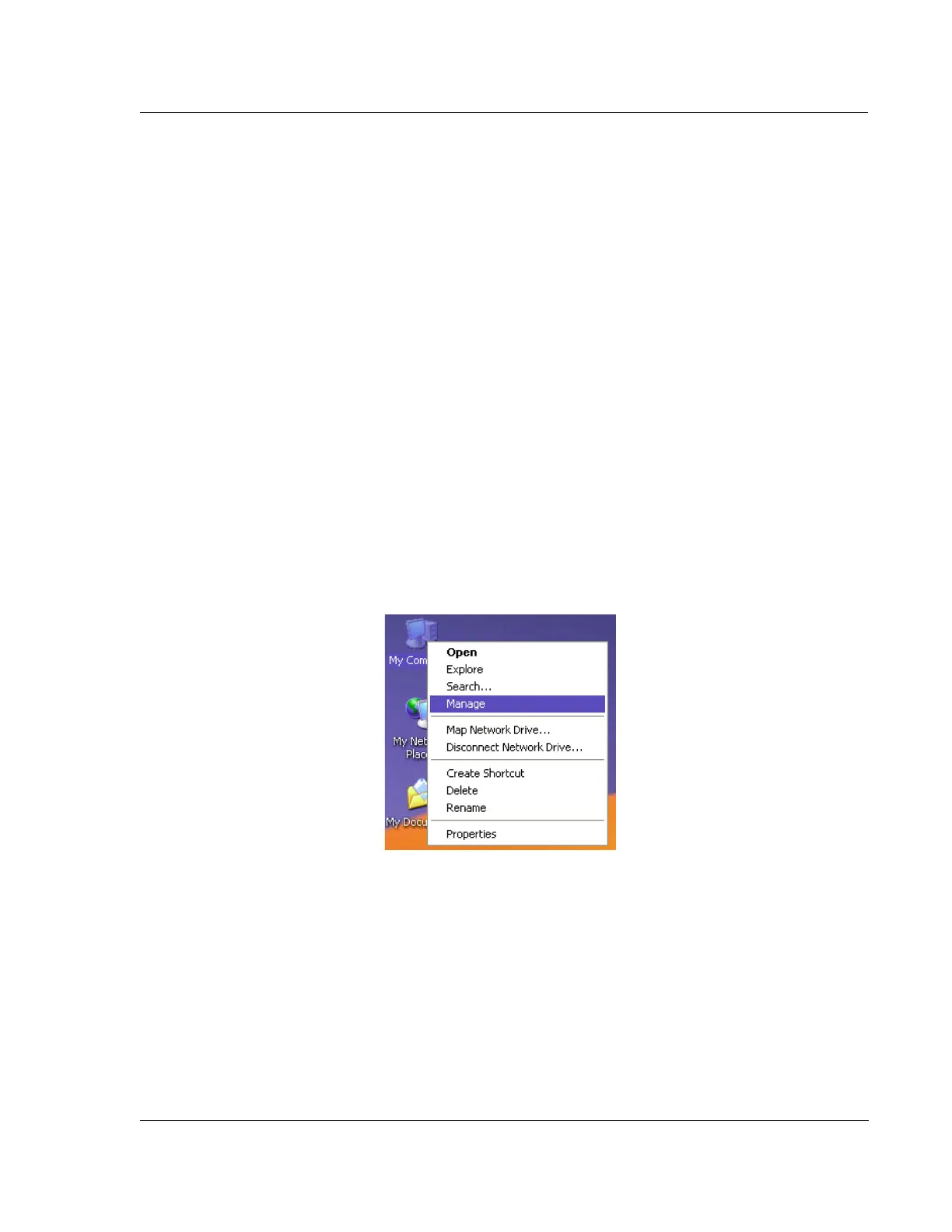
2. From the desktop, right click on My Computer as shown in Figure 11.20 and
select Manage.
3. From System Tools select Local Users and Groups as shown in Figure 11.21
This shows all of the user accounts on the tool.
Figure 11.20 My Computer/Manage



 To Next Page