0142530-000 AB KLA-Tencor Confidential 2-15
Friday, March 13, 2009
KLA-Tencor P-16+ / P-6 User’s Guide Basic Skills - Exporting Data Graphs
Preliminary
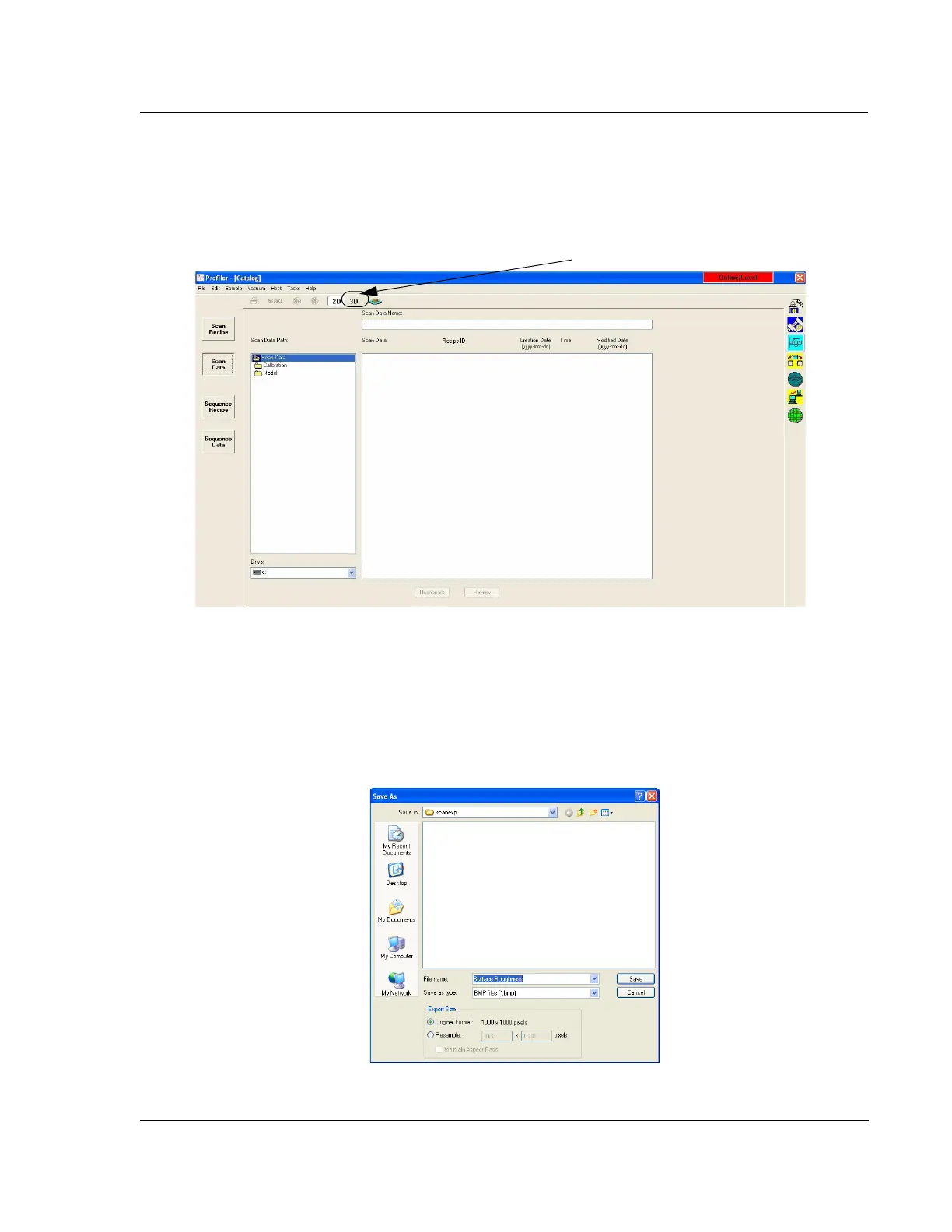
2. In the Database Catalog screen, choose either the 2D or 3D button in the tool bar.
Depending on the Catalog group chosen, this displays the 2D or 3D data or
recipe sets. (See Figure 2.12.)
3. Choose
Scan Data from the Catalog buttons at the left of the screen.
4. Navigate to the folder containing the required graph.
To Open the Export Dialog
Box from the Database
Screen
5. If the file name is known and there is no need to see the graph, click the file
name of the graph, and click
Graph Export… at the bottom of the screen.
This opens the export dialog box titled
Save As. (See Figure 2.13.)
Figure 2.12 Data Catalog Screen for Export of Data or Recipes
Step 2 Click 3D to display 3D data or recipes.
Figure 2.13 Graphics Export Dialog Box



 To Next Page