View Scan Window - 2D Screen Function KLA-Tencor P-16+ / P-6 User’s Guide
5-6 KLA-Tencor Confidential 0142530-000 AB
3/13/09
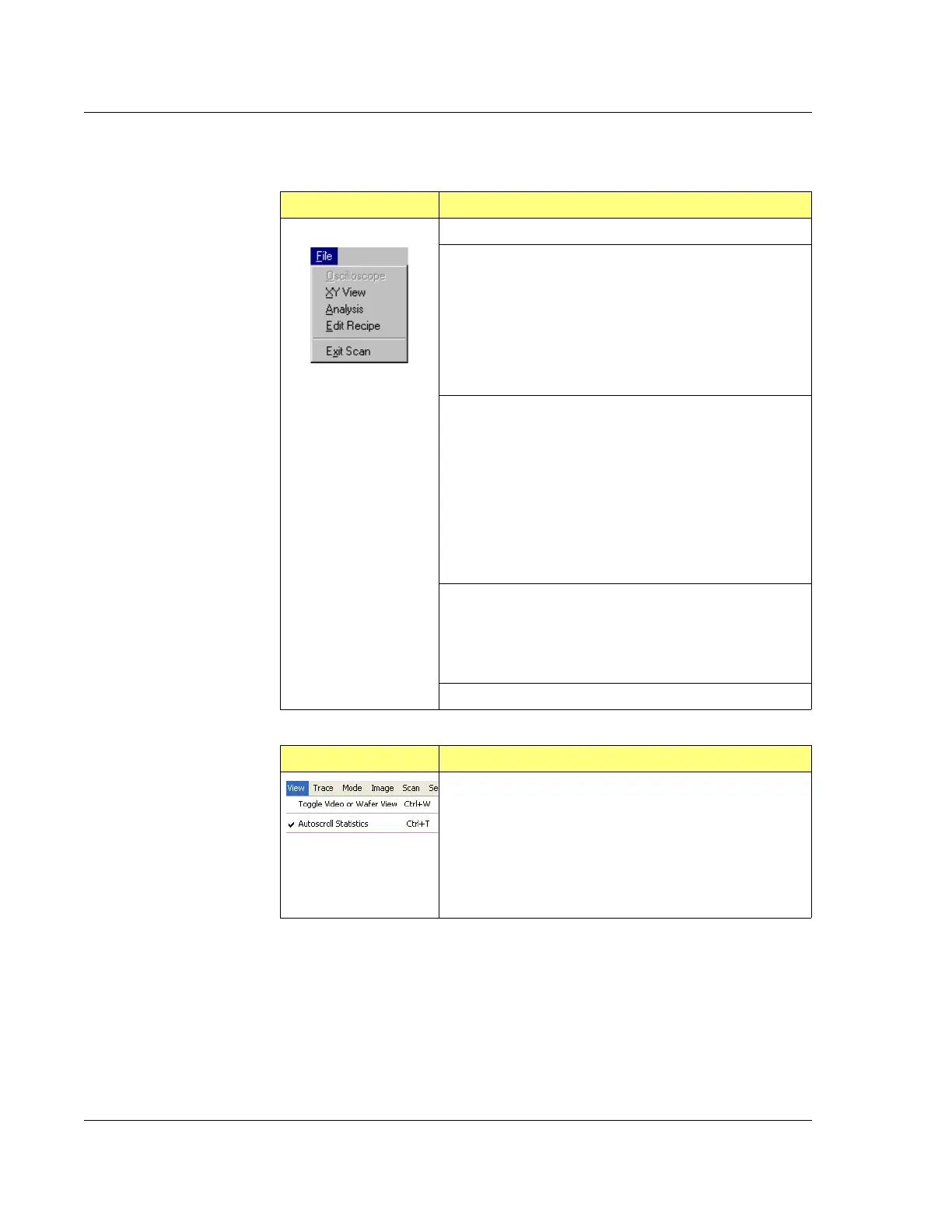
Table 5.5 2D View Scan Screen - File Menu
File Menu Description of Menu Items
Oscilloscope – Not available with P-series systems.
XY View – Returns to the XY View screen.
If the scan was stopped in the View Scan screen,
and the File/XY View menu item was used to toggle
to the XY view screen, the scan start position can be
adjusted. The user then toggles back to the View
Scan screen from the Actions/View Scan menu item
in the XY View screen, and the scan can be run
again in the new location.
Analysis – Returns to the Analysis screen with the current
data displayed.
If the scan is stopped by the user, the user can
toggle to the Analysis screen by using the
File/Analysis menu item.
If the user returns to the View Scan screen from the
Analysis screen to start a stopped scan, when the
scan is complete, the screen does not automatically
return to the Analysis screen. To return to the
Analysis screen, use the File/Analysis menu item.
Edit Recipe – Opens the Recipe screen for the current
scan.
If the user stops a scan and wants to edit the scan
recipe, the Recipe Editor can be opened using the
File/Edit Recipe menu item.
Exit Scan – Closes the current screen.
Table 5.6 2D View Scan Screen - View Menu
View Menu Description of Menu Items
Toggle Video or Wafer Mode – Provides choice of view
between live video as the system scans in the video
overlay or to view a representation of the wafer and the
the scanning position on the video overlay. This option
shows multiple scan areas if a sequence is running.
Additionally, an Auto Scroll Statistics dropdown option
displays the statistics in a statistics pane of a live scan
scan page.



 To Next Page