Sequence Recipe and Data - Creating a Sequence Recipe KLA-Tencor P-16+ / P-6 User’s Guide
6-4 KLA-Tencor Confidential 0142530-000 AB
3/13/09
End: OPTIONAL Manual
Wafer Load Procedure
8. After the door is closed, click Sample in the menu bar, then on Manual Load. The
stage moves back under the measurement head.
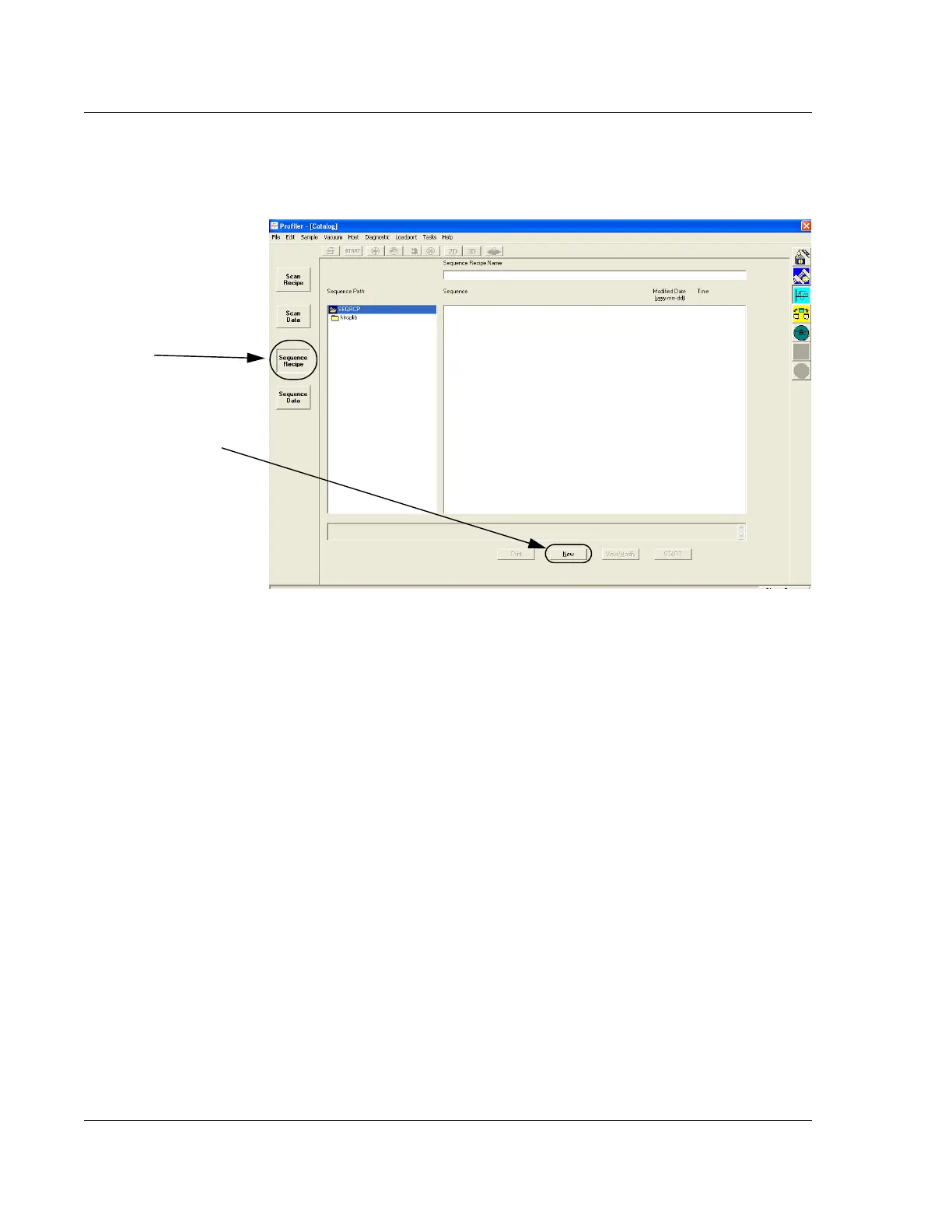
9. Click the
Sequence Recipe button to change to the Sequence catalog list. (See
Figure 6.3.)
10. From the
Sequence catalog, open a new sequence by clicking on the NEW button
at the bottom of the screen. (See Figure 6.3.)
The Sequence Editor opens, formatted to create a new sequence recipe. (See
Figure 6.4.)
Figure 6.3 Scan Sequence Catalog
Step 10 To open the
Sequence Editor for a new
recipe, click the
NEW
button at the bottom of the
screen.
Step 9 Click the Sequence
Recipe button to display the
Sequence list in the display
window.



 To Next Page