Scan Recipes - Scan Recipe Catalog Screen Components KLA-Tencor P-16+ / P-6 User’s Guide
3-4 KLA-Tencor Confidential 0142530-000 AB
3/13/09
Title Bar 3
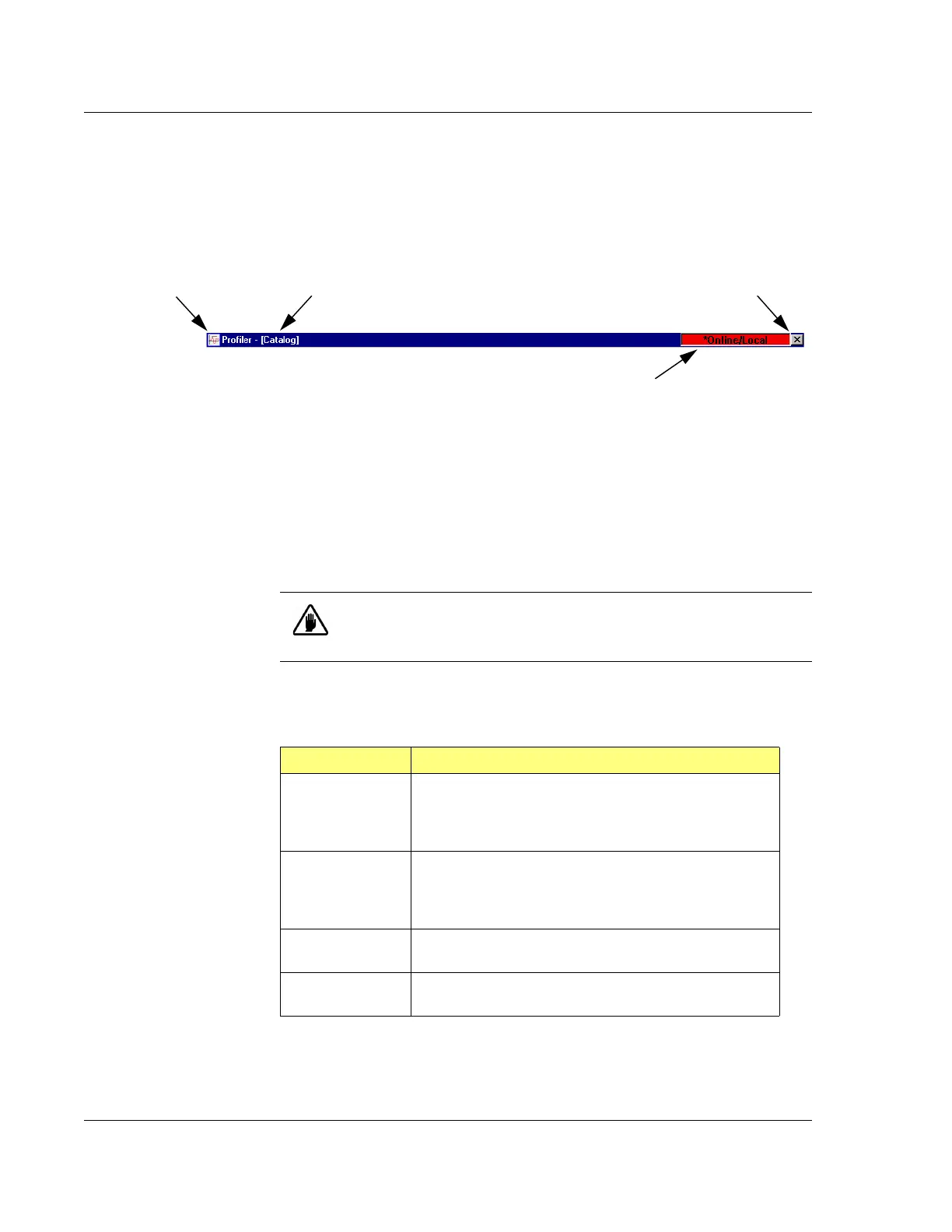
The Title Bar contains the Control menu button, the Screen Title Bar, and the
Close/Minimize icons (see Figure 3.3) or the GEM Status for systems equipped with
the GEM/SECS option.
Screen Title Area: This identifies the current active screen. (See Figure 3.3.) It
is not interactive.
GEM/SECS Status Display (Optional Feature): This area displays the current
GEM status. To view the
GEM Status dialog box double-click the GEM Status
Display. (See Figure 3.3.) Settings in the dialog box should only be changed by
those with a thorough knowledge of GEM/SECS functions in the system.
The following table presents the possible GEM Status messages and the significance
of each message.
Figure 3.3 Title Bar for Catalog Screen
Control Menu Button Screen Title Area Close Button is visible.
If the GEM/SECS option is being used, this status line
displays the current communication status with the system
host. Double-click this field to open the GEM/SECS dialog
box. This is not visible if the option is not activated.
CAUTION: Only system engineers familiar with the GEM operation
should change any settings in the GEM Status dialog box. Changing
these settings could disrupt processing.
Table 3.1 GEM Status Display
GEM STATUS Description
Online/Local
Online -The P-16+ / P-6 Profiler system is in the operating
mode.
Local - In this state, the P-16+ / P-6 Profiler system is
controlling its own activity.
Online/Remote
Online -This P-16+ / P-6 Profiler system is in the
operating mode.
Remote - In this state, control of the P-16+ / P-6 Profiler
system comes from the host.
GEM Offline This means that the GEM communication link is
suspended.
GEM Disabled This means that the communication link is temporarily
disabled for a user defined purpose.



 To Next Page