Sequence Recipe and Data - Viewing Sequence Data KLA-Tencor P-16+ / P-6 User’s Guide
6-36 KLA-Tencor Confidential 0142530-000 AB
3/13/09
VIEWING SEQUENCE DATA 6
Viewing Wafer Summary Data 6
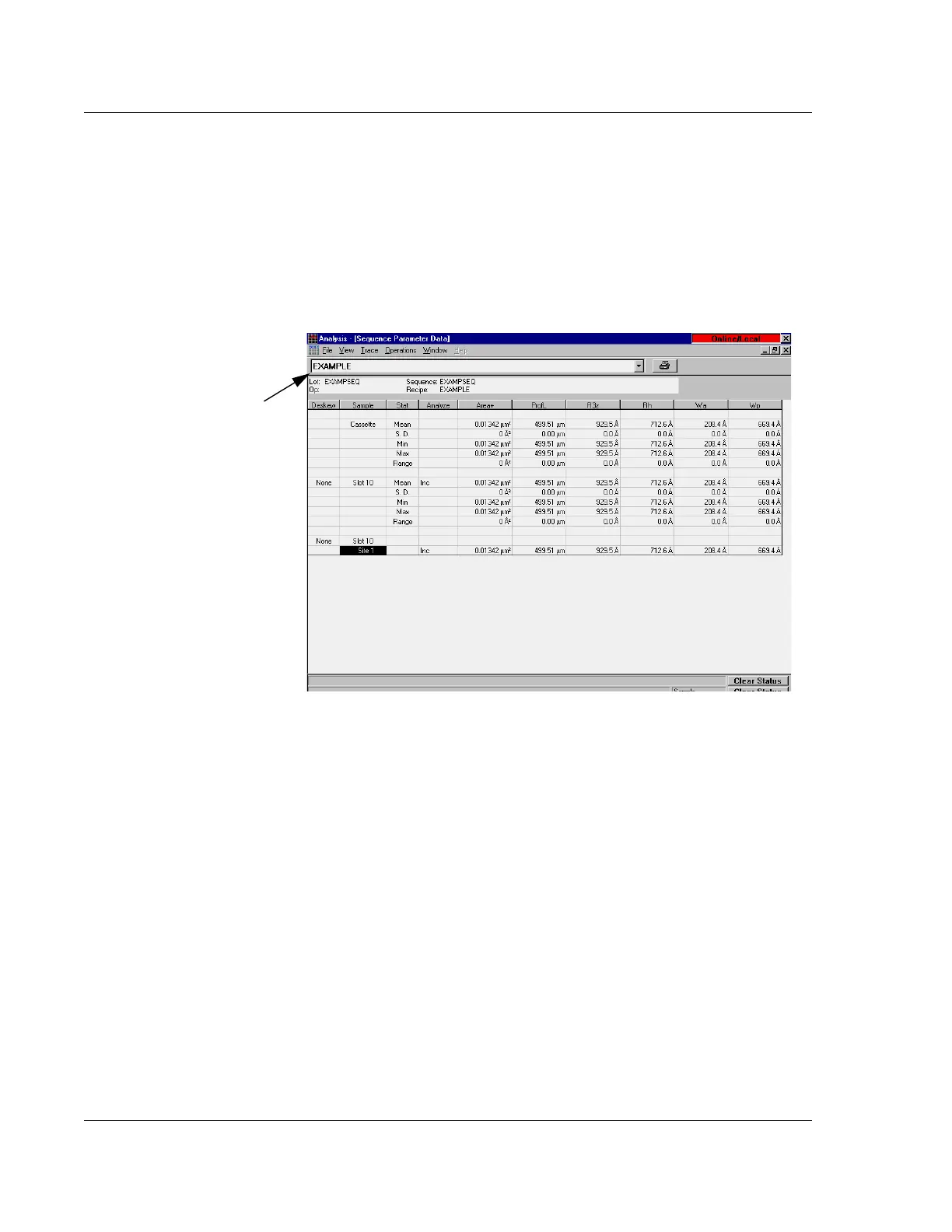
The Sequence Parameter Data window displays the detailed results of each site
scanned in the sequence.
1. Go to the
File menu in the Analysis window, and select Surface Summary.
2. Maximize the
Sequence Parameter Data window to view the entire Sequence
Parameter Data
screen from the Analysis window.
3. Go to the
Sequence Parameter Data window, and click the Recipe drop-down
menu on the left of the toolbar. (See the
Recipe location at the top left of
Figure 6.31.) This drop-down menu displays all Scan recipes that are included
in the sequence.
4. Choose the desired recipe by clicking on it.
Sequence Summary Options 6
The Sequence Summary Options dialog box specifies the information to be displayed
in the Sequence Parameter Data window. The individual scans in any sequence can be
viewed in the Analysis window by clicking the appropriate site number in the
Sequence Parameter Data window.
1. Open the
Analysis window.
2. Click the
Operations menu, and select Summary Display Options to display the
Sequence Summary Options dialog box. (See Figure 6.32.)
Figure 6.31 Sequence Parameter Data window



 To Next Page