3D Stress (optional Feature, P-16+ only) - KLA-Tencor P-16+ / P-6 User’s Guide
10-6 KLA-Tencor Confidential 0142530-000 AB
3/13/09
Adding New Substrates to the Substrate Database 10
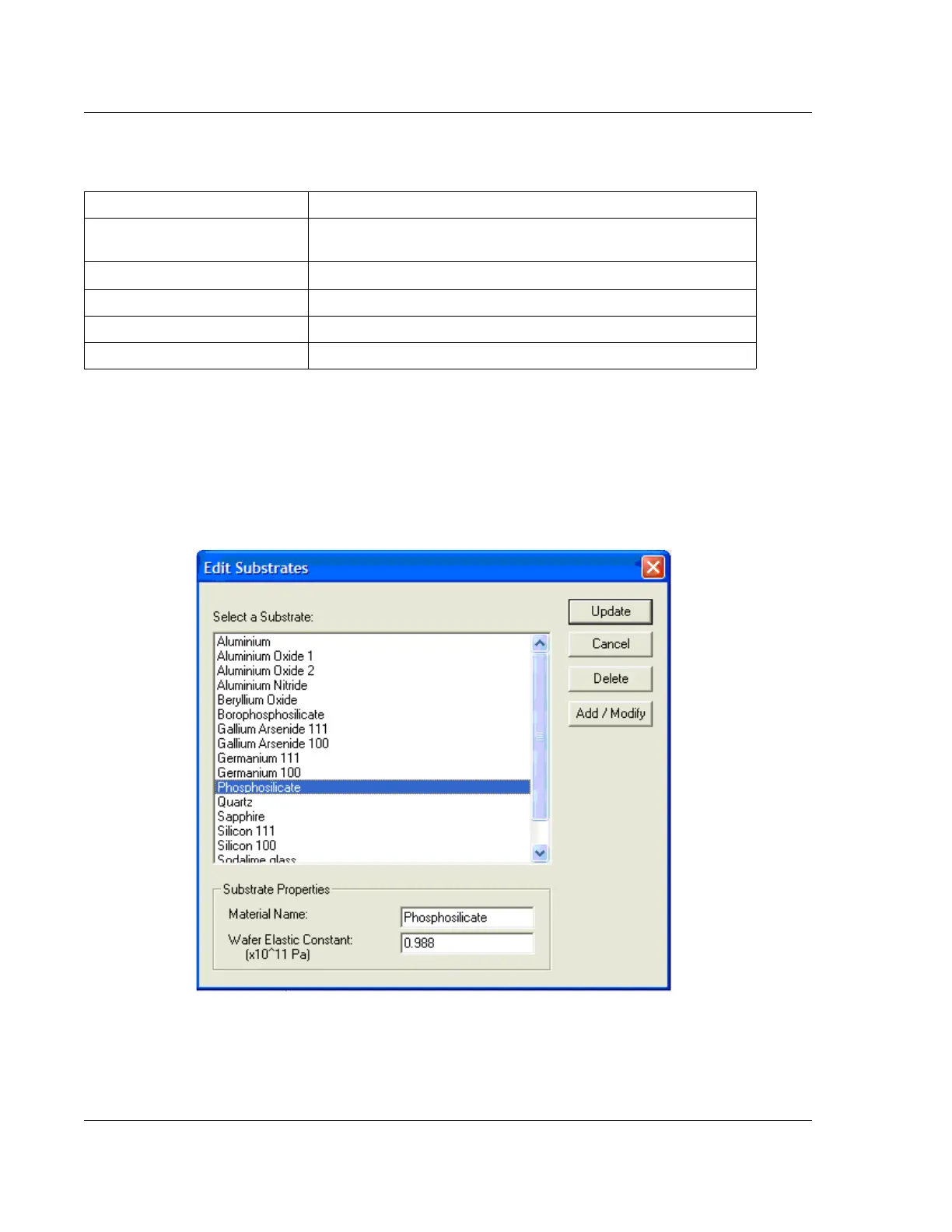
The Profiler 3D Stress software allows for the flexibility of adding and editing new
substrates. To add a new substrate, click on the Edit Substrate button found in the
Substrate Specification section of a 3D Stress recipe. See the Edit Substrates window,
where the user can add new substrates, in Figure 10.4.
Table 10.4 Field Descriptions in the Substrate Specification Section of the Recipe Editor
Item Description
Select Substrate List of predefined and user defined substrates including name and
Wafer Elastic Constant.
Edit Substrates
Allows user to define new materials for stress measurements.
Material Name Substrate name taken from the list of substrates.
Wafer Elastic Constant Constant associated with the type of substrate selected.
Wafer Thickness Thickness of wafer.
Figure 10.4 Edit Substrates Window



 To Next Page