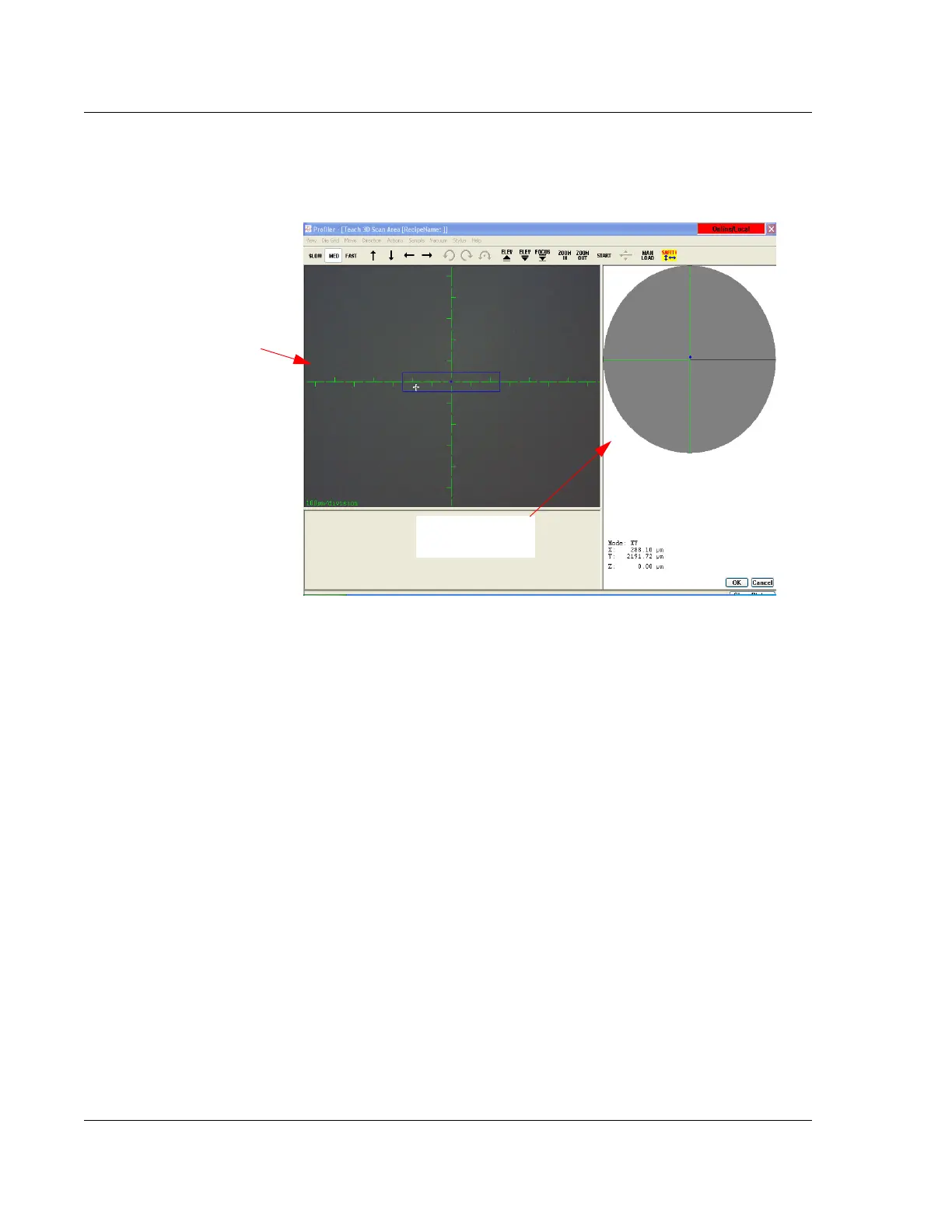
XY View Screen - Using Die Grid Navigation (Optional Feature, P-16+ only) KLA-Tencor P-16+ / P-6 User’s Guide
4-16 KLA-Tencor Confidential 0142530-000 AB
3/13/09
3. Click the Stylus Drop-Lift button to null the stylus on the sample and confirm the
scan position.
USING DIE GRID NAVIGATION (OPTIONAL FEATURE, P-16+ ONLY) 4
Introduction 4
When scanning a wafer, the die grid navigation features can be used to teach scan
and sequence sites by die location rather than by stage coordinates. The Die Grid
feature is enabled with the pattern recognition option.
Die grid navigation is composed of two components: Die Grid Navigation Window;
and Die Window.
The Die Grid Navigation Window presents a representation of the die positions on the
wafer surface. (See the Die Grid Navigation Window in Figure 4.12.) The small
highlighted rectangle, in the upper right quadrant of the die matrix, represents the die
currently being scanned. Each time a new die is chosen, the scan is performed on the
same position in that die. (See Die Window in Figure 4.12.)
The Die Window is designed to pinpoint the location of the feature to be scanned on
each die. (See the Die Window in Figure 4.12.) The cursor in the rectangle represents
the location on the die where the feature to be scanned resides. To move to another
scan position in the die, click the new position in the Die Window box.
Figure 4.11 XY View Screen
Video Display Window
Sample Navigation
Window


 To Next Page