Basic Skills - Loading a Sample KLA-Tencor P-16+ / P-6 User’s Guide
2-10 KLA-Tencor Confidential 0142530-000 AB
Friday, March 13, 2009
Preliminary
When designing custom jigs or fixtures, consider the precautions noted in this section.
For instance, when designing a custom hard disk locator, its center section must be
flush with the top of the disk surface. Care must be exercised when nulling where
there is a hole in a jig, a vacuum hole, or a groove in a surface.
For hard disks only, when measuring the disk, avoid nulling in the Disk Locator hole.
LOADING A SAMPLE 2
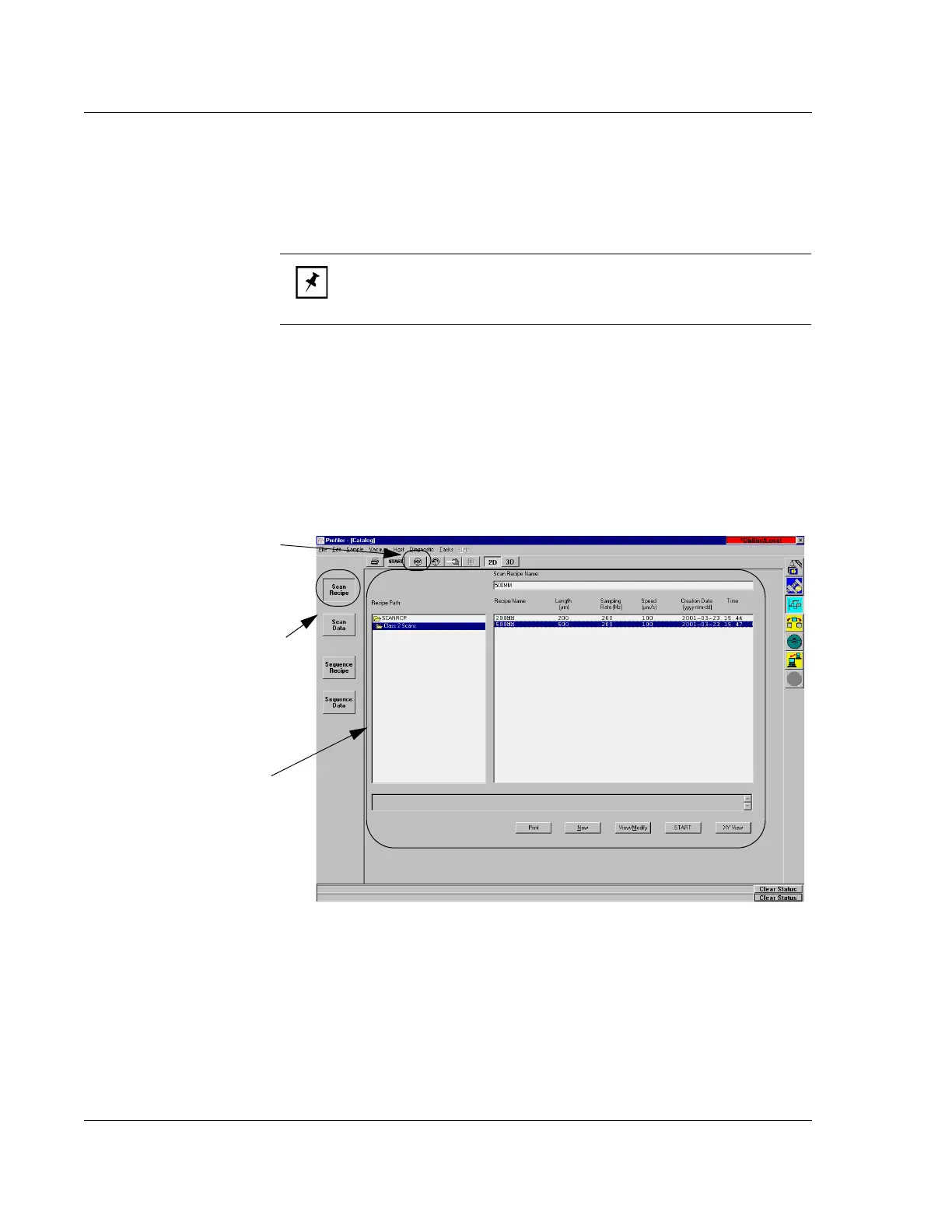
1. Open the Scan Recipe window. (Click the Scan Recipe button in the Catalog
screen. See Figure 2.7.)
2. Once the Scan Recipe window is active, with a recipe highlighted, click the
XY
View
button to display the XY View screen. (See Figure 2.7.)
NOTE: The KLA-Tencor Warranty Policy does not cover damage to
the stylus arm assembly or the pivot caused by operator error or
carelessness.
Figure 2.7 Scan Recipe Window in the Catalog Screen
Step 1 When the screen opens,
click the
Scan Recipe button.
Step 2 With a Scan Recipe
highlighted, click the XY icon to
display the XY View screen.
List window



 To Next Page