Calibrations - Video Calibration KLA-Tencor P-16+ / P-6 User’s Guide
12-4 KLA-Tencor Confidential 0142530-000 AB
3/13/09
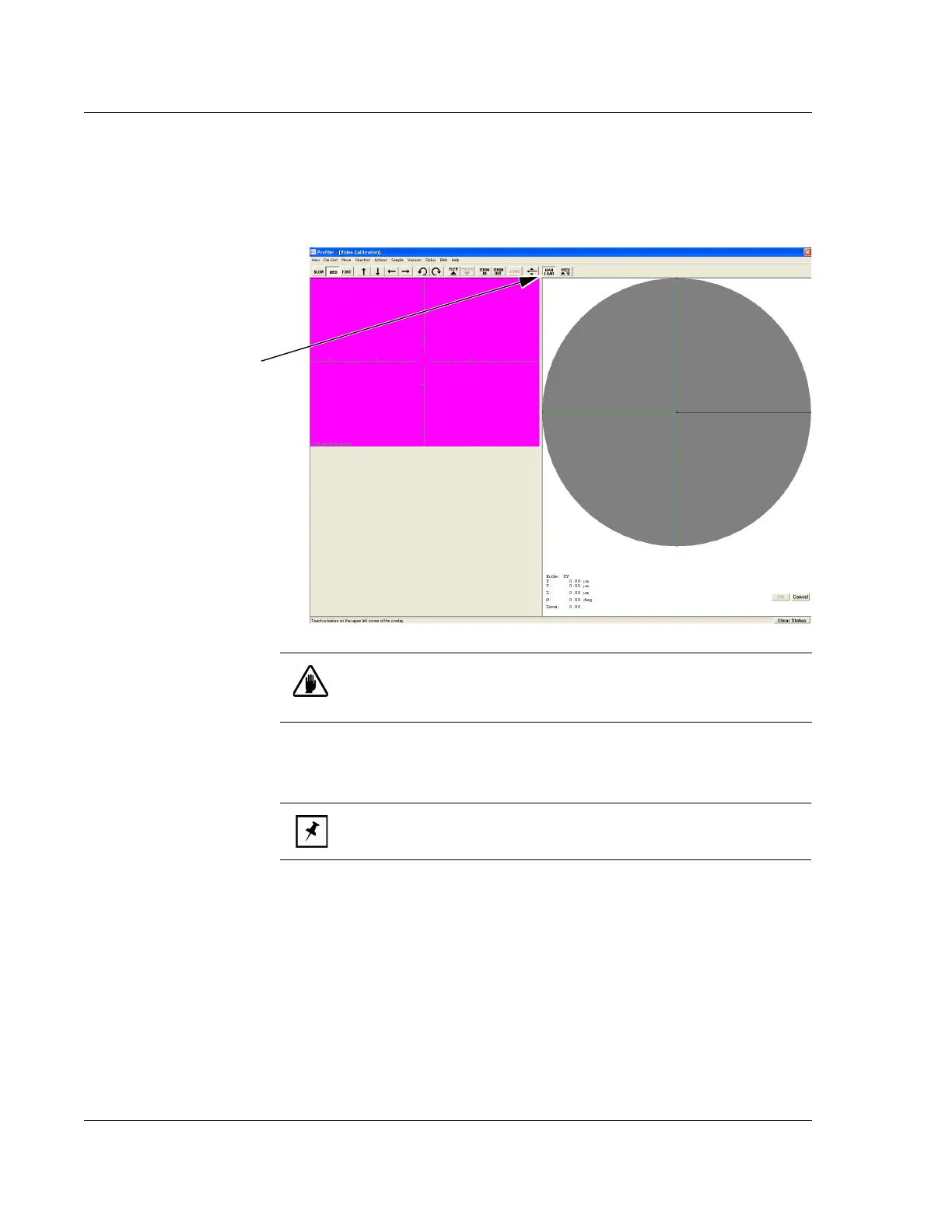
Loading the ProCal Wafer 3. From the Video Calibration screen choose MAN LOAD to move the stage out to
the stage door. (See Figure 12.4.)
Use the ProCal Wafer to perform this calibration.
4. Place the ProCal Wafer (or other sample) on the stage. Position it in the center of
the stage as squarely as possible with respect to the XY axis.
5. Turn of the vacuum using the switch just inside the left side of the door.
6. Close the door.
7. Click
MAN LOAD to move the stage back into position under the stylus and the
optics. (See Figure 12.4.)
8. Click
FOCUS in the tool bar. (See Figure 12.5.) The system nulls on the sample
(nulls = brings the head down and focuses the optics according to the currently
set magnification with the stylus very near contact with the sample surface).
9. Ensure that the current zoom setting is correct for the measurements that this
calibration is preparing for. The zoom setting is read at the bottom right of the
screen. A setting of 0.00 is zoomed all the way out. (See Figure 12.5.)
Figure 12.4 Manual Load from the Video Calibration Screen
Step Click MAN LOAD to
bring the stage to the door
so the sample can be
loaded.
Step 7 After the sample is
loaded on the stage, click
MAN LOAD to return stage
under stylus.
CAUTION: A system safety shutdown occurs if an attempt is made to
activate any stage or elevator motion when the stage door is open,
unless the interlock defeat switch has been disabled.
NOTE: The vacuum menu in the screen’s menu bar is disabled. It
does not effect the stage vacuum.



 To Next Page