Scan Recipes - Scan Recipe Catalog Screen Components KLA-Tencor P-16+ / P-6 User’s Guide
3-10 KLA-Tencor Confidential 0142530-000 AB
3/13/09
List Window 3
List Window for Scan Recipe 3
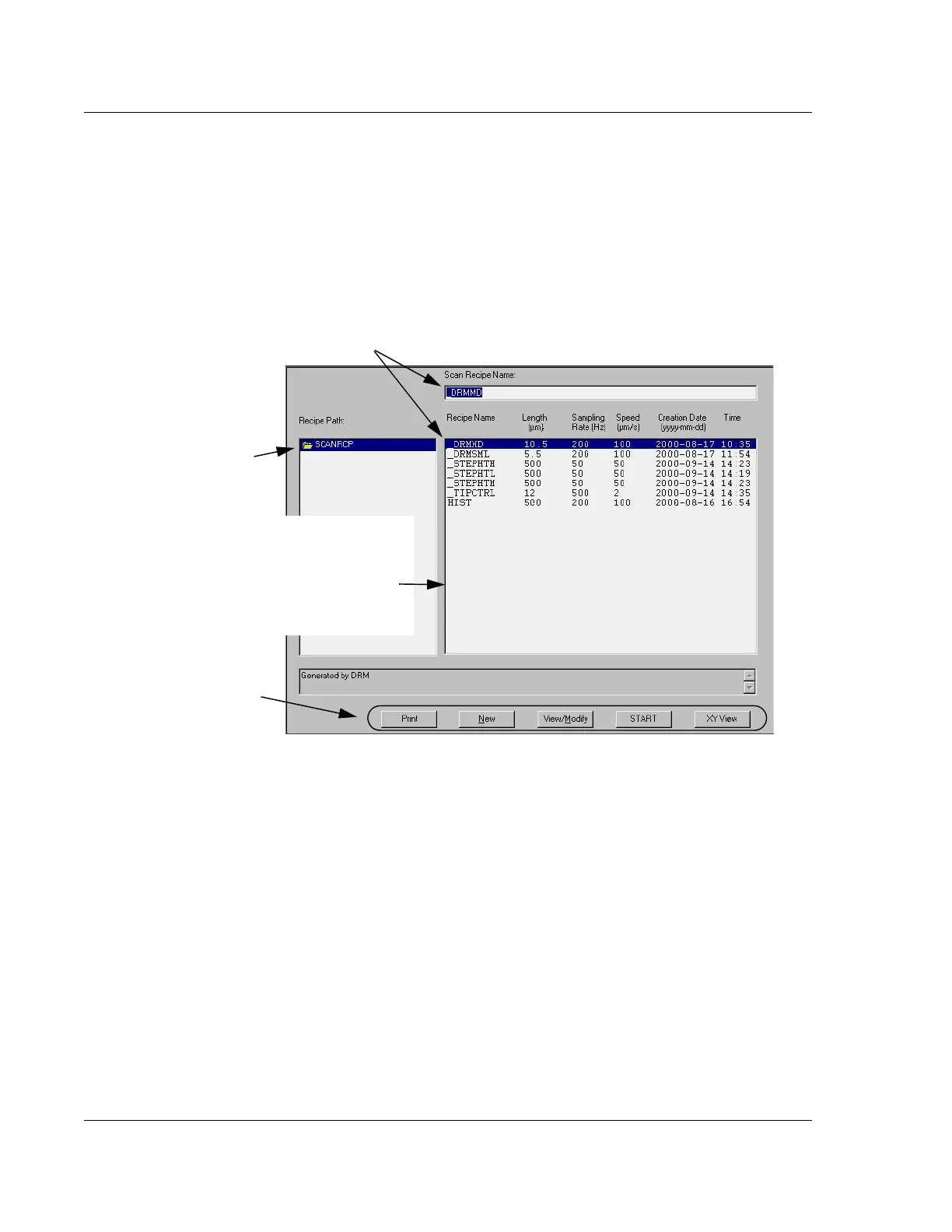
When the Scan Recipe button is clicked, the List Window displays the Scan Recipe
information and associated function buttons. (See Figure 3.6.)
Recipe Path Display
This area is used for navigating to a particular folder of recipes in a directory. The
recipes in the List window are contained in the highlighted folder in the Recipe Path
display.
Scan Recipe Name Display
This field contains the name of the currently chosen scan recipe. The recipe is chosen
by clicking on a recipe in the List window so that the recipe highlights. (See
Figure 3.6.) The recipe in the
Scan Recipe Name display is designated to be the
current recipe. If the
START button, at the bottom of the Information Display window
(see Figure 3.6), or the
START button in the Scan Recipe Catalog tool bar (see
Figure 3.5 and Table 3.10), is clicked, a scan is performed using the current recipe.
Figure 3.6 Scan Recipe information in the List Window
The Scan Recipe Name displays the currently
highlighted (chosen) recipe. If a scan is initiated
from this screen, this recipe is used.
This portion of the
Information Display is
the List window,
containing the list of
available recipes that
can be used for scans.
These Function Buttons
operate on the chosen recipe.
They duplicate other menu
and tool button functions.
The Recipe Path provides
the directory path to the
current set of recipes
displayed in the List window.



 To Next Page