Stylus Change Procedure - Stylus Removal and Replacement KLA-Tencor P-16+ / P-6 User’s Guide
13-12 KLA-Tencor Confidential 0142530-000 AB
3/13/09
8. Use the Default recipe unless there is a very good reason not to.
RECIPE TYPES. Two calibration options exist in the
Scan Offset Calibration
Option
dialog box. Each option provides the user with the opportunity to choose
between using a default recipe or to create/use a custom recipe. Default and
Custom recipes are explained below:
Default: This recipe is designed to operate with a scan speed and stylus
force setting that is safe for the stylus. The default settings are the
KLA-Tencor recommended recipe settings for all the calibrations.
Custom: This recipe type offers the user the option to customize recipe
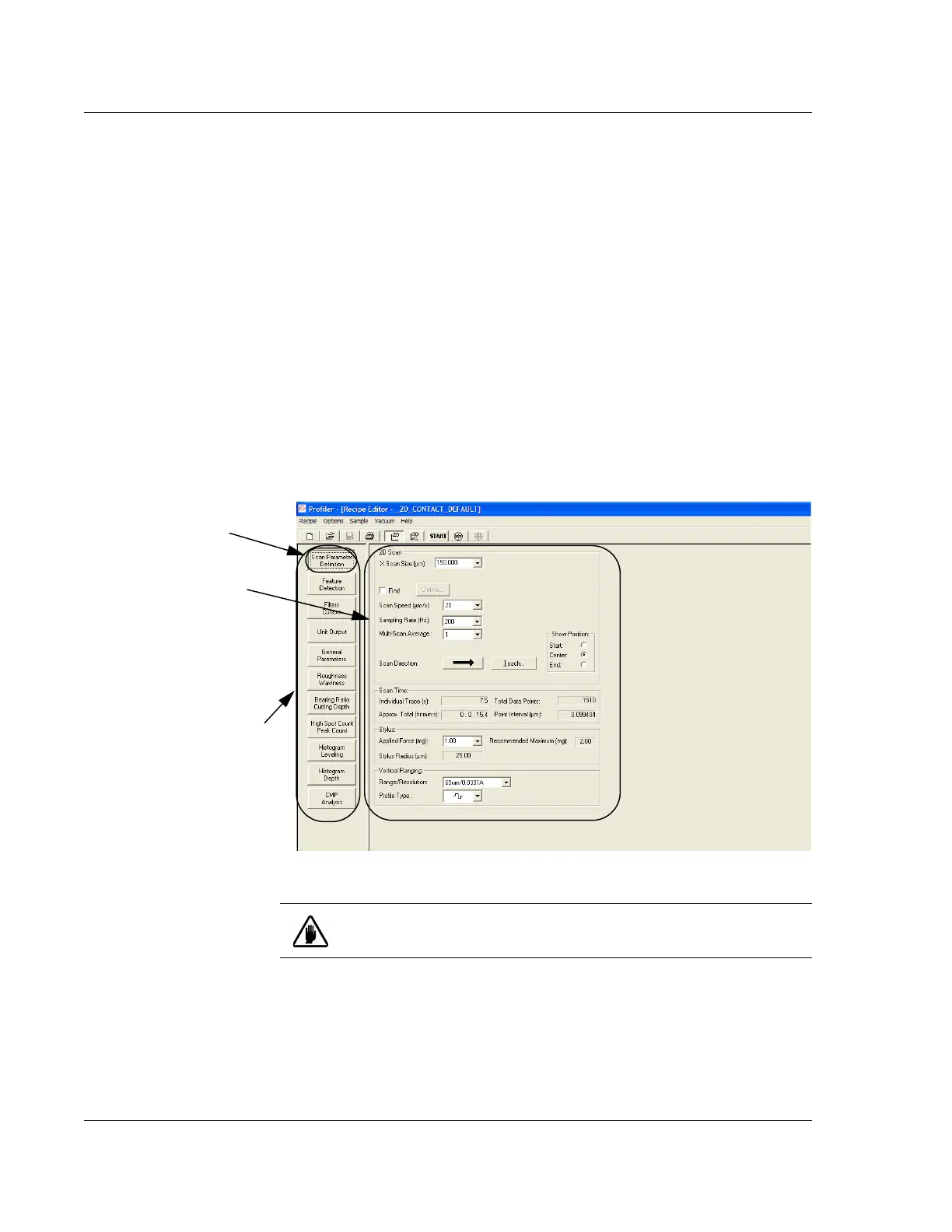
parameters to meet specific scan requirements. In the Recipe Editor there
are seven windows, each with configurable parameters. (See Figure
13.17.) For the Scan Position Offset Calibration, the only
Recipe Editor
window necessary is the
Scan Parameter Definition that appears when the
editor is first opened (see Figure 13.20). When chosen, the
Scan Parameter
Definition
button (in the top left corner of the screen, circled in Figure
13.17) appears to be indented.
9. The recipes are set as follows:
Figure 13.17 Window Buttons - _OFF150- Recipe Editor
Scan Parameter
Definition
: displays the 2D
Scan
window shown in the
illustration.
Each button in this column
displays a user configurable
window in which recipe
parameters can be defined for
use in various types of scans.
NOTE: THESE BUTTONS
ARE PASSWORD
PROTECTED WITH
RESTRICTED ACCESS.
CAUTION: KLA-Tencor recommends using the Default recipes unless
there is a very good reason for creating a custom recipe.



 To Next Page