0142530-000 AB KLA-Tencor Confidential 6-31
3/13/09
KLA-Tencor P-16+ / P-6 User’s Guide Sequence Recipe and Data - Correlation Scans
CORRELATION SCANS 6
Scans are correlated when a long scan is performed first, then small scans are
performed in the same general location. Correlation scanning combines local area
scans with macroscopic scans so that discrete features can be related to global surface
planarity.
From the scan data of a long scan, distinct features can be located which require a
repeat scan at high resolution, then create a sequence that performs high resolution
sub-scans along the length of the long scan. Data for each sub-scan is based on the
long scan, providing a data reference for correlating the measurements of the
sub-scans.
1. Open an existing Sequence recipe or create a new one in the
Sequence Editor.
2. Select the recipe to use for the long scan (one that traverses the targeted feature).
3. Click the
Scan Type arrow below the sequence to open the list.
4. Click the
Correlation Long Scan button.
A message dialog box appears, warning that the recipe immediately following is
designated a Correlation Sub-scan and if it is set up for multiple analysis, it
resets to single scan. The Sub-scan is the short scan that is tied to the long scan.
It provides the local, small-scale analysis. It is set up in step 7, next page.
5. Click
OK.
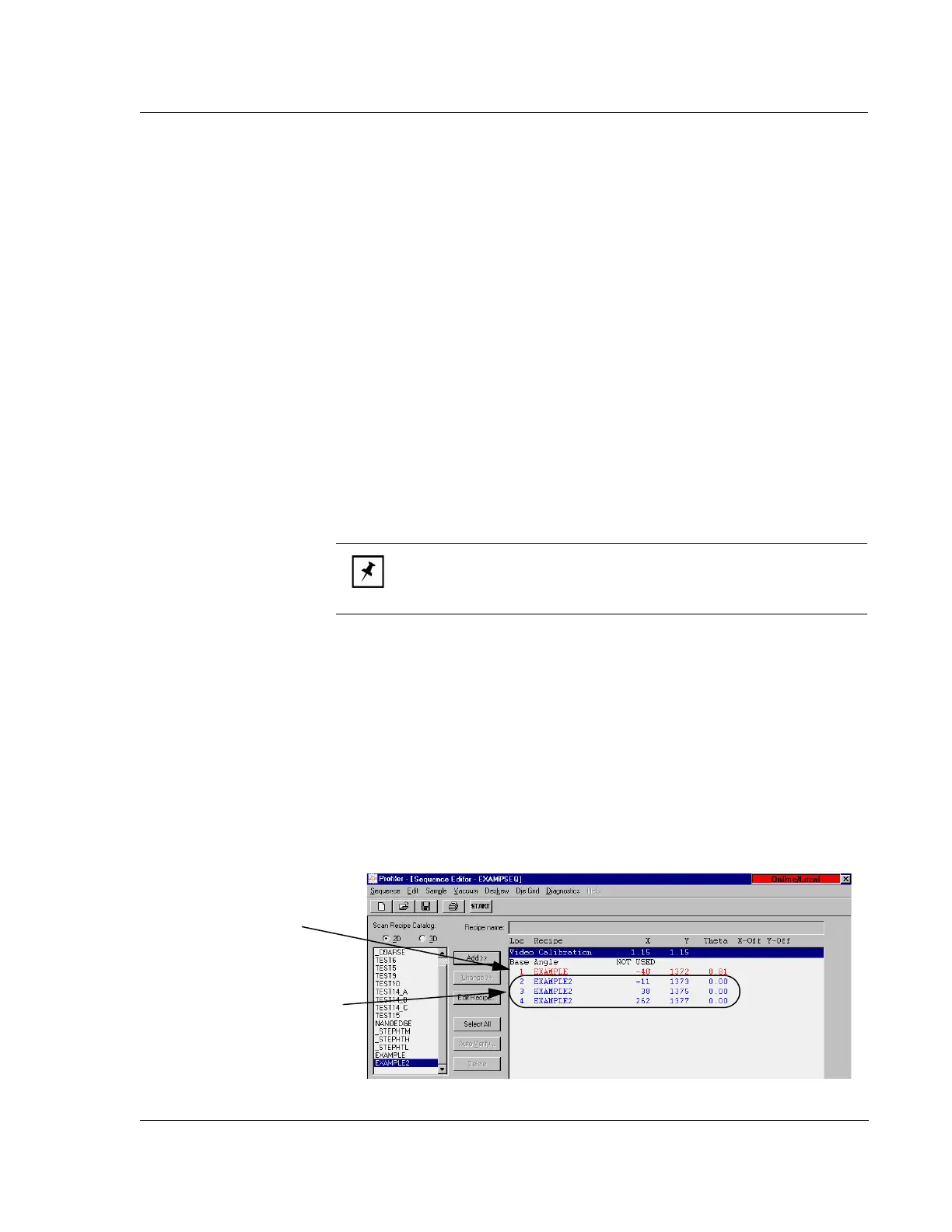
The long scan recipe becomes red; the recipe immediately following becomes
blue, indicating that it is a sub-scan to that long scan. Sub-scans always follow
long scans in sequence.
6. Designate the other sub-scans (usually 100 µm or less) as done for the long scan,
using the
Scan Type list to select Correlation Sub-scan.
Figure 6.29 shows the Sequence Editor for a correlation scan where the parent
long scan recipe is
EXAMPLE, Loc is location 1. The sub-scans are EXAMPLE2,
Loc are location 2, location 3, and location 4.
NOTE: Multiple correlation scan sets can be established; each set is
marked by the initial long scan in red lettering and its associated
sub-scans immediately following in blue.
Figure 6.29 Correlation Scan Sequence
The first recipe, the parent
long scan, is in red.
The subscan recipes, the
correlation subscans, are
in blue.



 To Next Page