0142530-000 AB KLA-Tencor Confidential 11-7
3/13/09
KLA-Tencor P-16+ / P-6 User’s Guide System Security - Procedure to change the AutoLogonUser Password
a. For user accounts not used by the Profiler software, select the user in the
list and then select Delete.
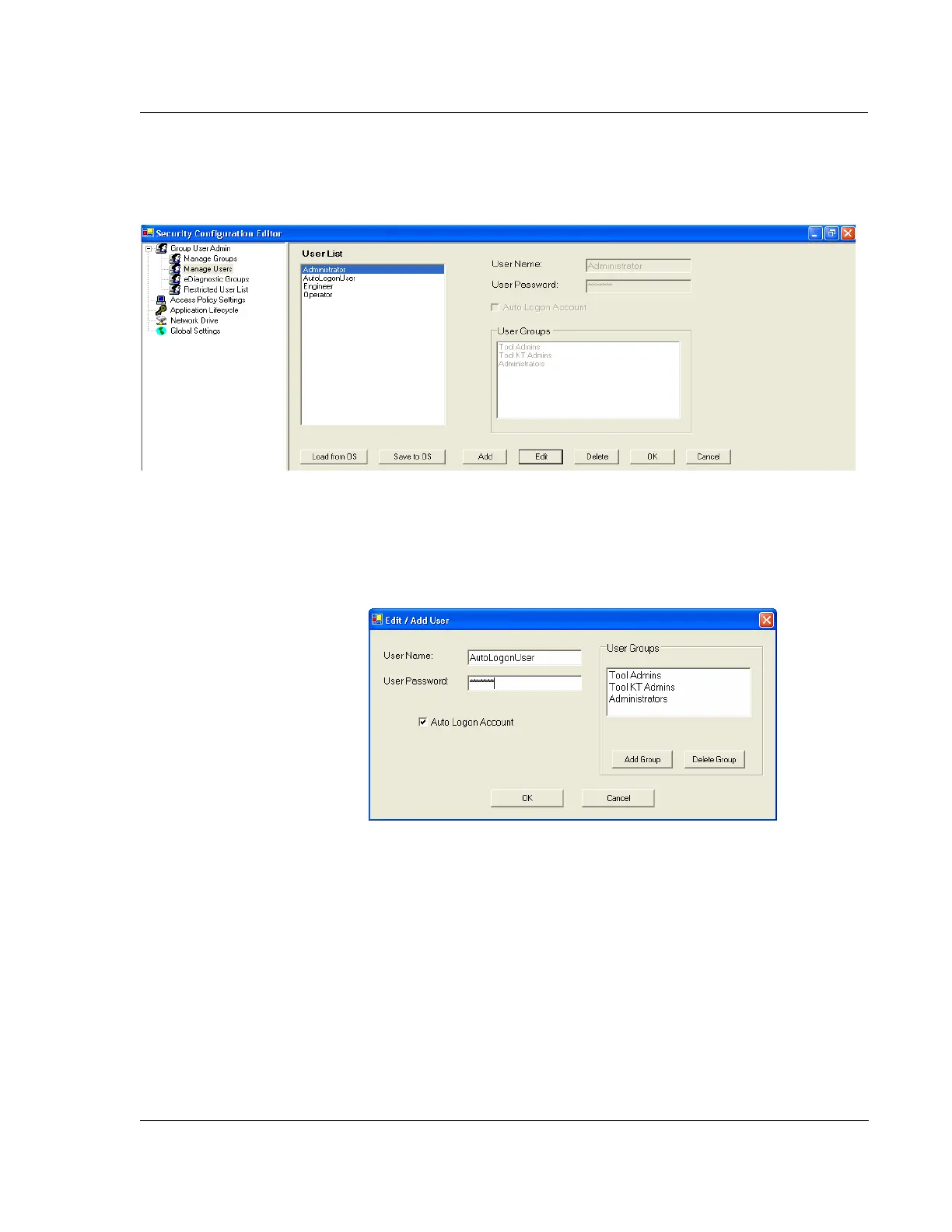
6. Enter the user password as shown inFigure 11.9 and when complete, select OK.
a. For the AutoLogonUser ensure that the checkbox is enabled for Auto
Logon Account.
7. In the Security Configuration Editor after entering the user password, select
OK as shown in Figure 11.8.
8. Repeat Steps 5 through 7 for all users.
9. When all passwords have been entered, select Save to OS as shown in Figure
11.8.
Figure 11.8 Edit Users
Figure 11.9 Change User Password



 To Next Page